HappyFiles Pro
Antivirus scan
Powered by ClamAV
✅ Verified clean
This product file has passed our security filters.
Want to run a fresh ClamAV scan right now? Takes a few seconds and shows scanner version, signature DB and live result.
This can take 5 to 30 seconds.
Clean file Threat detected
No threats detected in this file.
- File
- Size
- Scanned
- ClamAV
- Signature database
⚡ Powered by ClamAV
Scan could not be completed
Report product
If you detected an issue (broken file, malware, inappropriate content, etc.) let us know and we'll review it ASAP.
Sign in to report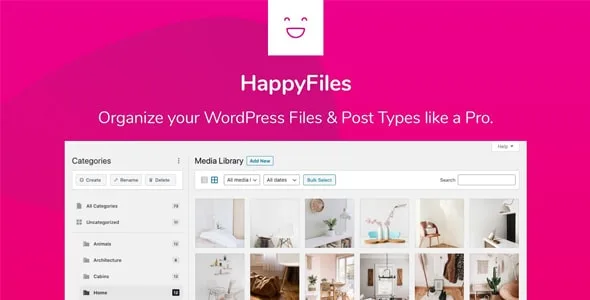
About HappyFiles Pro
Three thousand images in one pile, in arrival order
That is how the WordPress media library works: everything together, newest to oldest, and the search only finds what somebody bothered to name properly. On a site two years old, finding last year's header photograph means scrolling until it turns up.
HappyFiles adds folders, with subfolders to unlimited depth, handled by dragging.
The technical detail that matters
And worth understanding, because it separates this kind of plugin from others doing the same thing the brute-force way. HappyFiles does not move the files. The folders are labels stored in the database: the real path and the address of each image do not change.
That means no image breaks when you reorganise, that you can change your mind thirty times with no consequences, and that if you ever uninstall the plugin, your site stays exactly as it was. A plugin that did move the files would break every direct link and every reference saved in the content.
What it organises besides images
- Posts, pages and custom content types, with the same folders.
- WooCommerce products, orders and coupons.
- The installed plugins themselves, which on a site with forty of them is appreciated.
- The same file in several folders, without duplicating it.
What it solves on arrival
It imports the folders you already created with other plugins of the same type, so switching does not mean reorganising three thousand files all over again.
It also allows uploading SVG files with automatic sanitisation, which is a genuine security matter: an SVG can contain code and WordPress blocks them by default precisely for that. Here they are accepted after being cleaned first.
And it brings permissions by role, so you can let writers use the folders but not reorganise them, which is what stops the tidiness lasting a fortnight.
Frequently asked questions
Does it change my image addresses?
No. The folders are labels in the database and the files do not move.
What happens if I uninstall it?
The site stays the same. The organisation is lost, but no image breaks.
Can I bring folders over from another plugin?
Yes, it imports them from the most used folder plugins.
Does it organise WooCommerce products too?
Yes, along with posts, pages, orders, coupons and the installed plugins.
Version history
-
v
1.9.1 Current 21 May 2026
-
v
1.9 7 Apr 2026
Customer reviews
Sign in to leave a review. Only people who have the product can review it.
No reviews for this product yet.
Frequently asked questions
-
GPL (General Public License) is the license under which WordPress and most premium plugins/themes are distributed. It grants you the right to use, modify and redistribute the software in as many projects as you want, with no domain restrictions.
-
Yes. With membership you get automatic updates via our GPLClub Updater plugin (installed on your WP, detects new versions and applies them). With individual purchase, you get one year of manual updates from your account.
-
Depends on the plan. Monthly: 3 domains. Semi-annual: 7. Annual and Lifetime: 15. Individual purchase: 1 domain.
-
GPLClub offers its own support for installation, configuration and compatibility. For direct support from the original author (feature requests, product-specific bugs), a license purchased from the author is required.