HappyForms Pro – Drag and Drop Contact Form Builder
Antivirus scan
Powered by ClamAV
✅ Verified clean
This product file has passed our security filters.
Want to run a fresh ClamAV scan right now? Takes a few seconds and shows scanner version, signature DB and live result.
This can take 5 to 30 seconds.
Clean file Threat detected
No threats detected in this file.
- File
- Size
- Scanned
- ClamAV
- Signature database
⚡ Powered by ClamAV
Scan could not be completed
Report product
If you detected an issue (broken file, malware, inappropriate content, etc.) let us know and we'll review it ASAP.
Sign in to report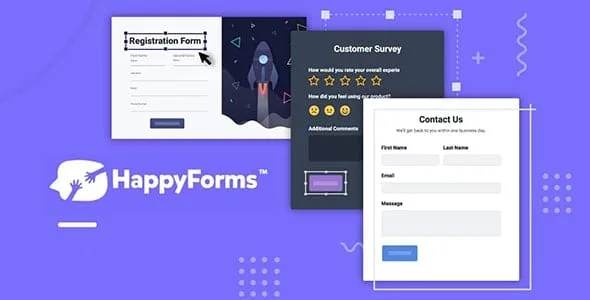
About HappyForms Pro – Drag and Drop Contact Form Builder
A capped option is a quota that gets spent with every submission
You open registration for a workshop with three time slots and add a field to pick one. With no control, Saturday's slot can overfill while the other two stay nearly empty. The form collects, but it does not distribute.
When an answer has a limit, the form stops being a mailbox and becomes an inventory that someone has to size before publishing it.
Happyforms is a form builder for WordPress that is edited with a live preview inside the Customizer. Its answer limit sets how many times a specific answer or choice can be submitted. That turns each option into a seat, and whoever builds the form decides how many seats there are.
Builder parts and functions
- Multi-page forms: long forms are split up and pages are created by dragging.
- Conditional logic: shows or hides parts of the form, and also lets you send notifications to different addresses depending on the answer.
- Special fields: hand-drawn signature, file uploads, a slider with text before and after the value, a terms block that can require scrolling through it and an expandable help text.
- Payments and coupons: order forms with several gateways. PayPal handles one-time payments and Stripe charges cards without taking the user off your site. Coupon codes apply on order forms.
- Protection and logging: reCAPTCHA against spam, and a record of IP address, submission status, referring page and date for each response.
- Templates: application, contact, survey, contact tracing, payment and feedback.
Where the responses end up
Responses stay in a form database that you organize and search through a familiar interface. The product includes PDF document generation and export to a spreadsheet.
To connect with other tools there are integrations with automation platforms, such as Zapier, Make, Integrately, SureTriggers and Thrive Automator. For mailing lists, with ActiveCampaign, AWeber, Constant Contact, ConvertKit, MailChimp, MailerLite, Sendfox, SendGrid, Sendinblue, EmailOctopus, Drip and MailPoet. That way a form can add the contacts it captures to your list.
A registration form with limited seats
A case you can build: a registration form with a choice field holding the workshop's three time slots, a cap on each one and a signature or a terms block before submitting. This is just one way to use it; change it to suit your case.
Requirements and how to start
You need WordPress and the plugin; payment gateways and integrations also call for your account with each service, such as a Stripe or PayPal account.
- Open Happyforms in the menu and create a new form, or start from a template.
- Add the parts with the builder and place them by dragging, watching the result live.
- Set up the conditional logic, the answer limit and, if you charge, the gateway.
- Choose who gets notified and connect the tool you use for your contacts.
- Insert the form in a page.
Form alternatives
To compare builders with another approach, look at WPForms Pro, Fluent Forms Pro or Forminator Pro.
Answers about Happyforms
Can I take payments from the form?
Yes. There are order forms with payment gateways: PayPal for one-time payments and Stripe for cards without leaving your site.
Can I send notifications to different people?
Yes. Conditional logic also lets you send notifications to different addresses depending on what was answered.
Does it work for long forms?
Yes. Multi-page forms split the content and each page is created by dragging.
Can I see the form while I build it?
Yes. The builder shows a live preview inside the Customizer.
Topics
Version history
-
v
1.38.9 Current 1 Apr 2026
Customer reviews
Sign in to leave a review. Only people who have the product can review it.
No reviews for this product yet.
Frequently asked questions
-
GPL (General Public License) is the license under which WordPress and most premium plugins/themes are distributed. It grants you the right to use, modify and redistribute the software in as many projects as you want, with no domain restrictions.
-
Yes. With membership you get automatic updates via our GPLClub Updater plugin (installed on your WP, detects new versions and applies them). With individual purchase, you get one year of manual updates from your account.
-
Depends on the plan. Monthly: 3 domains. Semi-annual: 7. Annual and Lifetime: 15. Individual purchase: 1 domain.
-
GPLClub offers its own support for installation, configuration and compatibility. For direct support from the original author (feature requests, product-specific bugs), a license purchased from the author is required.