Hotel Booking Notifier - Event-driven emails
Antivirus scan
Powered by ClamAV
✅ Verified clean
This product file has passed our security filters.
Want to run a fresh ClamAV scan right now? Takes a few seconds and shows scanner version, signature DB and live result.
This can take 5 to 30 seconds.
Clean file Threat detected
No threats detected in this file.
- File
- Size
- Scanned
- ClamAV
- Signature database
⚡ Powered by ClamAV
Scan could not be completed
Report product
If you detected an issue (broken file, malware, inappropriate content, etc.) let us know and we'll review it ASAP.
Sign in to report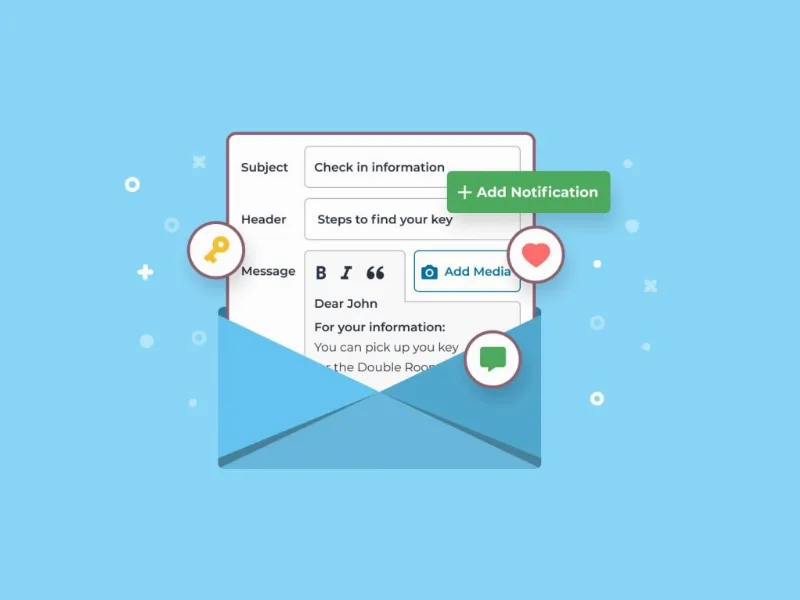
About Hotel Booking Notifier - Event-driven emails
Guest questions already come with a date
Where to pick up the key, how to get there, which restaurant to try. Anyone running a property answers the same things again and again, by phone or by message, booking after booking.
Almost everything a guest asks has a predictable date, so it can be answered before they ask. Check-in and check-out sit in the booking from day one: what is missing is the right message going out on its own at the right moment.
Hotel Booking Notifier is an add-on for MotoPress Hotel Booking that schedules emails a set number of days before or after check-in or check-out. It does not work alone: it needs that plugin installed.
What Notifier schedules
- Date-based notifications, as many as you need, such as 7 days before check-in or 2 after check-out.
- Common emails for every booking, regardless of accommodation.
- Emails by accommodation type, or for all of them at once.
- Two custom notices per accommodation type, available as tags in the templates.
- A choice of recipients: guest, admin or custom addresses.
- Tags for customizing templates and sending test emails.
- A report under Bookings > Notifications with emails sent and the time of the next ones.
A stay told in three emails
The value appears when you think about the full sequence rather than a single email. One way to arrange it:
Before arrival. How to get there, what to see and where to eat nearby. This is the moment for a welcome message.
Right before check-in. House rules, self check-in instructions and lockbox details, different for each accommodation type if needed.
After check-out. A review request or a discount coupon for next time.
And a fourth address that does not go to the guest: with a custom address as recipient, the notice reaches whoever handles cleaning on each booking, with no need to write to them by hand.
Each accommodation type gets two new fields, and their text goes into the template with the tags %accommodation_notice_1% and %accommodation_notice_2%. That way, one email can give different key instructions for each property.
A practical detail: if a field is left empty, the guest receives the email with that gap blank. It is worth filling in both for every type that uses the template.
Bookings that do not get the automatic email
- Only confirmed bookings get it, and they need a customer email. A booking without that address receives nothing.
- Late imports are missed. If the notice goes out 7 days before and an imported booking arrives with check-in in 6 days or fewer, that email is not sent.
- Manual sending. A notification can also be sent by hand from the booking editor.
- It works with email. Its features do not include SMS sending.
There are also options to disable automatic sending for imported or external bookings, and for those made after the set time frame.
Getting Notifier running
It requires MotoPress Hotel Booking and is compatible with WPML. With that plugin already active:
- Install and activate the add-on in WordPress.
- Write the two notices for each accommodation type.
- Create a notification under Bookings > Notifications and set the days, before or after, and whether they count from check-in or check-out.
- Choose recipients and accommodation types.
- Send a test email and review the report of scheduled sends.
Catalog plugins that fit with Notifier
MotoPress Hotel Booking is the engine it needs. If you do not have the site yet, Booklium is a theme built on that same engine.
For email campaigns that go beyond stay dates, FluentCRM Pro brings email marketing into WordPress, and AutomatorWP connects plugins with triggers and actions.
Questions about automating email with Notifier
Does it work without MotoPress Hotel Booking?
No. It is an extension of that plugin.
How many notifications can I create?
As many as you need, each with its own days and reference point.
Can it notify cleaning staff?
Yes. A custom address as recipient gets that notification on each booking.
Does it reach Airbnb or Booking.com bookings?
Only if the imported booking is confirmed, has a customer email and arrives within the time frame. Sending to imported bookings can also be disabled.
Topics
Version history
-
v
1.4.1 Current 5 Sep 2026
-
v
1.4.0 7 Apr 2026
Customer reviews
Sign in to leave a review. Only people who have the product can review it.
No reviews for this product yet.
Frequently asked questions
-
GPL (General Public License) is the license under which WordPress and most premium plugins/themes are distributed. It grants you the right to use, modify and redistribute the software in as many projects as you want, with no domain restrictions.
-
Yes. With membership you get automatic updates via our GPLClub Updater plugin (installed on your WP, detects new versions and applies them). With individual purchase, you get one year of manual updates from your account.
-
Depends on the plan. Monthly: 3 domains. Semi-annual: 7. Annual and Lifetime: 15. Individual purchase: 1 domain.
-
GPLClub offers its own support for installation, configuration and compatibility. For direct support from the original author (feature requests, product-specific bugs), a license purchased from the author is required.