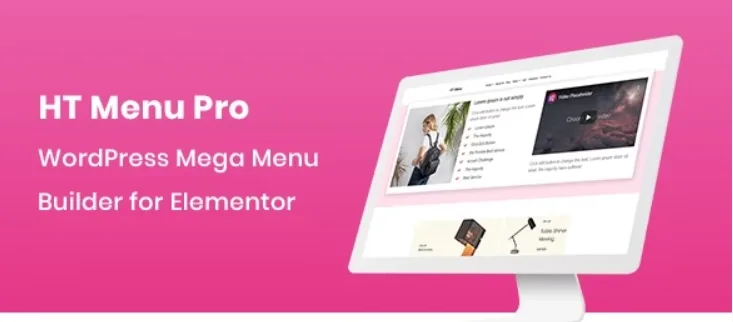
HT Menu
Antivirus scan
Powered by ClamAV
✅ Verified clean
This product file has passed our security filters.
Want to run a fresh ClamAV scan right now? Takes a few seconds and shows scanner version, signature DB and live result.
This can take 5 to 30 seconds.
Clean file Threat detected
No threats detected in this file.
- File
- Size
- Scanned
- ClamAV
- Signature database
⚡ Powered by ClamAV
Scan could not be completed
Report product
If you detected an issue (broken file, malware, inappropriate content, etc.) let us know and we'll review it ASAP.
Sign in to reportNewer version out, or a problem?
About HT Menu
Menus with too many sections that visitors never explore
When a WordPress menu grows, visitors get lost among long lists of links that say nothing about the content behind them. On a site with a catalog or several services, a single-column dropdown forces scrolling to find what they need, and the menu ends up losing its usefulness. HT Menu is an Elementor addon that builds that menu as a mega menu, so you need Elementor installed and active.
Building a category mega menu step by step
Picture a store with five main categories and several subcategories in each. This is how you build the dropdown for the largest one:
- You choose the menu item you want to turn into a mega menu and assign it its own width, instead of inheriting a fixed width for the whole menu.
- You set the submenu position relative to that item.
- You add an Elementor template under the item and split it into columns with Elementor widgets: one block per subcategory, with its links.
- You repeat the process for each category, so every dropdown has the width and content it needs.
Common questions when building HT Menu with Elementor
Can I put an Elementor template under a menu item?
Yes. You can add an Elementor template under a menu item and use it as the content of its dropdown.
Is the width set for the whole menu or per item?
Per item. Each one can have its own width.
What is the menu badge?
It is a label you can show on a menu item. You can give it a text color and a background color, set independently.
Can I add icons to menu items?
Yes. With the icon picker you choose the icon for each item and give it its own color.
Icons and badges to flag specific menu items
Besides the dropdown, HT Menu lets you customize each menu item. An icon picker lets you choose the icon and its color, and the badge can have its own text and background colors.
Images are not included in the downloadable file
Images are not included in the downloadable file. If your Elementor templates show photos or supporting images in the dropdowns, you will need to prepare those files and upload them yourself.
Version history
-
v
1.0.12 Current 9 Nov 2026
-
v
1.0.11 25 Aug 2026
-
v
1.0.9 21 Apr 2025
Customer reviews
Sign in to leave a review. Only people who have the product can review it.
No reviews for this product yet.
Frequently asked questions
-
GPL (General Public License) is the license under which WordPress and most premium plugins/themes are distributed. It grants you the right to use, modify and redistribute the software in as many projects as you want, with no domain restrictions.
-
Yes. With membership you get automatic updates via our GPLClub Updater plugin (installed on your WP, detects new versions and applies them). With individual purchase, you get one year of manual updates from your account.
-
Depends on the plan. Monthly: 3 domains. Semi-annual: 7. Annual and Lifetime: 15. Individual purchase: 1 domain.
-
GPLClub offers its own support for installation, configuration and compatibility. For direct support from the original author (feature requests, product-specific bugs), a license purchased from the author is required.