Image Upload for bbPress Pro
Antivirus scan
Powered by ClamAV
✅ Verified clean
This product file has passed our security filters.
Want to run a fresh ClamAV scan right now? Takes a few seconds and shows scanner version, signature DB and live result.
This can take 5 to 30 seconds.
Clean file Threat detected
No threats detected in this file.
- File
- Size
- Scanned
- ClamAV
- Signature database
⚡ Powered by ClamAV
Scan could not be completed
Report product
If you detected an issue (broken file, malware, inappropriate content, etc.) let us know and we'll review it ASAP.
Sign in to report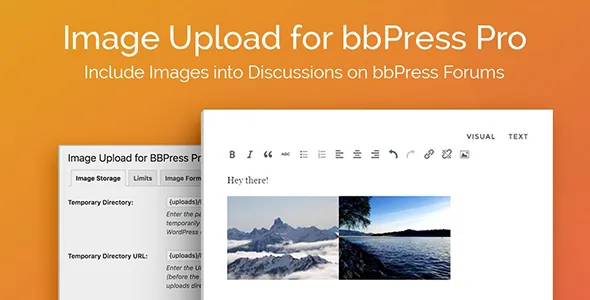
About Image Upload for bbPress Pro
A forum without images forces people to describe in words what a screenshot would show: an error on screen, a part that doesn't fit, a photo of the result. Many end up uploading the image to an external service and pasting a link that, a year later, no longer works. Image Upload for bbPress Pro lets users upload images directly inside the topic or reply in bbPress.
The image that gets lost is the one that explained the problem
In a support forum or a hobbyist community, the question lives off its image. If that image is hosted elsewhere and disappears, the discussion stops making sense. Keeping the files on your own server (or in the storage you choose) prevents this silent decay of old threads.
A thread with images, step by step with Image Upload for bbPress Pro
- Write: the user writes their topic or reply and drags one or several images into the uploader. They can also do it from a phone: tap a button in the editor, the upload box opens, and a second tap shows the phone's image picker.
- Upload: images are first saved to a temporary directory on the server and, when the user publishes, they move to their final location.
- Adjust: the plugin shrinks images to the maximum dimensions you set, applies the PNG and JPEG compression you choose and, if you want, converts them all to the same format. That way a huge phone photo doesn't eat your space or bandwidth.
- Display: a thumbnail is inserted in the post and, on click, the large version opens in a lightbox. Animated GIFs keep their animation if you decide to allow them.
One thing to keep in mind: the lightbox can be turned on or off in the settings, and you also decide whether the full TinyMCE editor and the plugin's own image dialog are used. Check in the demo how the editor looks in your theme.
Frequently asked questions about Image Upload for bbPress Pro
Can I stop just anyone from uploading images?
Yes. You can limit uploads by user role, and set how many images are allowed per topic or per reply.
Does it work without bbPress?
No. It is an add-on for bbPress forums and only acts on their topics and replies.
Where are the files stored?
By default, in a server directory that you define. To use Amazon S3 you need a separate add-on plugin, which is not included.
Can I translate the uploader's text?
Yes, there is a tab to change the labels visitors see on the frontend.
Size, format and compression limits in the dashboard
The plugin creates its own menu in the WordPress dashboard, with settings split into tabs:
- Storage: server folder for the images.
- Limits: images per topic and per reply, maximum file size and dimensions, and thumbnail size.
- Image format: storage formats, compression and permission for animated GIFs.
- Display: editor, image dialog and lightbox.
- Statistics: total number of stored images and the space they use.
- Translation: alternative text for the labels.
When it isn't what you're looking for
If your forum isn't bbPress, or you need to upload documents, PDFs or other non-image files, this plugin isn't designed for that. It also doesn't moderate what the images show: with open registration, combine the role limits with your own review. The statistics help you see how fast the forum is growing before it becomes a hosting problem.
Topics
Version history
-
v
2.2.2 Current 28 Oct 2026
-
v
2.2.1 9 Oct 2026
-
v
2.2.0 23 Sep 2026
-
v
2.1.38 12 May 2026
-
v
2.1.36 27 Aug 2025
Customer reviews
Sign in to leave a review. Only people who have the product can review it.
No reviews for this product yet.
Frequently asked questions
-
GPL (General Public License) is the license under which WordPress and most premium plugins/themes are distributed. It grants you the right to use, modify and redistribute the software in as many projects as you want, with no domain restrictions.
-
Yes. With membership you get automatic updates via our GPLClub Updater plugin (installed on your WP, detects new versions and applies them). With individual purchase, you get one year of manual updates from your account.
-
Depends on the plan. Monthly: 3 domains. Semi-annual: 7. Annual and Lifetime: 15. Individual purchase: 1 domain.
-
GPLClub offers its own support for installation, configuration and compatibility. For direct support from the original author (feature requests, product-specific bugs), a license purchased from the author is required.