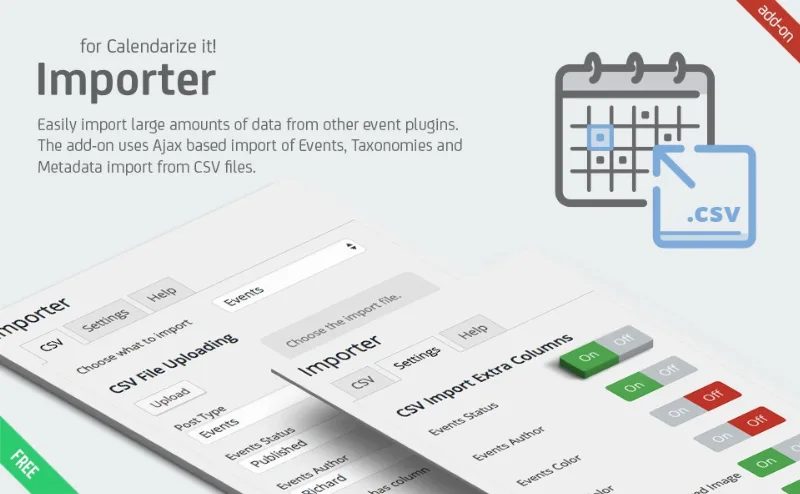
Importer for Calendarize it!
Antivirus scan
Powered by ClamAV
✅ Verified clean
This product file has passed our security filters.
Want to run a fresh ClamAV scan right now? Takes a few seconds and shows scanner version, signature DB and live result.
This can take 5 to 30 seconds.
Clean file Threat detected
No threats detected in this file.
- File
- Size
- Scanned
- ClamAV
- Signature database
⚡ Powered by ClamAV
Scan could not be completed
Report product
If you detected an issue (broken file, malware, inappropriate content, etc.) let us know and we'll review it ASAP.
Sign in to reportNewer version out, or a problem?
About Importer for Calendarize it!
Migrating an events calendar without rewriting it by hand
Switching event plugins in the middle of the season usually means copying listings one by one: title, dates, venue, organizer, color. With hundreds of events the work eats up weeks and mistakes creep in along the way. Importer for Calendarize it! is for anyone leaving another events plugin who wants to bring their history into Calendarize it!, which needs to be installed and active, because this add-on extends that plugin.
From the CSV file to the calendar, step by step
Everything starts in your spreadsheet. Export the events from the previous plugin to CSV and put each piece of data in the column it belongs to: title, permalink, excerpt, content, start and end date and time, and the taxonomies for calendars, organizers, venues, states and countries. Before uploading, check that dates use the same format in every row.
Then upload the file from the importer. The import runs through AJAX, and the events reach Calendarize it! with their dates, times and colors.
Questions when migrating events with Importer for Calendarize it!
Can I import several events with the same name?
Yes, as long as the permalink of each event is unique. With different permalinks, the importer can handle each event separately, even when they share a name.
Are my custom taxonomies imported?
Yes, if you created them with Capabilities and Taxonomies for Calendarize it!. The importer supports any custom taxonomy from that add-on, so your own categories can come along in the migration.
Does it work with Chinese text or special characters?
The add-on has fixed bugs with Chinese characters and UTF-8 encoding when importing events. It is worth checking them once they are imported.
Can I import images as well?
Yes. There are fields for the WordPress featured image, the top image and details box of the event page, the month view image, and also images for venues and organizers.
The event fields that reach your calendar
These are the event fields the import supports from CSV:
- Event title, permalink, excerpt and content
- Start and end date and time
- Calendars, organizers, venues, states and countries
- Event color and text color in the month view
- Post status
- Featured image, top page image, details box image and month view image
Venues, organizers and calendars with their own data
Taxonomies do not stop at a name. Each venue, organizer or calendar can carry its own data, so a venue can arrive with its website, phone and coordinates, and an organizer with its email and an HTML description.
- Venues: name, slug, description in text or HTML, image, website, website label, nofollow, email, phone, map window text, zoom, country, country ISO code, address, Google address, postal code, state, city, latitude and longitude
- Organizers: name, slug, description in text or HTML, phone, email, website, website label, nofollow and image
- Calendars: name, slug and description
Topics
Version history
-
v
1.0.5.81966 Current 12 May 2024
Customer reviews
Sign in to leave a review. Only people who have the product can review it.
No reviews for this product yet.
Frequently asked questions
-
GPL (General Public License) is the license under which WordPress and most premium plugins/themes are distributed. It grants you the right to use, modify and redistribute the software in as many projects as you want, with no domain restrictions.
-
Yes. With membership you get automatic updates via our GPLClub Updater plugin (installed on your WP, detects new versions and applies them). With individual purchase, you get one year of manual updates from your account.
-
Depends on the plan. Monthly: 3 domains. Semi-annual: 7. Annual and Lifetime: 15. Individual purchase: 1 domain.
-
GPLClub offers its own support for installation, configuration and compatibility. For direct support from the original author (feature requests, product-specific bugs), a license purchased from the author is required.