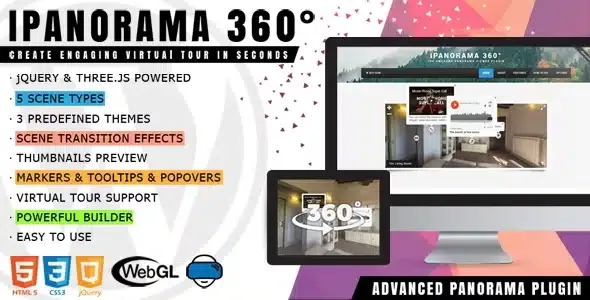
iPanorama 360° - Virtual Tour Builder for WordPress
Antivirus scan
Powered by ClamAV
✅ Verified clean
This product file has passed our security filters.
Want to run a fresh ClamAV scan right now? Takes a few seconds and shows scanner version, signature DB and live result.
This can take 5 to 30 seconds.
Clean file Threat detected
No threats detected in this file.
- File
- Size
- Scanned
- ClamAV
- Signature database
⚡ Powered by ClamAV
Scan could not be completed
Report product
If you detected an issue (broken file, malware, inappropriate content, etc.) let us know and we'll review it ASAP.
Sign in to reportNewer version out, or a problem?
About iPanorama 360° - Virtual Tour Builder for WordPress
A 360 tour to show a space without being there
A flat photo rarely lets anyone get a real sense of what a space looks like inside. Whoever offers accommodation, visits or tours usually ends up sending loose photos and explaining over the phone what is in each corner. iPanorama 360 turns those panoramic photos into a tour that the visitor controls on their own.
How to build a tour with iPanorama 360, step by step
It all starts in the built-in builder in WordPress, where you upload your panoramic photos. No programming knowledge is needed. Once you have the scenes, you link them with hotspots so the visitor can move from one to another with a click.
Scenes can be displayed as sphere, cube, little planet, flat or Google Street View, so you choose the projection that best fits each photo.
Hotspots and popover windows that explain what matters
Hotspots serve two purposes: taking the visitor from one scene to another or pointing out a specific spot. Each one can show a tooltip and, when clicked, open a popover window with expanded information. With the marker style creator you define how each one looks.
Inside a window you can add text, images, video and other online media. This way a point in the scene can explain a detail with images and video. Tooltips and windows offer more than 50 show and hide animation types to choose from.
What the visitor sees on each device
- Mouse navigation (wheel to zoom), arrow keys, touch and gyroscope on mobile.
- Compass, automatic rotation and background music per scene.
- Fullscreen, scene thumbnails and a preview image.
There are two visual themes, light and dark, and the transition between scenes can be chosen from more than 20 effects, such as zoom, fade or swirl. The design is responsive and works in modern browsers and on mobile devices.
From the builder to other pages: embedding and reusing the tour
A tour can be published on other sites using an iframe, so it does not have to live only on your WordPress website. Also, the configuration can be exported to a file and imported later, which makes it easy to reuse an already adjusted tour. The plugin includes an API with over 45 options.
Frequently asked questions about iPanorama 360
Do I need to know how to code to create a tour?
No. The builder is designed to upload photos, place hotspots and add windows without writing code.
Does it look good on mobile?
Yes. The design is responsive and the gyroscope lets you move the view by tilting the device.
Can I add music or video?
Yes. You can add background music to a scene and put videos inside the popover windows.
Can I take the tour to another page?
Yes, using an iframe. And if you want to reuse the configuration, you can export it to a file and import it later.
Topics
Version history
-
v
1.9.1 Current 21 Apr 2025
Customer reviews
Sign in to leave a review. Only people who have the product can review it.
No reviews for this product yet.
Frequently asked questions
-
GPL (General Public License) is the license under which WordPress and most premium plugins/themes are distributed. It grants you the right to use, modify and redistribute the software in as many projects as you want, with no domain restrictions.
-
Yes. With membership you get automatic updates via our GPLClub Updater plugin (installed on your WP, detects new versions and applies them). With individual purchase, you get one year of manual updates from your account.
-
Depends on the plan. Monthly: 3 domains. Semi-annual: 7. Annual and Lifetime: 15. Individual purchase: 1 domain.
-
GPLClub offers its own support for installation, configuration and compatibility. For direct support from the original author (feature requests, product-specific bugs), a license purchased from the author is required.