Knowledge Base WordPress Theme
Antivirus scan
Powered by ClamAV
✅ Verified clean
This product file has passed our security filters.
Want to run a fresh ClamAV scan right now? Takes a few seconds and shows scanner version, signature DB and live result.
This can take 5 to 30 seconds.
Clean file Threat detected
No threats detected in this file.
- File
- Size
- Scanned
- ClamAV
- Signature database
⚡ Powered by ClamAV
Scan could not be completed
Report product
If you detected an issue (broken file, malware, inappropriate content, etc.) let us know and we'll review it ASAP.
Sign in to report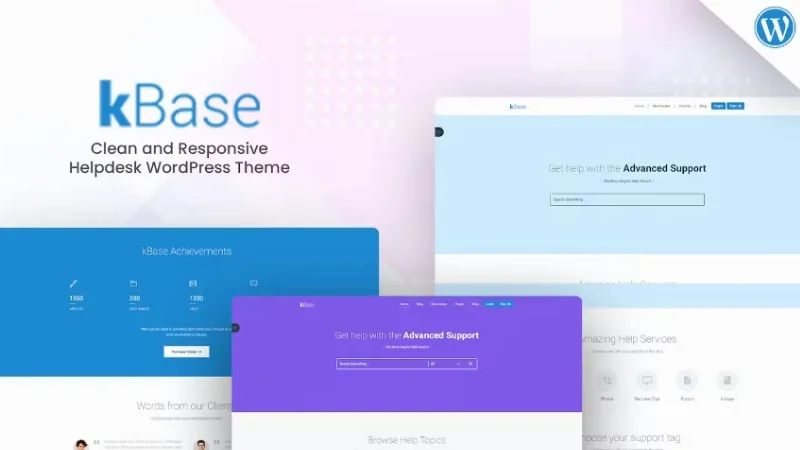
About Knowledge Base WordPress Theme
For the support team that answers the same questions every Monday
A knowledge base isn't there to attract lots of visitors, but to let someone with a problem find the answer before writing to you. This theme is designed for wikis, help centers, documentation, customer support and community sites, with a clean design that adapts to mobile.
It fits if you already know which questions keep coming back and want to give them an organized home. Keep three limits in mind:
- It is a theme: it provides the look of the site. The articles, how they are organized and keeping them reviewed are up to you.
- Contact is handled with Contact Form 7. If you need a ticket system with agents and statuses, check the demo for what it includes before deciding.
- Several features, such as the slider or the demo import, rely on plugins that you install separately.
Knowledge Base WordPress Theme and the reader who scans instead of reading
People who arrive at a help center are usually in a hurry with something broken in their hands. They scan headings, look for their keyword and leave if they don't see it. That is why the value of a theme like this lies in cleanliness: little decoration, a clear hierarchy and a page that works well on mobile, where many people check a question while the problem is right in front of them.
The theme is responsive and ready for retina screens, so text and icons don't look blurry on modern displays. If your site will have hundreds of articles, check in the demo how categories are displayed and whether a search box is visible from the home page, because that decides whether people find something or give up.
Importing the demo with Unyson and editing on top of something already built
With the Unyson plugin you can import the demo content with a single click and leave your site looking just like the example. It helps because the hard part of a knowledge base is imagining the structure: seeing pages, menus and blocks already in place saves you from starting with a blank screen. Afterwards you replace the sample text with your own and delete what you don't use.
Contact Form 7 for when the article doesn't solve the problem
No documentation covers everything. Contact Form 7 lets you edit the default form template or create your own from its panel. It is useful for having a general inquiry form and more specific ones, for example one to report a bug and another to suggest a missing topic. What arrives through there is the best list of pending articles.
WooCommerce, WPML and Elementor: what each one brings
- WooCommerce: the theme is compatible, including with YITH WooCommerce Wishlist. It is useful if you want to sell something alongside the help content, such as products or services.
- WPML: the theme is compatible. You translate the content yourself.
- Elementor: listed as compatible. Check in the demo how far its use goes before planning the whole design around it.
It also works with Slider Revolution, useful if you want a home page with rotating messages, although in a help center it is better for the first thing visitors see to be the search box or the categories.
Questions to ask before building your help center
Is it for product documentation or only for support?
It is designed for both: wiki, documentation, help center and community sites.
Can I publish in several languages?
It is compatible with WPML. You translate the content yourself.
Does it include its own contact form?
It integrates with Contact Form 7, a free plugin that you install separately.
Can I sell from the same site?
Yes, with WooCommerce, and also with the YITH wishlist if you install it.
Version history
-
v
2.8 Current 8 Jan 2025
Customer reviews
Sign in to leave a review. Only people who have the product can review it.
No reviews for this product yet.
Frequently asked questions
-
GPL (General Public License) is the license under which WordPress and most premium plugins/themes are distributed. It grants you the right to use, modify and redistribute the software in as many projects as you want, with no domain restrictions.
-
Yes. With membership you get automatic updates via our GPLClub Updater plugin (installed on your WP, detects new versions and applies them). With individual purchase, you get one year of manual updates from your account.
-
Depends on the plan. Monthly: 3 domains. Semi-annual: 7. Annual and Lifetime: 15. Individual purchase: 1 domain.
-
GPLClub offers its own support for installation, configuration and compatibility. For direct support from the original author (feature requests, product-specific bugs), a license purchased from the author is required.