Leopard - WordPress offload media
Antivirus scan
Powered by ClamAV
✅ Verified clean
This product file has passed our security filters.
Want to run a fresh ClamAV scan right now? Takes a few seconds and shows scanner version, signature DB and live result.
This can take 5 to 30 seconds.
Clean file Threat detected
No threats detected in this file.
- File
- Size
- Scanned
- ClamAV
- Signature database
⚡ Powered by ClamAV
Scan could not be completed
Report product
If you detected an issue (broken file, malware, inappropriate content, etc.) let us know and we'll review it ASAP.
Sign in to reportNewer version out, or a problem?
About Leopard - WordPress offload media
Moving media off the server when bandwidth costs add up
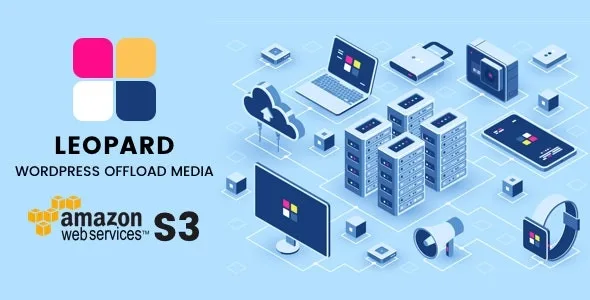
A website with years of uploads piles up images, PDFs and videos. Leopard copies those files to cloud storage and rewrites their URLs so they are served from there or from the CDN you choose, such as CloudFront, which cuts bandwidth costs and improves speed.
You can copy files to the cloud as they are uploaded to the media library, or move the years of content you already have in one batch.
Stores, heavy sites and teams switching providers
WooCommerce stores that sell downloads
Leopard lets you pick files directly from the cloud for WooCommerce downloadable products, both public and private. Easy Digital Downloads is supported too, including frontend submissions. A product with several files shows all of them, not just the first one.
Sites with lots of images, video or PDFs
On large websites with many images, videos or PDFs, automatic synchronization runs in the background, so you can turn off the computer while it progresses. Bulk operations respect the time limit you set, and there is a switch to disable bulk sync if you prefer to control it yourself.
Teams switching storage provider
If you use WP Offload Media today, Leopard includes migration from that plugin. Storage migration also lets you copy files between buckets or move them from one provider to another, and bucket-to-bucket sync works across AWS S3, Wasabi, Google and DigitalOcean Spaces.
What happens to each file once it reaches the cloud
When a file is copied, Leopard can delete the local WordPress copy to free up space, or keep it for the number of hours you configure after the transfer. It also automatically replaces the library links so the resource loads from storage, and lets you change the bucket folder paths and set Cache-Control and CORS headers.
There are advanced filters for the library and object versioning, which only applies within the media library. If you need to regenerate thumbnails, the regenerate thumbnail plugin works with images stored in the cloud.
Image optimization and faster delivery
Leopard generates a WebP version of each image after upload and when rebuilding, and lets you scale, crop, rotate or flip images that are already in the cloud. For delivery it compresses objects with GZIP, minifies CSS, JS and HTML, and removes emojis, with options aimed at Google PageSpeed Insights.
It also automatically pulls assets from the theme, plugins and WordPress core (JS, CSS, fonts, SVG) and rewrites their URLs to serve them from storage.
Integrations with Elementor, BuddyBoss, WPML and WP Rocket
Leopard supports Elementor, BuddyBoss, WPML, WooCommerce, WP All Import, Advanced Custom Fields PRO and the Motors theme, along with WP-CLI, Rclone, Cloudflare CDN and multisite. With WP Rocket you work as usual and the cache uses the cloud copy. It is compatible with EWWW Image Optimizer, ShortPixel, TinyPNG and Smush as long as you don't use the Remove from server option.
Frequently asked questions about Leopard
Can I upload files to the cloud by FTP?
Yes, but only for files that are not images, and only for WooCommerce or Easy Digital Downloads downloadable products. Then you use the cloud files feature to assign them to the product.
Can files move between two different providers?
Yes. You can sync buckets within the same provider or between providers, for example from Wasabi to AWS S3 or from Google to Wasabi.
What happens to the URL when the file is served from a CDN?
Leopard rewrites the URLs so the file is served from the storage or from the CDN you choose, such as CloudFront or Cloudflare CDN.
Bunny and Cloudflare R2 have limits with assets
Bunny Storage only supports syncing the media library and CSS and JS assets, so for other files you need one of the other supported providers. On Cloudflare R2, the assets feature does not support fonts or icon fonts in woff2, woff or ttf format when offloading CSS.
Topics
Version history
-
v
5.1.0 Current 5 Sep 2026
-
v
5.0.1 28 Apr 2026
Customer reviews
Sign in to leave a review. Only people who have the product can review it.
No reviews for this product yet.
Frequently asked questions
-
GPL (General Public License) is the license under which WordPress and most premium plugins/themes are distributed. It grants you the right to use, modify and redistribute the software in as many projects as you want, with no domain restrictions.
-
Yes. With membership you get automatic updates via our GPLClub Updater plugin (installed on your WP, detects new versions and applies them). With individual purchase, you get one year of manual updates from your account.
-
Depends on the plan. Monthly: 3 domains. Semi-annual: 7. Annual and Lifetime: 15. Individual purchase: 1 domain.
-
GPLClub offers its own support for installation, configuration and compatibility. For direct support from the original author (feature requests, product-specific bugs), a license purchased from the author is required.