Liner for Elementor
Antivirus scan
Powered by ClamAV
✅ Verified clean
This product file has passed our security filters.
Want to run a fresh ClamAV scan right now? Takes a few seconds and shows scanner version, signature DB and live result.
This can take 5 to 30 seconds.
Clean file Threat detected
No threats detected in this file.
- File
- Size
- Scanned
- ClamAV
- Signature database
⚡ Powered by ClamAV
Scan could not be completed
Report product
If you detected an issue (broken file, malware, inappropriate content, etc.) let us know and we'll review it ASAP.
Sign in to report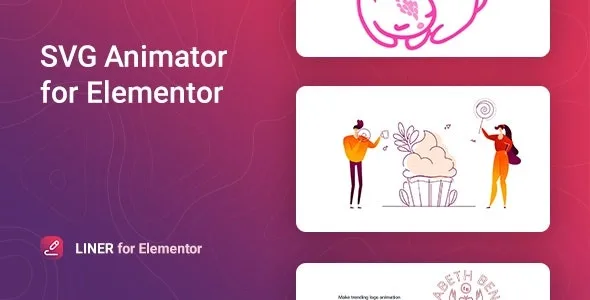
About Liner for Elementor
A static logo no longer surprises anyone, but a line that draws itself does
When you deliver a website built with Elementor, sooner or later a client asks for "a bit of movement" and you end up with a heavy GIF, a looping video or a half-working animation that looks different in every browser. Liner for Elementor solves exactly that for one specific case: animating the path of an SVG, line by line.
The key is that the result depends on your drawing, not on the plugin. An SVG with well-built strokes (paths) animates elegantly; an SVG made of filled shapes with no path has nothing to "draw". The people who get the most out of it already work with illustrators or vector logos.
Liner for Elementor gives you control per stroke, not just per drawing
It is an Elementor widget. Each path of the SVG can have its own settings, and so can the whole animation:
- Per stroke: color, width, X and Y offset and rotation.
- For the whole animation: animation type, delay, duration, shadow (box-shadow) and CSS filters.
- Trigger: on hover, on click, when entering the viewport or automatically on load.
- Extras: a link over the SVG and responsive behavior settings.
It comes with 5 ready-styled templates. Think of them as starting points to see how it is configured, not as a library that covers every project.
Clear limits: it only works inside Elementor, it is no use with other page builders, and you need to supply your own SVG (your own or downloaded from other sources). If your file has no strokes, the effect will not appear no matter how much you tweak the controls.
Common questions before using Liner
Can it animate any image?
Only SVG. A PNG or a JPG cannot be animated stroke by stroke with this plugin.
Can I animate each line differently?
Yes: color, width, offset and rotation are set per path. There are also global settings for the whole animation.
Does it adapt to my theme's styles?
It is designed to work with themes built on Elementor, and you can adjust colors and effects so it fits your design.
Does it work in all browsers?
It is compatible with Chrome, Firefox, Opera, Safari and Edge. Even so, check the result on mobile with your specific SVG.
Where an animated line really shines
Think of elements that must catch the eye once and do it well: an animated logo in the header, a product presentation, a call-to-action block or a contact button. Since you can choose to start it when it enters the viewport, the animation happens when the visitor sees it, not before they reach that area.
It works best in moderation: one or two animated elements per page direct attention; ten scatter it.
Translation, RTL and light weight
It includes a pot file to translate the plugin into any language and supports right-to-left writing. It is a lightweight plugin and SEO friendly, which helps if you are going to repeat it across several pages.
You activate it and the Elementor widget is ready, with no prior settings
There is no settings panel to fill in first: you install, activate and the widget appears in Elementor. What is worth preparing beforehand is the SVG: check that it has strokes, that it is clean and that its size fits the space where you will place it. Start with one of the 5 templates to understand the controls, then swap in your own drawing.
Version history
-
v
1.0.4 Current 28 Aug 2026
-
v
1.0.2 17 May 2024
Customer reviews
Sign in to leave a review. Only people who have the product can review it.
No reviews for this product yet.
Frequently asked questions
-
GPL (General Public License) is the license under which WordPress and most premium plugins/themes are distributed. It grants you the right to use, modify and redistribute the software in as many projects as you want, with no domain restrictions.
-
Yes. With membership you get automatic updates via our GPLClub Updater plugin (installed on your WP, detects new versions and applies them). With individual purchase, you get one year of manual updates from your account.
-
Depends on the plan. Monthly: 3 domains. Semi-annual: 7. Annual and Lifetime: 15. Individual purchase: 1 domain.
-
GPLClub offers its own support for installation, configuration and compatibility. For direct support from the original author (feature requests, product-specific bugs), a license purchased from the author is required.