Login Security Pro
Antivirus scan
Powered by ClamAV
✅ Verified clean
This product file has passed our security filters.
Want to run a fresh ClamAV scan right now? Takes a few seconds and shows scanner version, signature DB and live result.
This can take 5 to 30 seconds.
Clean file Threat detected
No threats detected in this file.
- File
- Size
- Scanned
- ClamAV
- Signature database
⚡ Powered by ClamAV
Scan could not be completed
Report product
If you detected an issue (broken file, malware, inappropriate content, etc.) let us know and we'll review it ASAP.
Sign in to report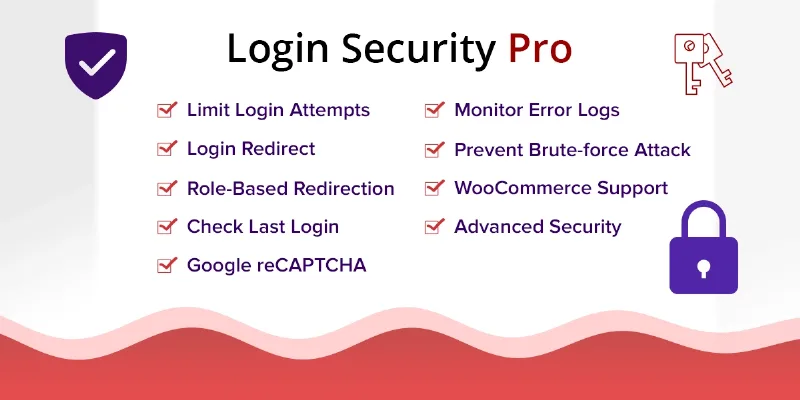
About Login Security Pro
The login attempts nobody sees until it's too late
A WordPress login form gets visits from bots that guess passwords, fake registrations and junk comments. The site owner usually finds out late: through orders that don't exist, an account with a login they don't recognize, or a comment queue full of spam.
Login Security Pro puts a barrier on those forms and leaves a record of who logged in and from where.
A Monday in a store with Login Security Pro
Imagine a WooCommerce store with registered customers, a blog with comments and two or three editors. Here is how the plugin applies, step by step:
- Verification on the forms. You choose Google reCAPTCHA (v2 or v3) or Cloudflare Turnstile, which confirms the visitor is real without a visual puzzle. It applies to the WordPress login and registration forms and also to the WooCommerce ones.
- Cap on failed attempts. You set how many errors are allowed per IP address. Anyone who exceeds it is locked out for the number of minutes the administrator sets, which slows down brute force.
- Checkout and lost password. You can add the captcha to the WooCommerce checkout to stop spam orders, and protect the lost password form, both the WordPress one and the WooCommerce one.
- Comments. The form that appears below blog posts is also protected against spam.
- Error log. You can review the IP addresses and times of those who submit the forms, useful to spot a pattern.
- Login history. Each user sees their latest logins on the dashboard (IP, date and time) and can spot a suspicious one. You can look up a username and see its last 25 records.
One limit to keep in mind: the plugin works on forms, login attempts and logs. If you also need two-factor authentication, a malware scanner or a firewall, check first whether it covers that. And since the lock is by IP, don't set an excessive time: a customer who mistypes their password several times would be locked out for all that time.
Questions about Login Security Pro
Is it useful if I don't have WooCommerce?
Yes. It protects the standard WordPress forms: login, registration, lost password and comments. The WooCommerce options only make sense if you run a store.
What is the difference between reCAPTCHA and Turnstile?
Both check that whoever submits the form is not a robot. reCAPTCHA is offered in versions 2 and 3, and Turnstile works without a visual puzzle. Choose depending on whether you prefer Google's system or Cloudflare's.
Does it protect the whole admin panel?
It focuses on forms and login attempts. Don't think of it as full protection for the whole site.
What does a user see after mistyping their password several times?
Once they exceed the limit you have set, their IP is locked for the number of minutes you configure.
Each role lands where it belongs
A less flashy but practical feature is role-based redirection, both on login and on logout. For example, you can send subscribers to one URL and administrators to a different one.
Topics
Version history
-
v
2.0.6 Current 15 May 2024
Customer reviews
Sign in to leave a review. Only people who have the product can review it.
No reviews for this product yet.
Frequently asked questions
-
GPL (General Public License) is the license under which WordPress and most premium plugins/themes are distributed. It grants you the right to use, modify and redistribute the software in as many projects as you want, with no domain restrictions.
-
Yes. With membership you get automatic updates via our GPLClub Updater plugin (installed on your WP, detects new versions and applies them). With individual purchase, you get one year of manual updates from your account.
-
Depends on the plan. Monthly: 3 domains. Semi-annual: 7. Annual and Lifetime: 15. Individual purchase: 1 domain.
-
GPLClub offers its own support for installation, configuration and compatibility. For direct support from the original author (feature requests, product-specific bugs), a license purchased from the author is required.