LoginWP - Pro
Antivirus scan
Powered by ClamAV
✅ Verified clean
This product file has passed our security filters.
Want to run a fresh ClamAV scan right now? Takes a few seconds and shows scanner version, signature DB and live result.
This can take 5 to 30 seconds.
Clean file Threat detected
No threats detected in this file.
- File
- Size
- Scanned
- ClamAV
- Signature database
⚡ Powered by ClamAV
Scan could not be completed
Report product
If you detected an issue (broken file, malware, inappropriate content, etc.) let us know and we'll review it ASAP.
Sign in to report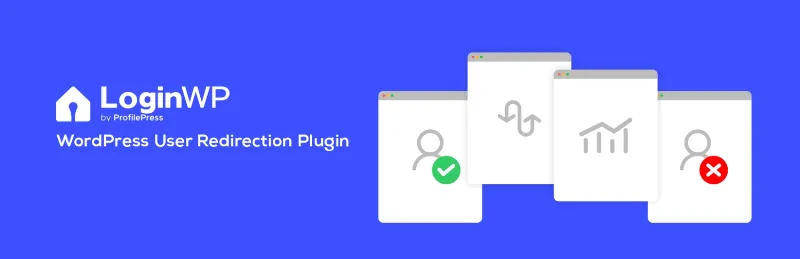
About LoginWP - Pro
Every user needs to land somewhere different, and WordPress sends them all to the same place
By default, whoever logs in ends up in the WordPress dashboard, whatever their role. For a subscriber, a student or a store customer that is a dead end: they see a panel they don't understand instead of their course, their account or the page they were looking for. LoginWP - Pro fixes that first contact with redirect rules after login, logout and registration.
Who buys LoginWP - Pro and why they take a while to notice the problem
It is installed by people with a site that has several types of user: stores, online academies, membership sites or private client areas. Their problem rarely shows up in analytics: a user who logs in and gets lost simply doesn't come back. The first minute after login is where it is decided whether the account gets used or abandoned, and almost nobody looks after it because the administrator always enters through the dashboard and never sees what everyone else sees.
Rules by user, role and capability, and what the Pro version adds
The base defines where each person goes according to three criteria: their username, their role or a specific capability. That way you can send one client to their private announcements page and everyone else to the home page.
- Logout: also supports rules by user, role or capability.
- After registration: you specify the page or URL that someone who has just signed up lands on.
- {{current_page}} and {{previous_page}} placeholders: return the user to the page they were on or the one that brought them, useful if they log in halfway through reading or buying.
- First login: a special welcome page only the first time.
- Context-based conditions: course or group in LearnDash, membership in MemberPress, Restrict Content Pro, Paid Memberships Pro or WishList Member, product or category purchased and active subscription or membership in WooCommerce, course or membership in LifterLMS, course in Tutor LMS and current language in Polylang or WPML.
Important: those advanced conditions depend on the corresponding plugin being installed. LoginWP does not create memberships, courses or a store; it only decides where to send each person. Nor is it a form design plugin: it redirects, it does not change the look of the login.
Frequently asked questions before installing it
Do I need to know how to code?
No. Rules are created from the panel. If you are a developer, it offers hooks and filters to extend it.
Does it work with login forms that are not WordPress's own?
The Pro version integrates forms and plugins such as WooCommerce, Gravity Forms, WPForms, LearnDash, LifterLMS, Tutor LMS, Easy Digital Downloads, ProfilePress, MemberPress, Ultimate Member, Theme My Login, Elementor and others. If you use one that is not on that list, test it first in a staging environment.
Can it redirect based on what the customer has bought?
Yes, with WooCommerce you can use the product or purchase category as a condition, as well as active subscriptions and memberships.
Can I send someone to their private page?
Yes, with a rule by username. If you have many clients, a role or a membership condition is more convenient than one rule per person.
Test the rules with accounts of each role, not with the administrator's
Before going live, create test users with each role and each membership type you plan to use and log in with them in a private window. Check the order of the rules: when someone matches several, you need to know which one wins. Also check logout and registration, which are easy to forget. If your site uses several languages or a login form from another plugin, verify each redirect there, not only on the standard screen.
Version history
-
v
4.0.8.7 Current 21 Oct 2025
Customer reviews
Sign in to leave a review. Only people who have the product can review it.
No reviews for this product yet.
Frequently asked questions
-
GPL (General Public License) is the license under which WordPress and most premium plugins/themes are distributed. It grants you the right to use, modify and redistribute the software in as many projects as you want, with no domain restrictions.
-
Yes. With membership you get automatic updates via our GPLClub Updater plugin (installed on your WP, detects new versions and applies them). With individual purchase, you get one year of manual updates from your account.
-
Depends on the plan. Monthly: 3 domains. Semi-annual: 7. Annual and Lifetime: 15. Individual purchase: 1 domain.
-
GPLClub offers its own support for installation, configuration and compatibility. For direct support from the original author (feature requests, product-specific bugs), a license purchased from the author is required.