MailChimper PRO - WordPress MailChimp Signup Form Plugin
Antivirus scan
Powered by ClamAV
✅ Verified clean
This product file has passed our security filters.
Want to run a fresh ClamAV scan right now? Takes a few seconds and shows scanner version, signature DB and live result.
This can take 5 to 30 seconds.
Clean file Threat detected
No threats detected in this file.
- File
- Size
- Scanned
- ClamAV
- Signature database
⚡ Powered by ClamAV
Scan could not be completed
Report product
If you detected an issue (broken file, malware, inappropriate content, etc.) let us know and we'll review it ASAP.
Sign in to reportNewer version out, or a problem?
About MailChimper PRO - WordPress MailChimp Signup Form Plugin
Who it suits if your list lives in MailChimp or another provider
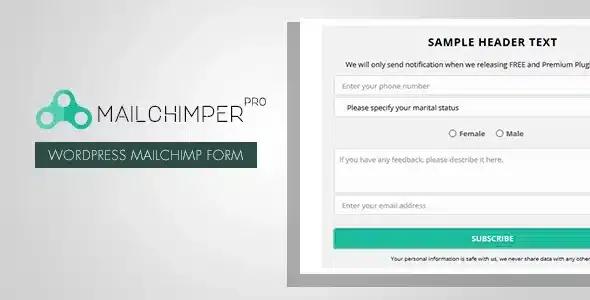
MailChimper PRO is a WordPress signup form plugin that works with MailChimp and many other providers, and it lets you start building your MailChimp email list in minutes.
It connects with Active Campaign, Benchmark, Campaign Monitor, Campayn, Constant Contact, Freshmail, GetResponse, MailPoet, MyMail, MadMimi, SimplyCast and YMLP. With those providers it sends subscription details to your existing list, and the user is subscribed without any further step. If you use another mail manager, the plugin can send you a notification for each new subscription with the user's address, so you can add it to your list yourself.
A fully customizable form
The visual builder lets you design each form with more than 650 Google Fonts styles, plus font sizes and colors, borders and animations. The live preview shows the result while you edit, so you can see how each change looks.
The main animations combine with item effects so the form appears in an eye-catching way, and that combination gives more than 200 different variants. If you prefer to start from something ready, it includes several design templates you can use as a starting point.
Popup across the whole site or form inside the content
In popup mode you can show it across the whole site or only on the pages you choose, which lets you decide where the newsletter offer appears. In embed mode the form blends with the page content, designed so visitors see it as just another part of the text.
Custom fields range from a form with only an email address to a signup area with several details: text inputs, textareas, radio buttons, select boxes and hidden fields.
A YouTube video with the form on top
The YouTube integration places the email field in front of the video, so visitors can subscribe while they watch. The video fills the popup, and you can adjust its size, position, autoplay and loop.
The frame style can be useful when you don't want to cover the video with form elements. It surrounds the video with a design area, which can work well if the frame background color matches the popup's.
Facebook or Google Plus sign-up to receive emails without errors
With sign-up through a social network, the user doesn't type their address: it comes directly from the network, which has already validated it. It is more convenient for the visitor and avoids typing mistakes in the email address.
Views and subscriber stats by date
When you connect your Google Analytics account, the plugin records each form's views as events, and you can see views and unique entrances in your stats. The connection takes a few clicks, and you can disconnect the account at any time.
The plugin also collects data on forms and subscribers by date, with detailed statistics and exports.
Frequently asked questions about MailChimper PRO
Do I need a MailChimp account to use it?
To get the data into your MailChimp list, yes. The preconfigured form only asks for your email address or your MailChimp ID to work from the first moment.
Can I use it with a provider that is not on the list?
Yes, but without automatic sending. The plugin emails you a notification with the address of each subscription, and you add it to your manager.
Can I show the form only on some pages?
Yes. In popup mode you choose whether it appears across the whole site or only on the pages you specify.
Can I disconnect Google Analytics later?
Yes, at any time.
Topics
Version history
-
v
1.8.3.4 Current 8 Jan 2025
Customer reviews
Sign in to leave a review. Only people who have the product can review it.
No reviews for this product yet.
Frequently asked questions
-
GPL (General Public License) is the license under which WordPress and most premium plugins/themes are distributed. It grants you the right to use, modify and redistribute the software in as many projects as you want, with no domain restrictions.
-
Yes. With membership you get automatic updates via our GPLClub Updater plugin (installed on your WP, detects new versions and applies them). With individual purchase, you get one year of manual updates from your account.
-
Depends on the plan. Monthly: 3 domains. Semi-annual: 7. Annual and Lifetime: 15. Individual purchase: 1 domain.
-
GPLClub offers its own support for installation, configuration and compatibility. For direct support from the original author (feature requests, product-specific bugs), a license purchased from the author is required.