Media File Renamer (Pro)
Antivirus scan
Powered by ClamAV
✅ Verified clean
This product file has passed our security filters.
Want to run a fresh ClamAV scan right now? Takes a few seconds and shows scanner version, signature DB and live result.
This can take 5 to 30 seconds.
Clean file Threat detected
No threats detected in this file.
- File
- Size
- Scanned
- ClamAV
- Signature database
⚡ Powered by ClamAV
Scan could not be completed
Report product
If you detected an issue (broken file, malware, inappropriate content, etc.) let us know and we'll review it ASAP.
Sign in to report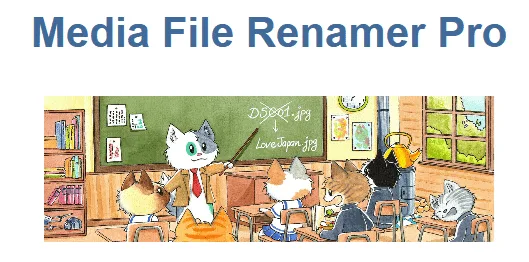
About Media File Renamer (Pro)
The file changes name on your site, but elsewhere it keeps the old one
A library full of IMG_4821.jpg says nothing to anyone, and renaming those files by hand on the server breaks every inserted image. Media File Renamer Pro changes the name from inside WordPress and updates the links in posts, excerpts, metadata and options.
But the address of a file also lives outside your database: on another site that linked the image or in an email already sent. The plugin does not reach those places, and the old address does not redirect by itself. You have to redirect it by hand or connect a redirect plugin with the mfrh_path_renamed action.
That is why there are two separate jobs. Naming what you upload from today on carries no such cost, because those files do not yet have a known address. Renaming years of published library does, and it deserves deciding file by file or in small batches.
Where the new name comes from
- Manual renaming, one file at a time.
- Automatic from site data: media title, ALT text, attached post title or an ACF field.
- Anonymous name, instead of a descriptive one.
- AI Vision: analyzes the image and suggests a descriptive name.
- Chained methods: one primary and others in reserve when the first offers nothing.
- Format rules: unique names, prefixes, suffixes, replacements, transliteration and incrementing numbers to avoid duplicates.
When it runs and how it protects what is already right
Renaming can run on click, on upload, when a post is saved or when an attachment is updated. The on-upload option is the one that stops new camera names from appearing.
Field sync lets you choose what fills the title, ALT text, caption and description, from the file name or AI Vision. Locking protects a file: a locked one is never renamed again, whatever the settings say.
You can also preview each change before applying it, move files to other folders while their references update, go back to the original name from the history and record each operation in an SQL log.
What can stay pointing at the old name
- Some page builders store references in encoded form, and no plugin can rewrite them.
- Other plugins manage images their own way and may hide addresses in their own metadata.
- Caches on the site, the host or the CDN keep serving the previous version until you clear them all.
- Large installs or slow servers may run into timeouts.
If an image stops showing, clear the cache and, if that is not enough, use Undo. The last resort is restoring a backup.
WordPress 6.0, PHP 8.1 and a small first batch
It asks for WordPress 6.0 and PHP 8.1 or newer. The AI features also need the AI Engine plugin, which is free. To start without surprises:
- Make a full backup before touching the library.
- Rename a few files by hand and review the pages that use them, especially those made with a builder.
- Clear the caches and check that the images show.
- Choose the automatic method and its fallback methods.
- Lock the files that must keep their name.
- Move on to bulk renaming in batches, and prepare redirects for the addresses that matter.
Cleaning, sorting or lightening the library
Media Cleaner Pro, by the same maker, removes unused entries and files, with an internal trash for reviewing before deleting. It is worth running first: that way you do not rename what you are about to throw away.
FileBird creates virtual folders in the library and leaves file addresses untouched.
Converter for Media goes after another problem, weight, and serves lighter versions without changing the original URLs.
References, undo and AI Vision in Media File Renamer
Does it create redirects for the old addresses?
Not automatically. They are done by hand or with a redirect plugin connected through the mfrh_path_renamed action.
Can a rename be undone?
Yes. Each change is recorded and you can go back to the original name.
Does it work with my page builder?
It depends on how the builder stores references. Some encode them and the plugin cannot update them, so test with a few files before running a large batch.
Does AI Vision work with nothing else?
No: the AI features need AI Engine installed.
Version history
-
v
6.3.5 Current 31 Oct 2026
-
v
6.3.4 26 Oct 2026
-
v
6.3.3 7 Oct 2026
-
v
6.3.2 30 Sep 2026
-
v
6.3.1 15 Sep 2026
-
v
6.3.0 5 Sep 2026
-
v
6.2.9 31 Jul 2026
-
v
6.2.5 26 Apr 2026
Customer reviews
Sign in to leave a review. Only people who have the product can review it.
No reviews for this product yet.
Frequently asked questions
-
GPL (General Public License) is the license under which WordPress and most premium plugins/themes are distributed. It grants you the right to use, modify and redistribute the software in as many projects as you want, with no domain restrictions.
-
Yes. With membership you get automatic updates via our GPLClub Updater plugin (installed on your WP, detects new versions and applies them). With individual purchase, you get one year of manual updates from your account.
-
Depends on the plan. Monthly: 3 domains. Semi-annual: 7. Annual and Lifetime: 15. Individual purchase: 1 domain.
-
GPLClub offers its own support for installation, configuration and compatibility. For direct support from the original author (feature requests, product-specific bugs), a license purchased from the author is required.