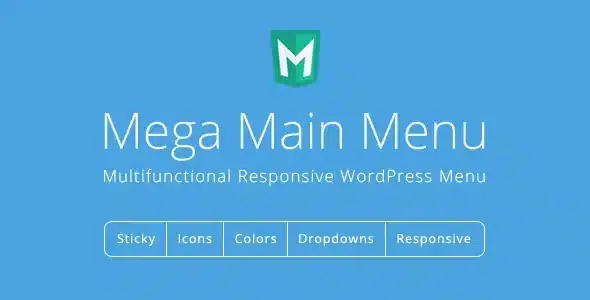
Mega Main Menu - WordPress Menu Plugin
Antivirus scan
Powered by ClamAV
✅ Verified clean
This product file has passed our security filters.
Want to run a fresh ClamAV scan right now? Takes a few seconds and shows scanner version, signature DB and live result.
This can take 5 to 30 seconds.
Clean file Threat detected
No threats detected in this file.
- File
- Size
- Scanned
- ClamAV
- Signature database
⚡ Powered by ClamAV
Scan could not be completed
Report product
If you detected an issue (broken file, malware, inappropriate content, etc.) let us know and we'll review it ASAP.
Sign in to reportNewer version out, or a problem?
About Mega Main Menu - WordPress Menu Plugin
A WordPress menu that has to show an entire catalog
When a store or a site with many sections grows, the usual menu falls short: a plain list of links forces visitors to guess where to find what they need, and every new category makes it longer. Mega Main Menu replaces that list with a navigation bar where each section can open a dropdown with the content that really helps people choose. You can also place the menu inside a page's content with a Gutenberg block.
Frequently asked questions about Mega Main Menu
What can go inside a dropdown?
Links, text, images, widgets and shortcodes. That lets you show each category with its image, a short introduction, or any shortcode you already use on your site.
Can it show blog posts?
Yes. There is a dropdown type that lists posts.
Does it work on a multilingual site?
Yes. It is compatible with WPML and with right-to-left languages. If you configure WPML, the menu works with it automatically.
I have custom CSS, do I need to change anything?
Yes, it is worth checking. The container selector changed from #mega_main_menu to .mega_main_menu, so custom CSS that targets the first one needs updating.
How Mega Main Menu builds an image dropdown for a store
Imagine a store with many categories, where the shopper gets lost before reaching the first one. You create the menu and add a dropdown. Inside, you put the links for each category next to its image and a short text explaining what the shopper will find.
There are more than ten dropdown combinations to choose from.
Logo, icons and search in one bar
A single bar can carry the logo, icons, search and sticky behavior at the same time. There are more than 1600 vector icons that look sharp at any screen resolution, and the FontAwesome library with more than 3000 icons is also available.
The logo can have a link, and each menu can have its own logo. You also decide whether it appears only in the sticky bar, on desktop or on mobile.
Sticky menu on scroll and adapted to mobile
With the sticky option, the bar stays visible while the visitor scrolls down the page. On small screens the menu switches to its mobile mode, and you can choose the breakpoint, including 1200 pixels.
You can hide menu items depending on the user role, so each profile sees only what applies to it. ARIA attributes improve the accessibility of the navigation.
Colors, fonts and a style that matches your brand
You can change the color of any menu element. It supports flat colors, gradients and background images, and there are predefined styles and color schemes to start from.
Fonts are chosen from the admin panel among a wide catalog of Google Fonts, and the ones you configure in the plugin also appear in the classic TinyMCE editor.
Version history
-
v
2.2.4 Current 8 Jan 2025
Customer reviews
Sign in to leave a review. Only people who have the product can review it.
No reviews for this product yet.
Frequently asked questions
-
GPL (General Public License) is the license under which WordPress and most premium plugins/themes are distributed. It grants you the right to use, modify and redistribute the software in as many projects as you want, with no domain restrictions.
-
Yes. With membership you get automatic updates via our GPLClub Updater plugin (installed on your WP, detects new versions and applies them). With individual purchase, you get one year of manual updates from your account.
-
Depends on the plan. Monthly: 3 domains. Semi-annual: 7. Annual and Lifetime: 15. Individual purchase: 1 domain.
-
GPLClub offers its own support for installation, configuration and compatibility. For direct support from the original author (feature requests, product-specific bugs), a license purchased from the author is required.