Mega Posts Display for Elementor
Antivirus scan
Powered by ClamAV
✅ Verified clean
This product file has passed our security filters.
Want to run a fresh ClamAV scan right now? Takes a few seconds and shows scanner version, signature DB and live result.
This can take 5 to 30 seconds.
Clean file Threat detected
No threats detected in this file.
- File
- Size
- Scanned
- ClamAV
- Signature database
⚡ Powered by ClamAV
Scan could not be completed
Report product
If you detected an issue (broken file, malware, inappropriate content, etc.) let us know and we'll review it ASAP.
Sign in to report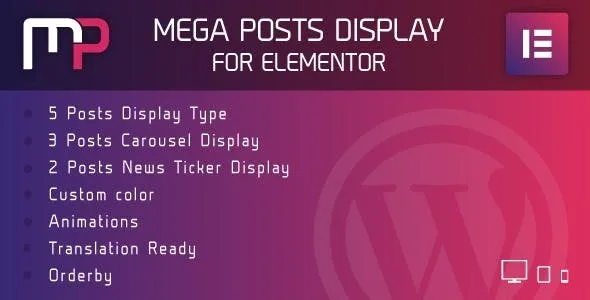
About Mega Posts Display for Elementor
Your posts get buried a few weeks after publishing
A blog or digital magazine publishes every day, but the front page only shows the latest. What you wrote a month ago disappears from view even if it is still useful, and whoever lands on the home page always sees the same list of titles. Mega Posts Display for Elementor is a plugin that builds post blocks inside Elementor.
Five displays, three carousels and two tickers in Mega Posts Display for Elementor
The plugin organizes the presentation into three families:
- 5 post display types, for fixed listings on the page.
- 3 carousel types, so many posts fit in the space of a single row.
- 2 news ticker types, the moving strip of headlines typical of news portals.
You can also set a main color with opacity so the block matches your brand, and choose from more than 200 animations. A tip: on a news front page, a subtle animation is enough; if every block moves in a different way, visitors do not know where to look.
The limits are clear. It is an Elementor add-on, so without Elementor installed it does not work. It only displays content that already exists on your site: WordPress posts or a custom post type. It is not a full page builder and does not replace your theme.
Questions before using Mega Posts Display
Can I show something other than blog posts?
Yes, the source can be a custom post type, for example a portfolio or a catalog, as long as it is registered in your WordPress.
Is it suitable for a news site?
It is one of the clearest uses: it includes two news ticker styles and post carousels.
Can it be translated into Spanish?
It is translation ready and includes .po and .mo files, so you can adapt the plugin's texts to your language.
Sorting by views or at random gives old content a second life
The order is what changes the result the most. You can sort by ID, author, title, name, date, modified date, parent post, random or post views, in ascending or descending order.
- Date descending: the latest published, what you would expect on a front page.
- Random: each visit sees a different selection, useful so the archive is not forgotten.
- Post views: highlights what is read most. Check in the demo where that figure comes from before building your front page on it.
Elementor must be active before you place the first block
Before you start, be clear about what you want to show (regular posts or your own content type) and where: a carousel usually works well in the header, a ticker at the top and a listing in the body of the front page. Test first on a draft page, check how it looks on mobile and only then move it to the home page.
Version history
-
v
1.0 Current 30 May 2024
Customer reviews
Sign in to leave a review. Only people who have the product can review it.
No reviews for this product yet.
Frequently asked questions
-
GPL (General Public License) is the license under which WordPress and most premium plugins/themes are distributed. It grants you the right to use, modify and redistribute the software in as many projects as you want, with no domain restrictions.
-
Yes. With membership you get automatic updates via our GPLClub Updater plugin (installed on your WP, detects new versions and applies them). With individual purchase, you get one year of manual updates from your account.
-
Depends on the plan. Monthly: 3 domains. Semi-annual: 7. Annual and Lifetime: 15. Individual purchase: 1 domain.
-
GPLClub offers its own support for installation, configuration and compatibility. For direct support from the original author (feature requests, product-specific bugs), a license purchased from the author is required.