mighty-news-api
Antivirus scan
Powered by ClamAV
✅ Verified clean
This product file has passed our security filters.
Want to run a fresh ClamAV scan right now? Takes a few seconds and shows scanner version, signature DB and live result.
This can take 5 to 30 seconds.
Clean file Threat detected
No threats detected in this file.
- File
- Size
- Scanned
- ClamAV
- Signature database
⚡ Powered by ClamAV
Scan could not be completed
Report product
If you detected an issue (broken file, malware, inappropriate content, etc.) let us know and we'll review it ASAP.
Sign in to reportNewer version out, or a problem?
About mighty-news-api
A publisher working in WordPress that also needs its news on mobile
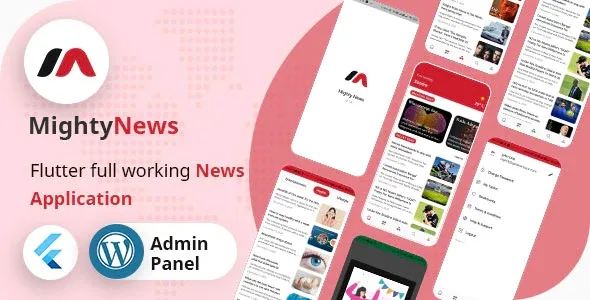
A publisher that posts every day knows that much of its readers arrive from mobile, and that an adapted website is not always enough when breaking news has to be flagged. Mightynews is a news app built with Flutter that uses WordPress as its backend, so the newsroom keeps writing on the same site and the app pulls that content in.
It is designed for publications that want an app for Android and iOS without starting from scratch. The Flutter source code is included, so your team can customise the app a bit and decide what is shown.
Frequently asked questions about Mightynews before buying
Do I need WordPress to use it?
Yes. Mightynews works with a WordPress backend, so news is managed there and the app consumes it.
Is it only for Android?
No. It is designed for Android and iOS projects, and it also includes Flutter Web.
Can I remove the ads or the weather section?
You can show or hide ads from the admin panel and disable the weather on the dashboard, as well as the headlines and the Quick Read feature.
Can readers comment?
Yes, there are comments on news and users have a profile. From the panel you can manage comments and disable them on a specific news item.
When you publish breaking news, readers see it in the app
The news is published in WordPress and appears in the breaking news tab, next to the recent news. Readers can filter by topics and categories, search, and bookmark the stories they care about. If you need to pull one, you can unpublish it without deleting it, and save drafts to publish later.
Each news item can open in one of three different detail screens. The text size can be changed, related news appear inside the post, and readers move from one story to another by swiping left and right.
Push notifications for when a story deserves an alert
When you publish a news item, you can send a push notification to users. You can also send custom interactive alerts from the admin panel, and readers can turn push notifications on or off from the app itself. Push messages are sent through OneSignal, which the product uses for that purpose.
Entering the app as a guest, with OTP or with Google and Apple
Readers can use the app as a guest or sign in with one click. There is also sign-in with an OTP code, with Google or Apple, and with email and password, including password reset and change. Once inside, the reader has a user profile and can save bookmarks and comment.
From the admin panel you can manage users, give any of them administrator permission, and see when each one last logged in.
Three pieces that have to work together: WordPress, Flutter and Firebase
Mightynews includes the Flutter source code to build your news app. The backend is WordPress, and the account, database and analytics features rely on Firebase, which must be set up in your project. If your team does not work with Flutter, keep that in mind before buying.
Earning with AdMob and what to hide from the Mightynews panel
The app supports Google AdMob banner and interstitial ads, and you can show or hide them from the panel. You can also set the terms and conditions URL and the privacy policy URL, and disable the weather on the dashboard, the headlines or the Quick Read feature.
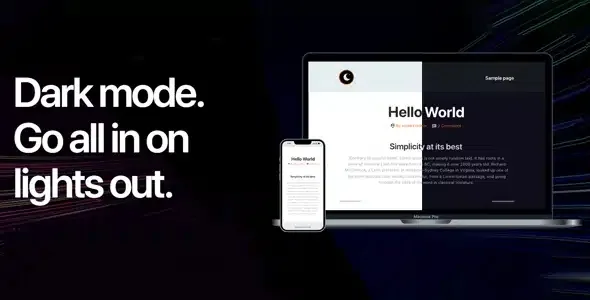
Dark mode can follow the phone's system setting, and the app supports several languages as well as RTL.
Topics
Version history
-
v
2.2.0 Current 17 May 2024
Customer reviews
Sign in to leave a review. Only people who have the product can review it.
No reviews for this product yet.
Frequently asked questions
-
GPL (General Public License) is the license under which WordPress and most premium plugins/themes are distributed. It grants you the right to use, modify and redistribute the software in as many projects as you want, with no domain restrictions.
-
Yes. With membership you get automatic updates via our GPLClub Updater plugin (installed on your WP, detects new versions and applies them). With individual purchase, you get one year of manual updates from your account.
-
Depends on the plan. Monthly: 3 domains. Semi-annual: 7. Annual and Lifetime: 15. Individual purchase: 1 domain.
-
GPLClub offers its own support for installation, configuration and compatibility. For direct support from the original author (feature requests, product-specific bugs), a license purchased from the author is required.