Migrate Divi Theme Settings
Antivirus scan
Powered by ClamAV
✅ Verified clean
This product file has passed our security filters.
Want to run a fresh ClamAV scan right now? Takes a few seconds and shows scanner version, signature DB and live result.
This can take 5 to 30 seconds.
Clean file Threat detected
No threats detected in this file.
- File
- Size
- Scanned
- ClamAV
- Signature database
⚡ Powered by ClamAV
Scan could not be completed
Report product
If you detected an issue (broken file, malware, inappropriate content, etc.) let us know and we'll review it ASAP.
Sign in to reportNewer version out, or a problem?
About Migrate Divi Theme Settings
Moving a Divi site with its theme settings
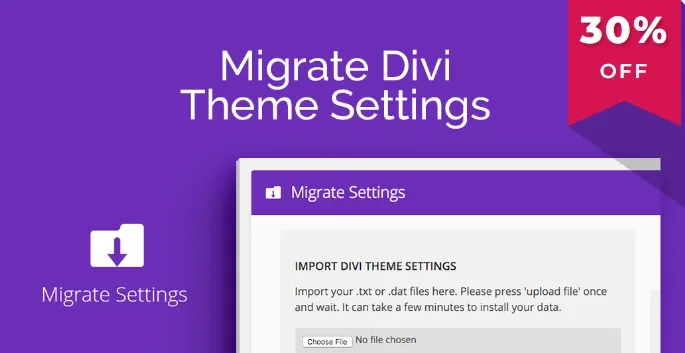
When a Divi project moves from a local environment to the live server, or from one installation to another, Migrate Divi Theme Settings lets you move the Divi settings, both those in the Customizer and those in Theme Settings. It needs Divi installed and active, because it works with Divi's own settings.
From copying to restoring on the target site
You export the Divi settings, both those in the Customizer and those in Theme Settings, and the plugin stores them in a copy you can take elsewhere. Once there, you restore that copy with a single click and the theme recovers the original configuration.
The same copy serves other moments:
- Saving the settings as a backup.
- Exporting them to take to another Divi installation.
- Restoring them to go back to the saved configuration.
Migrate Divi Theme Settings for Divi child themes
Migrate Divi Theme Settings is part of a series of plugins designed for child theme designers, who can include it in their theme file package. This way, the customer can import the theme data easily.
The package also includes an additional file that is edited together with functions.php to set up compatibility between the child theme and the plugin.
Frequently asked questions about Migrate Divi Theme Settings
What settings are saved?
The Divi settings assigned in the Customizer and Theme Settings consoles. They can be saved, exported, moved and restored.
Can it move settings between Divi installations?
Yes. Theme settings can be exported and imported between different Divi installations and also between themes, which is especially useful if you like to try out several theme configurations.
Can I include it in my child theme?
Yes. It is designed to be included in the file packages of Divi child themes.
What needs to be set up so the child theme and plugin are compatible?
The package includes an additional file that is edited together with functions.php to prepare that compatibility.
Topics
Version history
-
v
1.1 Current 8 Jan 2025
Customer reviews
Sign in to leave a review. Only people who have the product can review it.
No reviews for this product yet.
Frequently asked questions
-
GPL (General Public License) is the license under which WordPress and most premium plugins/themes are distributed. It grants you the right to use, modify and redistribute the software in as many projects as you want, with no domain restrictions.
-
Yes. With membership you get automatic updates via our GPLClub Updater plugin (installed on your WP, detects new versions and applies them). With individual purchase, you get one year of manual updates from your account.
-
Depends on the plan. Monthly: 3 domains. Semi-annual: 7. Annual and Lifetime: 15. Individual purchase: 1 domain.
-
GPLClub offers its own support for installation, configuration and compatibility. For direct support from the original author (feature requests, product-specific bugs), a license purchased from the author is required.