MP3 Sticky Player WordPress Plugin
Antivirus scan
Powered by ClamAV
✅ Verified clean
This product file has passed our security filters.
Want to run a fresh ClamAV scan right now? Takes a few seconds and shows scanner version, signature DB and live result.
This can take 5 to 30 seconds.
Clean file Threat detected
No threats detected in this file.
- File
- Size
- Scanned
- ClamAV
- Signature database
⚡ Powered by ClamAV
Scan could not be completed
Report product
If you detected an issue (broken file, malware, inappropriate content, etc.) let us know and we'll review it ASAP.
Sign in to report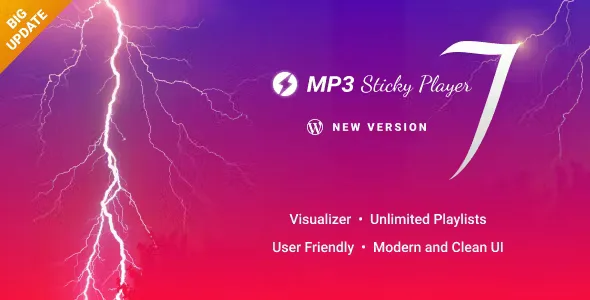
About MP3 Sticky Player WordPress Plugin
A player that doesn't stay behind on the page where you put it
Anyone publishing music, podcasts or videos on WordPress tends to run into the same problem: the visitor listens to a track, clicks another link and the audio cuts off. Or the player sits in a block of content and gets buried as soon as they scroll. MP3 Sticky Player solves that break: it is fixed to the top or bottom of the page and keeps playing while the person browses.
The key is continuity. When the page changes, the player continues from where it was and keeps the volume the user had already set. It can also open in a separate popup window so listening continues while visiting another site. For a site whose product is listening (a label, a band, a radio station, a podcast), audio that is interrupted on every click is a direct loss.
What MP3 Sticky Player loads and from where
Playlists can be unlimited and each one accepts unlimited tracks. They can be built in several ways:
- HTML markup written by hand or generated from a database.
- XML file.
- Folder with mp3 or mp4 files, with ID3 metadata detection.
- Podcasts, Official.fm, YouTube, SoundCloud and PLS playlists.
- Online radio via Shoutcast and Icecast (mp3 streams only).
- Audio with HTTP Live Streaming (HLS / m3u8).
A single playlist can mix sources: tracks hosted on your server, YouTube videos, SoundCloud audio or files served from Google Drive or Amazon S3. Besides audio, it plays mp4 and YouTube videos, with an optional fullscreen button.
How each profile will use it
Musicians and labels
They can add download and buy buttons to each track, and turn them on or off globally or track by track. Tracks can have their path encrypted, so the file address can't be copied by looking at the page source, and there are also private tracks protected with a password.
Podcasters and radio stations
Adjustable playback speed is useful for spoken content. You can also start or cut a track at an exact moment and loop a specific section with the A-B loop.
WooCommerce stores
The player can be included on a WooCommerce product page, with the same features as on the rest of the site. It is useful for offering track samples, audio courses or product videos.
Sites with members-only content
There is logic so that only a logged-in user can play or view the video.
Control over the interface and measurement
The design is responsive and adapts to mobile and desktop. It comes with six skins and their PSD files, support for HEX/CSS colors and a shortcode generator to insert the player without writing it by hand. Optional buttons include playlist, playlist selector, shuffle, loop, share, download and popup player.
With Google Analytics you can see how many times a track is played or downloaded. There are also deep links: a unique, shareable link for a specific playlist and track. Several instances can be on the same page, pausing automatically when another one starts.
Frequently asked questions
Do I need files in several formats?
No: a single mp3 file is enough for the audio to play on all devices.
Can I stop people from copying my tracks?
You can encrypt the file path so it doesn't appear in the page code. Even so, any audio played in the browser can be captured by other means, so for sensitive material combine it with password-protected private tracks.
Shoutcast only streams mp3
For online radio, Shoutcast support is limited to mp3 streams. If your station broadcasts in another format, check in the demo that it plays before planning the site. It is also not a membership manager: it restricts playback to logged-in users, but it does not handle sign-ups or payments.
Topics
Version history
-
v
8.0 Current 8 Jan 2025
Customer reviews
Sign in to leave a review. Only people who have the product can review it.
No reviews for this product yet.
Frequently asked questions
-
GPL (General Public License) is the license under which WordPress and most premium plugins/themes are distributed. It grants you the right to use, modify and redistribute the software in as many projects as you want, with no domain restrictions.
-
Yes. With membership you get automatic updates via our GPLClub Updater plugin (installed on your WP, detects new versions and applies them). With individual purchase, you get one year of manual updates from your account.
-
Depends on the plan. Monthly: 3 domains. Semi-annual: 7. Annual and Lifetime: 15. Individual purchase: 1 domain.
-
GPLClub offers its own support for installation, configuration and compatibility. For direct support from the original author (feature requests, product-specific bugs), a license purchased from the author is required.