myCred ToDo List
Antivirus scan
Powered by ClamAV
✅ Verified clean
This product file has passed our security filters.
Want to run a fresh ClamAV scan right now? Takes a few seconds and shows scanner version, signature DB and live result.
This can take 5 to 30 seconds.
Clean file Threat detected
No threats detected in this file.
- File
- Size
- Scanned
- ClamAV
- Signature database
⚡ Powered by ClamAV
Scan could not be completed
Report product
If you detected an issue (broken file, malware, inappropriate content, etc.) let us know and we'll review it ASAP.
Sign in to reportNewer version out, or a problem?
About myCred ToDo List
When progress is not visible, the points program loses strength
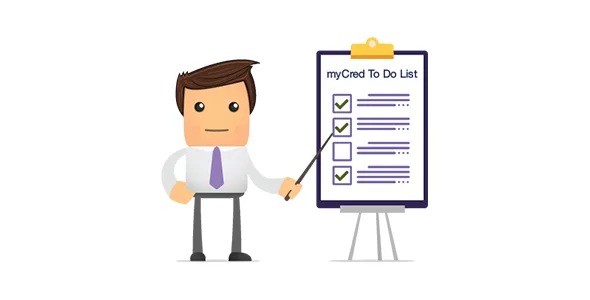
A loyalty program depends on the user knowing what is still missing to reach their next reward. If the actions that count are routines nobody records, such as daily exercises, meetings or steps in a process, motivation fades as soon as the user stops remembering them. myCred ToDo List turns those routines into a to-do list that the user completes step by step.
How each task is set up and what rewards the end of the list
You create the list with everything that needs doing, and the user ticks off each point individually until the list is complete. Each task can be shown with a checkbox or a button.
You can add a cover image to the list. When the list is completed, the rank or badge you have configured is awarded.
With myCred as the base, for lists of activities completed by hand
This add-on extends myCred, so it needs myCred installed and active to work. It is designed for lists of everyday activities and can be used on a single site or on a multisite installation. Among the examples the product offers are:
- Daily activity lists, such as workouts
- Business meetings
- Daily life skills
Frequently asked questions about myCred ToDo List
Who marks the tasks as completed?
Users mark each point on the list manually, one by one.
Can I use it on a multisite network?
Yes. It can be installed and used both on a single website and on a multisite installation.
What does the user get when they finish the list?
The rank or badge you have configured for that list, which is awarded once it is completed.
Can I put an image on the list?
Yes, you can create a cover image for your to-do list.
Version history
-
v
1.0.2.1 Current 20 Mar 2026
Customer reviews
Sign in to leave a review. Only people who have the product can review it.
No reviews for this product yet.
Frequently asked questions
-
GPL (General Public License) is the license under which WordPress and most premium plugins/themes are distributed. It grants you the right to use, modify and redistribute the software in as many projects as you want, with no domain restrictions.
-
Yes. With membership you get automatic updates via our GPLClub Updater plugin (installed on your WP, detects new versions and applies them). With individual purchase, you get one year of manual updates from your account.
-
Depends on the plan. Monthly: 3 domains. Semi-annual: 7. Annual and Lifetime: 15. Individual purchase: 1 domain.
-
GPLClub offers its own support for installation, configuration and compatibility. For direct support from the original author (feature requests, product-specific bugs), a license purchased from the author is required.