Olio – One Page
Antivirus scan
Powered by ClamAV
✅ Verified clean
This product file has passed our security filters.
Want to run a fresh ClamAV scan right now? Takes a few seconds and shows scanner version, signature DB and live result.
This can take 5 to 30 seconds.
Clean file Threat detected
No threats detected in this file.
- File
- Size
- Scanned
- ClamAV
- Signature database
⚡ Powered by ClamAV
Scan could not be completed
Report product
If you detected an issue (broken file, malware, inappropriate content, etc.) let us know and we'll review it ASAP.
Sign in to report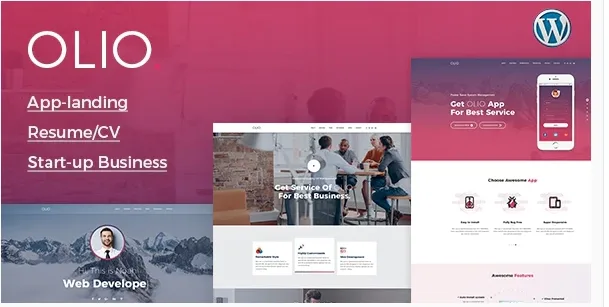
About Olio – One Page
Your whole offer under a single web address
Agency work, design, consulting and photography fit easily on one long page. Whoever scrolls through it sees everything at a glance. But that page has a single title and a single description for search engines, and when someone searches for one of those services, your site answers with the same link for everything.
A single page spreads its strength across every topic it touches, so before choosing this format it is worth deciding which search it should win. If you have one main offer, that concentration helps. If you sell several very different services, you will need additional content that covers them separately.
Olio, by themexriver, is a one-page WordPress theme with three landing variations. It gathers sections, portfolio and forms into one path, with a menu that stays with the visitor while scrolling down.
The pieces the path is built from
- Three landing variations: different arrangements for the main page.
- Sticky menu on scroll: navigation stays in view while scrolling.
- Filterable portfolio: responsive on every screen, for sorting work by type.
- Parallax sections: blocks with a depth effect while scrolling.
- Forms: a general form and a subscription form.
- Blog: a space for publishing posts in addition to the landing page.
How it is edited and what it is built on
Pages are worked on with Visual Composer and general settings go through Redux Framework. That is where the theme's color control and global options are concentrated. It is also Gutenberg optimized and ready for widgets and high-resolution screens.
Underneath it uses Bootstrap, SASS styles, valid HTML5 and CSS3 and commented files, which is useful if a developer will adjust the code. It supports Google fonts and works in Chrome, Firefox, Safari, Opera and Edge.
What is best solved outside the theme
Its features do not include a shop, bookings or payments. If you need to take payments on the site, you will have to add a dedicated solution and check that it works with the design.
The three variations are landing layouts, not templates for a specific sector: your copy, your photos and the order of the sections remain your job.
Parallax and transitions add motion, so try them on a real phone before publishing. The same goes for the sticky menu when the list of links grows.
First steps with the landing page
A simple route from installation to a page of your own:
- Install and activate the theme along with Visual Composer.
- Import the demo with its simplified install. Video documentation is there to help.
- Choose one of the three variations based on your main offer.
- Set colors and global options from the theme panel.
- Replace copy, images and projects, and reorder the sections.
- Send a test from each form to confirm where the data arrives.
For a conference or a site with many pages
For a conference, Aleb brings speakers, schedule and registration with a one-page or multi-page design. If your site will grow with many custom-designed pages, Divi combines theme and visual builder. Within the same format you can also look at Naila.
If you are weighing Olio for your landing page
Is it only for one page?
That is its main format, but it also has a blog, and posts offer their own addresses for covering specific topics.
How many variations does it include?
Three layout variations for the landing page.
Can I change colors without touching code?
Yes. The options panel includes theme color control.
Does it work with the block editor?
It is Gutenberg optimized and compatible with Visual Composer.
Can the portfolio be filtered?
Yes. The portfolio is filterable and adapts to screen size.
Can it sell products?
Its features do not include a shop. To sell, you will need an additional tool.
Topics
Version history
-
v
2.2 Current 18 Jun 2024
Customer reviews
Sign in to leave a review. Only people who have the product can review it.
No reviews for this product yet.
Frequently asked questions
-
GPL (General Public License) is the license under which WordPress and most premium plugins/themes are distributed. It grants you the right to use, modify and redistribute the software in as many projects as you want, with no domain restrictions.
-
Yes. With membership you get automatic updates via our GPLClub Updater plugin (installed on your WP, detects new versions and applies them). With individual purchase, you get one year of manual updates from your account.
-
Depends on the plan. Monthly: 3 domains. Semi-annual: 7. Annual and Lifetime: 15. Individual purchase: 1 domain.
-
GPLClub offers its own support for installation, configuration and compatibility. For direct support from the original author (feature requests, product-specific bugs), a license purchased from the author is required.