Oxygen – The Ultimate Visual Site Builder
Antivirus scan
Powered by ClamAV
✅ Verified clean
This product file has passed our security filters.
Want to run a fresh ClamAV scan right now? Takes a few seconds and shows scanner version, signature DB and live result.
This can take 5 to 30 seconds.
Clean file Threat detected
No threats detected in this file.
- File
- Size
- Scanned
- ClamAV
- Signature database
⚡ Powered by ClamAV
Scan could not be completed
Report product
If you detected an issue (broken file, malware, inappropriate content, etc.) let us know and we'll review it ASAP.
Sign in to report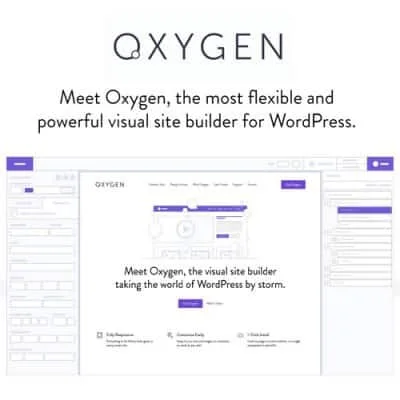
About Oxygen – The Ultimate Visual Site Builder
For people who know HTML and CSS and want a clean site, not for those who avoid code
Oxygen is a page builder that works with classes, global variables and property-by-property CSS control, with clean code output.
It suits you if you want an AI agent to do the heavy lifting and be able to review it without untangling a mess. It is not for people who want to drag blocks without touching anything: the workflow is designed for those who understand how a website is built. And for the AI part you need your own MCP-compatible agent.
Oxygen connects your agent to WordPress through MCP
Oxygen includes Agent Connector, an MCP server and Abilities API support, with no extra plugins. You connect your agent from the setup wizard or from the Agents & MCP settings, describe the site you want and the agent works on a real WordPress site: pages, content types and templates. These are some of the jobs the product itself suggests:
- Setting up a WooCommerce store for a coffee roaster, with products, variations and shop, product and cart pages.
- Creating a real estate site with its own content type, galleries and filters by area and price.
- Rebuilding a Figma design with classes and global variables.
- Migrating a site built with Elementor while keeping content and URLs.
- Everyday tasks: writing the SEO fields, publishing a post, changing a phone number across the site or finding out why a form is not sending.
What the agent builds, you open and change yourself in the editor
The most valuable part of this approach is that the result is not locked in a black box. Everything the agent creates is made of native Oxygen elements, named and structured, that you can open on the canvas and tweak. And if you prefer to build by hand, you use the same editor from the first element.
- One-to-one CSS control, with layouts, styling, animations, interactions, variables and components.
- Dynamic WordPress content and compatibility with the plugins your site needs.
- Clean, optimized output, built so the site loads well.
Review what the agent delivers before publishing
An agent doing the work does not mean you can skip checking it. A migration from another builder rarely comes out perfect on the first try: go through the design, forms and links page by page. If you ask for bookings with payment or a store, test the whole flow with a trial purchase or booking before opening it to customers.
Oxygen can be installed on a local site, on staging or on a live one. If the site already has traffic, work on a copy first and move the changes over once you are happy. The quality of the result also depends on the agent you choose and how clear your request is.
Questions before installing Oxygen
Can it be used without artificial intelligence?
Yes. The visual editor works on its own and you can build everything by hand. The AI part is an additional route, not a requirement.
Which agents does it work with?
With Claude, Codex, Cursor, OpenCode and any other MCP-compatible agent.
Do I have to buy AI credits?
Oxygen does not sell AI credits. What using your agent costs depends on the service you choose.
Does it work for a site that is already live?
Yes, it can be added to any WordPress site and the agent can also extend an existing one. Even so, test the changes on staging before moving them to production.
Version history
-
v
6.2.1 Current 31 Oct 2026
-
v
6.2.0 28 Oct 2026
-
v
6.1.3 5 Sep 2026
-
v
6.0.0 26 Feb 2026
Customer reviews
Sign in to leave a review. Only people who have the product can review it.
No reviews for this product yet.
Frequently asked questions
-
GPL (General Public License) is the license under which WordPress and most premium plugins/themes are distributed. It grants you the right to use, modify and redistribute the software in as many projects as you want, with no domain restrictions.
-
Yes. With membership you get automatic updates via our GPLClub Updater plugin (installed on your WP, detects new versions and applies them). With individual purchase, you get one year of manual updates from your account.
-
Depends on the plan. Monthly: 3 domains. Semi-annual: 7. Annual and Lifetime: 15. Individual purchase: 1 domain.
-
GPLClub offers its own support for installation, configuration and compatibility. For direct support from the original author (feature requests, product-specific bugs), a license purchased from the author is required.