Payment Reminder for WooCommerce
Antivirus scan
Powered by ClamAV
✅ Verified clean
This product file has passed our security filters.
Want to run a fresh ClamAV scan right now? Takes a few seconds and shows scanner version, signature DB and live result.
This can take 5 to 30 seconds.
Clean file Threat detected
No threats detected in this file.
- File
- Size
- Scanned
- ClamAV
- Signature database
⚡ Powered by ClamAV
Scan could not be completed
Report product
If you detected an issue (broken file, malware, inappropriate content, etc.) let us know and we'll review it ASAP.
Sign in to reportNewer version out, or a problem?
About Payment Reminder for WooCommerce
Unpaid orders, customers who cancel, and purchases you want reviewed
An order stuck in pending payment is usually a sale only half closed: the customer wanted to buy and stopped halfway. If nobody writes to them again, that sale is lost without anyone noticing. Payment Reminder for WooCommerce is built for those situations.
A store with a payment method that leaves orders half done
If a specific payment method piles up pending orders, you can set the reminder only for that method. For example, an email if the order is still unpaid two days after it was placed. You can also restrict the payment method available for a pending order.
A store that wants to win back customers who cancelled
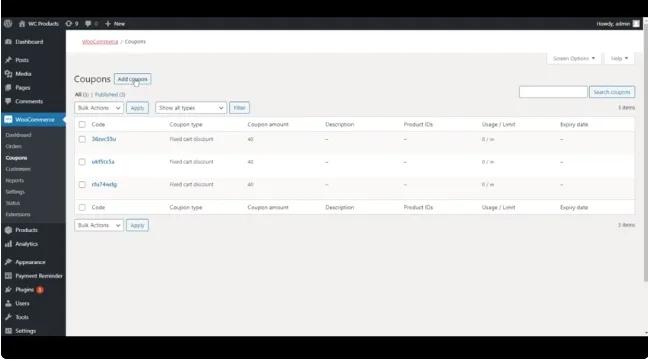
Customers who cancel an order can receive emails with discount coupons to encourage them to buy again. You can offer the coupon to everyone who cancelled or create one tied to a specific payment method.
A store that wants reviews after the purchase
When an order is completed, an email is sent inviting the customer to rate the products they bought. That way the request for an opinion arrives right after the purchase.
Settings you decide before turning on the emails
You enable the reminders from the settings and choose how many days apart the notice is sent. You also set the reminder limit, because the emails repeat automatically until they reach it. It is worth defining both values before activating anything, so the pace of sending is the one you want.
You can enable or disable a reminder at any time. To keep track of what has been sent, you set carbon copy (CC) and blind carbon copy (BCC) for each email. From the extension you access the lists of pending and cancelled orders, and you can send an email manually to a specific order whenever you need to.
Messages, coupons and what appears in each email
You edit the text of each email and include placeholders that are filled with order data, such as the customer's name or the total. You can customize the header, body and footer of the message.
For customers who cancelled, you can add a discount coupon to encourage them to buy again. That coupon can apply to everyone who cancelled or be limited to a specific payment method, so you can tailor the incentive to the method they used.
Frequently asked questions about Payment Reminder for WooCommerce
Do the emails send themselves?
Yes. Once the initial setup is done (turning on the reminders, choosing the sending day and the limit), emails go out automatically for pending or cancelled orders that match your rules. You can also send one manually to a specific order.
Can I send reminders only for one payment method?
Yes. The rules can be limited to a specific payment method, and you can also create a coupon tied to that method.
Can I see who has a pending or cancelled order?
Yes. From the extension you access the lists of pending and cancelled orders to review and manage them.
Can I change the text of the emails?
Yes. You can edit the content, header, body and footer, and insert order data such as the name or the total.
Payment Reminder for WooCommerce needs WooCommerce active
It is a WooCommerce extension and works on your store's orders. Without WooCommerce installed and active, there are no pending orders to remind about and no cancellations to win back.
Topics
Version history
-
v
1.0.8 Current 13 May 2024
Customer reviews
Sign in to leave a review. Only people who have the product can review it.
No reviews for this product yet.
Frequently asked questions
-
GPL (General Public License) is the license under which WordPress and most premium plugins/themes are distributed. It grants you the right to use, modify and redistribute the software in as many projects as you want, with no domain restrictions.
-
Yes. With membership you get automatic updates via our GPLClub Updater plugin (installed on your WP, detects new versions and applies them). With individual purchase, you get one year of manual updates from your account.
-
Depends on the plan. Monthly: 3 domains. Semi-annual: 7. Annual and Lifetime: 15. Individual purchase: 1 domain.
-
GPLClub offers its own support for installation, configuration and compatibility. For direct support from the original author (feature requests, product-specific bugs), a license purchased from the author is required.