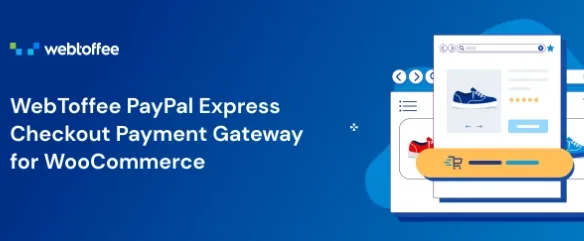
PayPal Express Checkout Payment Gateway for WooCommerce
Antivirus scan
Powered by ClamAV
✅ Verified clean
This product file has passed our security filters.
Want to run a fresh ClamAV scan right now? Takes a few seconds and shows scanner version, signature DB and live result.
This can take 5 to 30 seconds.
Clean file Threat detected
No threats detected in this file.
- File
- Size
- Scanned
- ClamAV
- Signature database
⚡ Powered by ClamAV
Scan could not be completed
Report product
If you detected an issue (broken file, malware, inappropriate content, etc.) let us know and we'll review it ASAP.
Sign in to reportNewer version out, or a problem?
About PayPal Express Checkout Payment Gateway for WooCommerce
Pay from the product page without going through the cart
When a shopper has already decided to buy, every extra step gives them a reason to hesitate. Many sales are lost between the cart and a long form, especially when the buyer is on a phone and in a hurry. This plugin adds PayPal payment buttons directly to the product page of your WooCommerce store, so the customer can finish the purchase right there.
Because their payment and shipping details are already saved in their PayPal profile, they do not have to type them in again. This reduces the checkout steps and improves the experience throughout your store.
Payment methods, delayed capture and refunds from the dashboard
The plugin accepts PayPal, Venmo, Pay Later and credit or debit cards. Cards can also be charged without the customer having a PayPal account, which helps with guest checkouts. Depending on the buyer's location, it activates the payment options for their region, such as SEPA or PayPal Credit.
Authorize now, capture when the order is ready
You can authorize the payment when the order is placed and capture the funds later, once the product leaves the warehouse or the service has been delivered. This gives you more control over the process and helps avoid problems with cancellations or made-to-order items.
Full or partial refunds
From the dashboard you can issue full or partial refunds, and choose how to handle them based on the order status or the customer's request.
Payments travel encrypted with SSL and TLS, and the plugin adds two-factor authentication and fraud prevention systems. You can also change labels, button styles, descriptions and placement so the payment matches your store's look, and the checkout is shown in the customer's language thanks to PayPal Locale.
Should you turn on PayPal Express Checkout on the product page?
It suits WooCommerce stores that want a shorter purchase from the product page, that sell to customers with a PayPal account, or that want to accept card payments without requiring one to be created. It needs WooCommerce installed and active, because it is a payment plugin for that platform.
If you sell made-to-order items or services delivered later, delayed capture gives you room to manage the order before charging. And if your customers buy in other languages, the PayPal locale can follow your site's language or a custom one for checkout.
Frequently asked questions about PayPal Express Checkout for WooCommerce
Do I need a PayPal account to pay?
No. Customers can pay by debit or credit card without creating or logging into a PayPal account.
How does paying from the product page work?
PayPal payment buttons appear on the product page. The customer buys without going through the cart and the full checkout, because their payment and shipping details are already in their PayPal profile.
Can I refund only part of an order?
Yes. From the WooCommerce dashboard you can issue full or partial refunds.
Can I charge the order after accepting it?
Yes. You can authorize the payment when the order is placed and capture the funds when the product is ready to ship or the service has been delivered.
Topics
Version history
-
v
1.4.3 Current 12 May 2024
Customer reviews
Sign in to leave a review. Only people who have the product can review it.
No reviews for this product yet.
Frequently asked questions
-
GPL (General Public License) is the license under which WordPress and most premium plugins/themes are distributed. It grants you the right to use, modify and redistribute the software in as many projects as you want, with no domain restrictions.
-
Yes. With membership you get automatic updates via our GPLClub Updater plugin (installed on your WP, detects new versions and applies them). With individual purchase, you get one year of manual updates from your account.
-
Depends on the plan. Monthly: 3 domains. Semi-annual: 7. Annual and Lifetime: 15. Individual purchase: 1 domain.
-
GPLClub offers its own support for installation, configuration and compatibility. For direct support from the original author (feature requests, product-specific bugs), a license purchased from the author is required.