PeepSo Groups Addon
Antivirus scan
Powered by ClamAV
✅ Verified clean
This product file has passed our security filters.
Want to run a fresh ClamAV scan right now? Takes a few seconds and shows scanner version, signature DB and live result.
This can take 5 to 30 seconds.
Clean file Threat detected
No threats detected in this file.
- File
- Size
- Scanned
- ClamAV
- Signature database
⚡ Powered by ClamAV
Scan could not be completed
Report product
If you detected an issue (broken file, malware, inappropriate content, etc.) let us know and we'll review it ASAP.
Sign in to report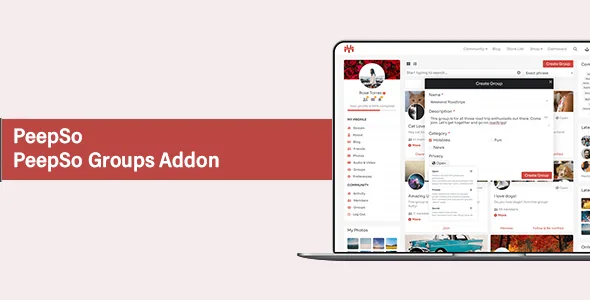
About PeepSo Groups Addon
A secret group is also protected from the general settings
You open a customers-only space, choose Secret and consider the matter closed. Days later, a member tries to create a group with that same name and the system blocks it. They have just learned that something exists that they cannot see. All it takes is having the option that enforces unique names turned on.
Privacy in a community does not live only in the group type. It also depends on how you configure listings, categories and permissions. PeepSo Groups gives you the pieces to decide this, and they are worth reviewing together before you promise discretion to anyone.
Three levels of privacy with different effects
- Open: anyone can view the group's content, but non-members cannot post.
- Private: people join by invitation or request, and non-members see only the group page.
- Secret: people join by invitation only, and non-members never see the group.
Hashtags from secret and private groups stay out of popular hashtags. Owners and managers invite from the group header, and each invited person can accept or reject.
Moderation shared across four roles
- Owner: manages the whole group and its content. To leave, they must first transfer ownership.
- Manager: handles members and can edit or delete posts and comments.
- Moderator: edits or deletes posts and comments, without managing members.
- Community administrator: a site-wide role with the same control as the owner.
Content editing is enabled per role in the settings: if you turn it off, only admins can edit.
Settings that change what leaks
These options deserve a review if you run restricted groups:
- Force unique names: prevents duplicates, but may reveal secret groups.
- Guest access: lets logged-out visitors see the group listing.
- Count per category: may be inaccurate if the category contains secret or unpublished groups.
- Group creation: if you turn it off, only admins create groups.
You also control whether each join publishes a notice, automatic subscription to notifications and emails, readable URLs for each group and the members tab.
Where it stops and what your server needs
It is a PeepSo piece, so it needs the community running. Selling access to a group also takes Paid Memberships Pro and the PeepSo Monetization: Paid Memberships Pro plugin, which assign groups to a membership level and can require that level.
PeepSo needs a standalone WordPress installation: multisite is not supported. It asks for a minimum of 128 MB of memory, with 256 MB recommended. For a community, shared servers are not a good base and it is better to start with at least a VPS. And on managed WordPress hosting, the provider's caching or must-use plugins may not be possible to disable.
To get started:
- Activate Groups and review WP Admin, PeepSo, Configuration, Groups.
- Decide whether members can create groups and whether you will use categories.
- Create the group from the groups page: name, description, category if enabled, and privacy.
- Assign roles from the Members tab with the gear on each member.
- Check with a non-member account what is really visible.
PeepSo and another community platform
PeepSo Core provides the profiles and stream the community runs on. PeepSo User Limits restricts actions by role or profile completeness. If you have not chosen a platform yet, FluentCommunity Pro brings feed, spaces and courses together in one dashboard.
Six answers on groups and permissions
What is the difference between private and secret?
In a private group, non-members see the group page and can request to join. In a secret group people join by invitation only and the group is not shown to non-members.
Can every member create groups?
That depends on the group creation option. If it is off, only admins can create them.
Can the owner leave the group?
Yes, after transferring ownership to someone else.
Can managers pin posts?
Yes, if that option is on. If you turn it off, only site or community admins can pin.
Can an admin add someone without inviting them?
Yes. An option replaces invite with add, and then no confirmation is needed.
Does it work on WordPress multisite?
No. PeepSo does not support multisite and needs a standalone installation.
Topics
Version history
-
v
9.1.0.0 Current 26 Oct 2026
-
v
9.0.2.0 2 Jun 2026
-
v
8.0.0.0 16 Dec 2025
Customer reviews
Sign in to leave a review. Only people who have the product can review it.
No reviews for this product yet.
Frequently asked questions
-
GPL (General Public License) is the license under which WordPress and most premium plugins/themes are distributed. It grants you the right to use, modify and redistribute the software in as many projects as you want, with no domain restrictions.
-
Yes. With membership you get automatic updates via our GPLClub Updater plugin (installed on your WP, detects new versions and applies them). With individual purchase, you get one year of manual updates from your account.
-
Depends on the plan. Monthly: 3 domains. Semi-annual: 7. Annual and Lifetime: 15. Individual purchase: 1 domain.
-
GPLClub offers its own support for installation, configuration and compatibility. For direct support from the original author (feature requests, product-specific bugs), a license purchased from the author is required.