PeepSo Social Login and Invitations Addon
Antivirus scan
Powered by ClamAV
✅ Verified clean
This product file has passed our security filters.
Want to run a fresh ClamAV scan right now? Takes a few seconds and shows scanner version, signature DB and live result.
This can take 5 to 30 seconds.
Clean file Threat detected
No threats detected in this file.
- File
- Size
- Scanned
- ClamAV
- Signature database
⚡ Powered by ClamAV
Scan could not be completed
Report product
If you detected an issue (broken file, malware, inappropriate content, etc.) let us know and we'll review it ASAP.
Sign in to report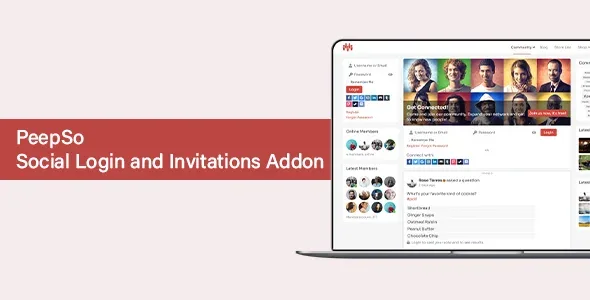
About PeepSo Social Login and Invitations Addon
Every login button is an app you will have to maintain
You want to remove the registration barrier in your community, and the list of networks tempts you to turn them all on: Facebook, Google, Discord, Steam, GitHub. But a button does not switch on with one click. Behind each one is an app you must create on that platform, with its own details and permissions. Each new button adds another separate setup.
So the first decision with PeepSo Social Login & Invitations is who you want to welcome. Look at which accounts your members already use and start with two or three. This add-on gives a PeepSo community sign-in with social accounts and a widget for inviting Facebook friends.
Twenty-one providers and what comes from each account
- Providers: Amazon, BitBucket, Discord, Dropbox, Facebook, Foursquare, GitHub, GitLab, Google, Instagram, LinkedIn, Reddit, Slack, Steam, Strava, Telegram, Tumblr, TwitchTV and Twitter, plus WeChat and WeChatChina, both in beta.
- Integration with the PeepSo login form, turned on from its settings.
- Avatar import from the provider.
- Field mapping from the provider to the PeepSo profile, such as first name, last name and birthdate.
- Order and appearance: providers can be reordered, and each one takes its own icon and background color.
- Invitation widget for inviting Facebook friends.
What Facebook asks for, and how to choose where to start
Before you turn on a provider, it helps to know what is coming. Facebook is a good example:
- Create an app on its developer site, with a display name and contact email.
- Add the Facebook Login product.
- Complete the basic settings: privacy policy URL, terms of service URL, icon, category and app purpose.
- Request advanced access for the public_profile permission.
- Enter your site's redirect address and switch the app to live mode.
- Copy the App ID and App Secret into the plugin configuration.
Each platform has its own process, so plan for that task every time you add a button. The list lets you fit it to your audience: GitHub or GitLab for a technical community, Discord or Steam for a gaming one, Strava if your members already use it. Put the most used ones at the top.
Three things this add-on leaves out
It does not work without PeepSo. It is configured inside its menu and works with its login form and profiles.
Invitations go through Facebook. The widget opens a window for choosing friends on that network and writing them a message.
The redirect after login is set elsewhere. It lives in the PeepSo configuration, under Navigation, in the "Login and Logout" panel.
Setting up your first providers
You need PeepSo running and access to a developer account on each platform you plan to use.
- Activate the add-on and go to PeepSo, Manage, Social Login.
- Create the app for the first provider and copy its keys.
- In the PeepSo Integrations settings, turn on the integration with the login form.
- Decide whether to import the avatar and which fields to map.
- Place the Social Invitation widget under Appearance, Widgets, with a title and the destination link.
- Sign in with a new test account and review the profile it creates.
If you require administrator approval for registrations, check in that test how a social sign-up behaves.
If your community needs other pieces
Within the same ecosystem, PeepSo Core: Chat adds private messages and real-time chat, and PeepSo User Limits shapes participation by role and profile completion. The base is PeepSo.
If your site does not use PeepSo, Ultimate Member Social Login offers social sign-in and registration for Ultimate Member, and HivePress Social Login does the same for HivePress directories.
Providers, data and button appearance
How many providers does it support?
Twenty-one, two of them in beta: WeChat and WeChatChina.
Do they work as soon as it is installed?
No. Each provider needs its own setup.
What data can reach the profile?
The avatar and, through field mapping, data such as first name, last name and birthdate.
Can I change how the buttons look?
Yes, each provider has editable icon and background colors.
Where does the invited person land?
On the page you set as the link when configuring the widget.
Topics
Version history
-
v
8.0.0.0 Current 18 Dec 2025
Customer reviews
Sign in to leave a review. Only people who have the product can review it.
No reviews for this product yet.
Frequently asked questions
-
GPL (General Public License) is the license under which WordPress and most premium plugins/themes are distributed. It grants you the right to use, modify and redistribute the software in as many projects as you want, with no domain restrictions.
-
Yes. With membership you get automatic updates via our GPLClub Updater plugin (installed on your WP, detects new versions and applies them). With individual purchase, you get one year of manual updates from your account.
-
Depends on the plan. Monthly: 3 domains. Semi-annual: 7. Annual and Lifetime: 15. Individual purchase: 1 domain.
-
GPLClub offers its own support for installation, configuration and compatibility. For direct support from the original author (feature requests, product-specific bugs), a license purchased from the author is required.