Perfect Brands for WooCommerce
Antivirus scan
Powered by ClamAV
✅ Verified clean
This product file has passed our security filters.
Want to run a fresh ClamAV scan right now? Takes a few seconds and shows scanner version, signature DB and live result.
This can take 5 to 30 seconds.
Clean file Threat detected
No threats detected in this file.
- File
- Size
- Scanned
- ClamAV
- Signature database
⚡ Powered by ClamAV
Scan could not be completed
Report product
If you detected an issue (broken file, malware, inappropriate content, etc.) let us know and we'll review it ASAP.
Sign in to report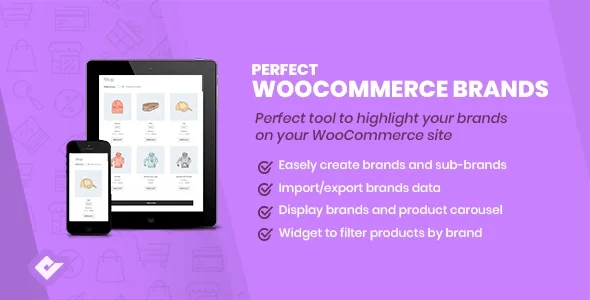
About Perfect Brands for WooCommerce
Many people don't walk into a store looking for "sneakers" or "drills", but for a specific brand. If in your WooCommerce the brand only shows up inside the title or the description, the customer has to guess where to look, and categories aren't built for that.
Perfect Brands for WooCommerce turns the brand into a section of the catalog
The plugin adds brands as their own area of the store. You assign a brand to each product and every brand gets its own page, where you can add a banner at the top. The product page links to that brand page, so anyone who lands on an item can jump to everything you sell from that manufacturer.
This matters most if you resell other companies' brands: someone who already knows a brand usually wants to see its full range, not browse categories until they find it.
Logos, lists and dropdowns to make the brand visible
Brands can be displayed in several ways, depending on what fits your design:
- Brand list, with names or with logos.
- Dropdown widget, to display brands in a dropdown.
- Brand in product listings, so it shows without opening each product page.
- Filter by brand, to narrow down the catalog.
It also supports Visual Composer, in case you build your pages with that builder.
You load the brand catalog yourself
The plugin provides the structure, but the content is up to you. Here is the boundary:
- Already solved: assigning brands to products, creating each brand's page with its banner, linking it from the product and filtering by brand.
- Already solved: the list and dropdown widgets, with names or logos.
- You cover: gathering the logos and banners for each brand, in good quality and with a consistent size.
- You cover: deciding which brand belongs to each product in your catalog.
- You cover: if you want a brand page with a design very different from what your theme offers, it will need tweaking by hand or with a professional.
Before committing, check in the demo how the brand looks inside the listings with your theme, because that's where you'll notice most whether it fits.
Stores that resell other companies' brands get the most out of it
If you sell your own products without a distinct brand, you'll have little to show and your usual categories are enough. On the other hand, a store selling spare parts, cosmetics, sports gear or electronics, where the customer arrives with the manufacturer's name in mind, gains a clear way to browse. The more brands and the more products per brand, the more it shows.
Questions to settle before setting up brands in your store
Can I show logos instead of names?
Yes. Brands can be listed with the name or with the logo.
Can the catalog be filtered by brand?
Yes, the plugin includes filtering products by brand.
Does the brand appear in the product listing?
Yes, it can be shown in the store listings, not only on the individual product page.
Does it work with Visual Composer?
Yes, it supports it.
Does each brand have its own page?
Yes. Each one has its own page, with a banner option, and a link to it from the product.
Topics
Version history
-
v
3.5.7 Current 22 Jul 2026
-
v
3.5.1 1 May 2026
Customer reviews
Sign in to leave a review. Only people who have the product can review it.
No reviews for this product yet.
Frequently asked questions
-
GPL (General Public License) is the license under which WordPress and most premium plugins/themes are distributed. It grants you the right to use, modify and redistribute the software in as many projects as you want, with no domain restrictions.
-
Yes. With membership you get automatic updates via our GPLClub Updater plugin (installed on your WP, detects new versions and applies them). With individual purchase, you get one year of manual updates from your account.
-
Depends on the plan. Monthly: 3 domains. Semi-annual: 7. Annual and Lifetime: 15. Individual purchase: 1 domain.
-
GPLClub offers its own support for installation, configuration and compatibility. For direct support from the original author (feature requests, product-specific bugs), a license purchased from the author is required.