Pesce – Seafood Restaurant WordPress Theme
Antivirus scan
Powered by ClamAV
✅ Verified clean
This product file has passed our security filters.
Want to run a fresh ClamAV scan right now? Takes a few seconds and shows scanner version, signature DB and live result.
This can take 5 to 30 seconds.
Clean file Threat detected
No threats detected in this file.
- File
- Size
- Scanned
- ClamAV
- Signature database
⚡ Powered by ClamAV
Scan could not be completed
Report product
If you detected an issue (broken file, malware, inappropriate content, etc.) let us know and we'll review it ASAP.
Sign in to report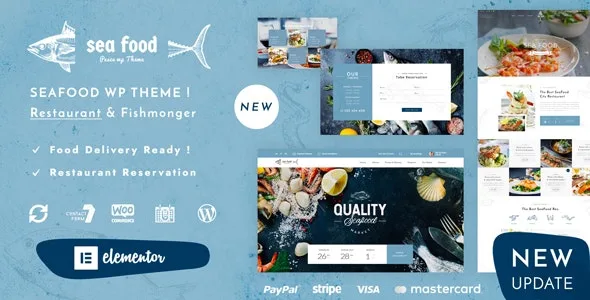
About Pesce – Seafood Restaurant WordPress Theme
Your seafood menu changes every morning, your website doesn't
In a seafood restaurant, what you serve depends on what reached the fish market: monkfish today, maybe none tomorrow. Even so, many restaurant websites are stuck with last year's PDF menu, photos that don't whet the appetite and a phone number hidden in the footer. Pesce is a theme designed for seafood, fish and Asian food restaurants that need a website that is easy to tweak, without depending on a developer every time the catch changes.
It includes Elementor as its visual builder, so pages are put together by dragging blocks, with no coding. It also comes with sliders, carousels and hero scenes to show your food in large images.
How you set up your restaurant with Pesce, step by step
1. You choose which demo to import
When you import the content you have two options. The original demo is a simplified version: no scrolling effects or transitions, no shop section and limited functionality, designed for people new to WordPress. The new demos include all the features you see in the preview.
2. You prepare the plugins each demo asks for
Each demo needs different plugins and the importer points them out as you go. Here is the limit that surprises people most: the new demos, built with Elementor, also need the Pro version with all widgets (or free alternatives), and that is not included in the package. If that cost isn't in your plans, start with the original demo.
3. You tell people who you are
With Elementor you build the homepage and the pages with the restaurant's information: the venue, the menu, opening hours, how to get there. You can add your own pages, for example one for the catch of the day that you update when the fish arrives. Since the editor is visual, changing a dish or a photo doesn't require touching code.
4. You receive booking requests
For forms, the theme relies on Contact Form 7, an external plugin that lets you manage several forms, with Ajax submission, CAPTCHA and Akismet spam filtering. Mind your expectations: it is a contact form, the request reaches you and you confirm the table. It is not a booking engine with a calendar or capacity control. If you need that, check in the demo what it offers or add a dedicated booking plugin. The theme is also listed as compatible with Gravity Forms and WPForms.
Questions to ask before choosing Pesce
Is it useful if my cooking isn't only fish?
Yes. It is designed for seafood, fish and Asian food restaurants, and it can be adapted to a fish shop or seafood store if you adjust the design.
Can I sell products online?
The original demo has no shop section; the new demos do. The theme is listed as compatible with WooCommerce and Easy Digital Downloads.
Can I have the website in several languages?
It is listed as compatible with WPML, the translation plugin, which is useful if you receive tourists.
Do I need to know how to code?
Not to build pages: Elementor works by dragging and dropping. It does help to be clear about which plugins to install depending on the demo you choose.
If your thing isn't the sea, look for another design
Pesce is born for the world of seafood and fish, and its look reflects that. If your venue serves another cuisine, you will have to change a lot of the design for it to fit. If instead you sell produce from the sea, you have a visual base ready to start on your menu and homepage.
Topics
Version history
-
v
1.4 Current 18 Jun 2024
Customer reviews
Sign in to leave a review. Only people who have the product can review it.
No reviews for this product yet.
Frequently asked questions
-
GPL (General Public License) is the license under which WordPress and most premium plugins/themes are distributed. It grants you the right to use, modify and redistribute the software in as many projects as you want, with no domain restrictions.
-
Yes. With membership you get automatic updates via our GPLClub Updater plugin (installed on your WP, detects new versions and applies them). With individual purchase, you get one year of manual updates from your account.
-
Depends on the plan. Monthly: 3 domains. Semi-annual: 7. Annual and Lifetime: 15. Individual purchase: 1 domain.
-
GPLClub offers its own support for installation, configuration and compatibility. For direct support from the original author (feature requests, product-specific bugs), a license purchased from the author is required.