Pin = Pinterest Style / Personal Masonry Blog / Front-end Submission
Antivirus scan
Powered by ClamAV
✅ Verified clean
This product file has passed our security filters.
Want to run a fresh ClamAV scan right now? Takes a few seconds and shows scanner version, signature DB and live result.
This can take 5 to 30 seconds.
Clean file Threat detected
No threats detected in this file.
- File
- Size
- Scanned
- ClamAV
- Signature database
⚡ Powered by ClamAV
Scan could not be completed
Report product
If you detected an issue (broken file, malware, inappropriate content, etc.) let us know and we'll review it ASAP.
Sign in to report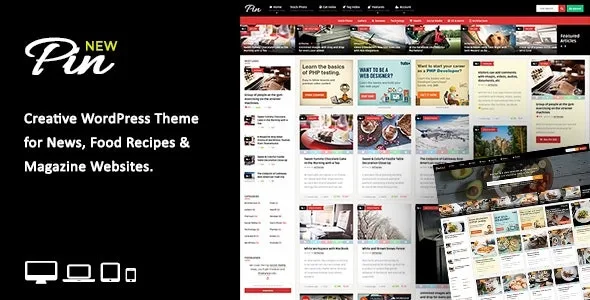
About Pin = Pinterest Style / Personal Masonry Blog / Front-end Submission
Opening your blog to readers makes you an editor
You add a form so others can publish. At first good stories arrive and the site seems to write itself. A month later you have bare-minimum texts, crooked photos, articles copied from other sites and a queue nobody reviews.
Third-party content does not save work: it swaps the work of writing for the work of deciding what gets in. And that decision is better made in the form rules than by hand, post by post. The more the form demands, the less junk reaches your review.
Pin, by An-Themes, is a WordPress theme for personal blogs with a Pinterest-style wall and post submission from the front end. Beyond the wall, it lets you narrow what it receives.
Wall, ratings and five ad spots
- Homepage in masonry or grid, full width or boxed, with pagination or infinite scroll.
- Live search with thumbnails, and login and registration in a modal window.
- Five ad spots on the homepage and responsive AdSense.
- Ratings and reviews with criteria and scores.
- Buy or download buttons on the homepage, placed from the post excerpt, useful for affiliate work.
- Recipes through the WP Recipe Maker plugin.
The rules that filter before your review
Submissions are handled with Frontend Publishing Pro, and that is where you set what gets in:
- Unlimited forms, each with its own settings, post type and restrictions.
- Limits on words in title and content, and on categories and tags. If they are not met, the post is not created.
- Instant publishing by role: some roles publish right away and the rest can go through you.
- CopyScape integration, designed for copied content.
- Email notifications to the user and the administrator.
- Custom fields, created with a label and a meta key. Showing them in the post requires code in the theme.
Each user can view, edit and delete their posts from a page with its own list, so some corrections never reach your inbox.
The Pinterest style, without its social features
The resemblance is in the design. Anyone expecting a social network should know the following:
- Among its features there are no repins, bookmarks or user boards.
- Private messages require a separate plugin, such as Ultimate Member.
- Reviews are added by administrators and editors from the dashboard. Users cannot create them from the form.
- Each submission needs a featured image, and a GIF does not replace it without custom work.
- BuddyPress works with its default style and WooCommerce has no dedicated integration, so both call for visual adjustments.
Installing Pin WP and opening the first form
The theme installs through Appearance > Themes or by FTP. The associated plugins are optional, though recommended, and install from the notice shown after activating the theme or in Appearance > Install Plugins.
- Create a page with the theme Home template and set it as the homepage in Settings > Reading.
- Choose pagination or infinite scroll in Theme Options > General Settings and save.
- Install Frontend Publishing Pro, included in the package, by uploading its zip and create a form.
- Place [wpfepp_submission_form form="X"] on one page and [wpfepp_post_table form="X"] on another, with your form number.
- Add restrictions to the form and link the page in Upload Button, inside Theme Options.
- Make test submissions with an account without privileges.
Charging to publish or competing for the front page
WP User Frontend Pro is a submission plugin with packs, pay-per-post and guest submissions, useful if you are going to sell the right to publish.
Boombox is a viral magazine theme with open publishing, reactions and rankings ordered by what your audience does, for a community more active than a personal blog's.
Phones, comments and languages in Pin
How does the wall look on a phone?
In portrait there is no room for the masonry format; in landscape it does work. Check it with your content.
Can people comment without publishing?
Yes. Comments are separate from the submission form, and the theme has Disqus ready to use.
Does it work for building a directory?
It is a personal blog or magazine theme, and its form is designed for sharing stories. A directory will require adaptation.
Can it be translated?
It comes with a .POT file for one language. Several languages need a plugin such as WPML or Polylang.
Topics
Version history
-
v
7.0 Current 8 Jan 2025
Customer reviews
Sign in to leave a review. Only people who have the product can review it.
No reviews for this product yet.
Frequently asked questions
-
GPL (General Public License) is the license under which WordPress and most premium plugins/themes are distributed. It grants you the right to use, modify and redistribute the software in as many projects as you want, with no domain restrictions.
-
Yes. With membership you get automatic updates via our GPLClub Updater plugin (installed on your WP, detects new versions and applies them). With individual purchase, you get one year of manual updates from your account.
-
Depends on the plan. Monthly: 3 domains. Semi-annual: 7. Annual and Lifetime: 15. Individual purchase: 1 domain.
-
GPLClub offers its own support for installation, configuration and compatibility. For direct support from the original author (feature requests, product-specific bugs), a license purchased from the author is required.