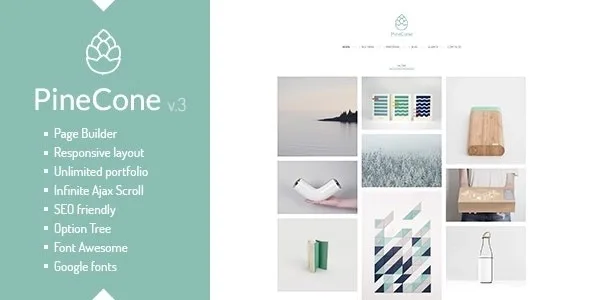
PineCone – Creative Portfolio and Blog for Agency
Antivirus scan
Powered by ClamAV
✅ Verified clean
This product file has passed our security filters.
Want to run a fresh ClamAV scan right now? Takes a few seconds and shows scanner version, signature DB and live result.
This can take 5 to 30 seconds.
Clean file Threat detected
No threats detected in this file.
- File
- Size
- Scanned
- ClamAV
- Signature database
⚡ Powered by ClamAV
Scan could not be completed
Report product
If you detected an issue (broken file, malware, inappropriate content, etc.) let us know and we'll review it ASAP.
Sign in to reportNewer version out, or a problem?
About PineCone – Creative Portfolio and Blog for Agency
A portfolio for those who sell with images and video
For a photographer, a production company or a creative agency, the website is the catalog of their work. The usual problem is that every project ends up looking the same: photos look alike, videos get buried and each new job forces you to rebuild the page. PineCone is designed so that each project gets its own presentation.
It is a WordPress theme that changes the look of the site and organizes content around portfolios, blog posts and pages. It is aimed at designers, architects, photographers, freelancers and bloggers who want their work at the center of the website.
From adding a project to the grid your client sees
Imagine a video studio that has just finished a spot and wants to publish it. Here is how it works with PineCone:
- Create the portfolio. You can have as many portfolios as you need, each with its own categories and settings.
- Add the project. Each project supports its own images, titles, colors and fonts. If it has a video, it is embedded from YouTube or Vimeo and can open in a pop-up window when clicked.
- Choose the grid. The portfolio can display in three columns, four columns or full width, with a masonry layout that adapts to mobiles and tablets.
- The visitor keeps exploring. Projects load with AJAX as the visitor scrolls, or when they press a button if you prefer, and you can filter and sort them.
- Open the work. Each project can open in a lightbox without leaving the page, and recent projects and related posts appear at the end.
The video has one clear condition: it is embedded from YouTube or Vimeo, so the spot has to be published on one of those platforms before it can appear in the project.
Frequently asked questions about PineCone
Do I need to install a page builder separately?
PineCone includes a simple page builder to create custom content. The theme is also compatible with the Gutenberg block editor.
Can it be used to sell products in a shop?
The theme supports WooCommerce and includes an example shop.
Do I need to code to change the look?
Much of it is set from the theme options: the logo, the main link color, the favicon, the grid style and the background colors. You can also use any Google font in the header, the menu, the logo, the links or the text.
How many portfolios can I create?
You can create portfolios without limit, each with its own categories. Recent projects can display in four, three or two columns.
Blog, contact pages and form in the same design
The blog has a two-column masonry grid with a sidebar, and you can share posts and projects on social networks. The contact and portfolio pages show the most recent work.
The contact form is ready for Contact Form 7, so that plugin has to be installed and active for it to work. There are also social icon widgets, Google maps and ready-to-use Instagram and Twitter plugins.
Translatable text and support for right-to-left languages
All text strings in the theme are ready for translation, and the theme supports languages written right to left. Options are managed with the Options Tree plugin, and the theme includes demo content you can import to get a starting website.
Version history
-
v
4.5.1 Current 17 Jun 2024
Customer reviews
Sign in to leave a review. Only people who have the product can review it.
No reviews for this product yet.
Frequently asked questions
-
GPL (General Public License) is the license under which WordPress and most premium plugins/themes are distributed. It grants you the right to use, modify and redistribute the software in as many projects as you want, with no domain restrictions.
-
Yes. With membership you get automatic updates via our GPLClub Updater plugin (installed on your WP, detects new versions and applies them). With individual purchase, you get one year of manual updates from your account.
-
Depends on the plan. Monthly: 3 domains. Semi-annual: 7. Annual and Lifetime: 15. Individual purchase: 1 domain.
-
GPLClub offers its own support for installation, configuration and compatibility. For direct support from the original author (feature requests, product-specific bugs), a license purchased from the author is required.