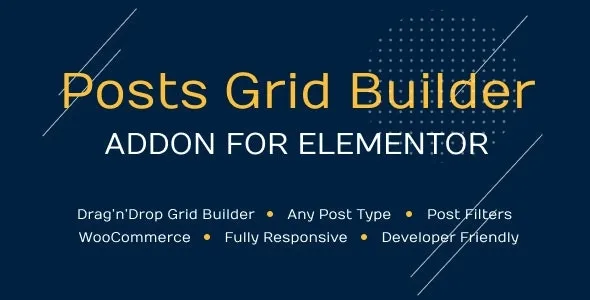
Posts Grid Builder for Elementor
Antivirus scan
Powered by ClamAV
✅ Verified clean
This product file has passed our security filters.
Want to run a fresh ClamAV scan right now? Takes a few seconds and shows scanner version, signature DB and live result.
This can take 5 to 30 seconds.
Clean file Threat detected
No threats detected in this file.
- File
- Size
- Scanned
- ClamAV
- Signature database
⚡ Powered by ClamAV
Scan could not be completed
Report product
If you detected an issue (broken file, malware, inappropriate content, etc.) let us know and we'll review it ASAP.
Sign in to reportNewer version out, or a problem?
About Posts Grid Builder for Elementor
Which posts go into each grid with Posts Grid Builder
A magazine homepage or a news page usually shows articles from several sections. When each block needs its own design, the result is often a generic list or hand-pasted code that nobody wants to touch months later. A well-built grid helps readers find what they are looking for and gives each post the presence it deserves. Posts Grid Builder for Elementor is designed so those blocks can be assembled visually inside the Elementor editor.
The first step is deciding what content each grid shows. The addon works with any post type, so you can build one block with blog posts, another with your portfolio works and another with WooCommerce products, since it also supports that store.
As an addon for Elementor, you need Elementor installed and active to work with it.
Designing without code and adjusting its look
With the drag and drop grid builder you can build a magazine-style layout without programming skills.
Customization is flexible: you can adjust the look of the grid. And since the grid is fully responsive, it adapts to different screen sizes.
If you also build sites for other people, the tool is developer friendly.
Frequently asked questions about Posts Grid Builder for Elementor
Do I need to know how to code?
No. The builder is drag and drop and designed to create grids without writing code.
Can I show content that is not blog posts?
Yes. It works with any post type, so you can use the content types your site has.
Does it work for WooCommerce stores?
Yes. It supports WooCommerce, so you can show your products with style.
Does it adapt to mobile devices?
Yes, the grid is fully responsive.
Portfolios and catalogs with the same tool
If your work is presented as projects, you can build your own portfolio to present your works in the best way, with the look you choose.
In a store, WooCommerce support lets you display products with style.
Version history
-
v
2.0.0 Current 17 May 2024
Customer reviews
Sign in to leave a review. Only people who have the product can review it.
No reviews for this product yet.
Frequently asked questions
-
GPL (General Public License) is the license under which WordPress and most premium plugins/themes are distributed. It grants you the right to use, modify and redistribute the software in as many projects as you want, with no domain restrictions.
-
Yes. With membership you get automatic updates via our GPLClub Updater plugin (installed on your WP, detects new versions and applies them). With individual purchase, you get one year of manual updates from your account.
-
Depends on the plan. Monthly: 3 domains. Semi-annual: 7. Annual and Lifetime: 15. Individual purchase: 1 domain.
-
GPLClub offers its own support for installation, configuration and compatibility. For direct support from the original author (feature requests, product-specific bugs), a license purchased from the author is required.