PowerPack Pro for Elementor
Antivirus scan
Powered by ClamAV
✅ Verified clean
This product file has passed our security filters.
Want to run a fresh ClamAV scan right now? Takes a few seconds and shows scanner version, signature DB and live result.
This can take 5 to 30 seconds.
Clean file Threat detected
No threats detected in this file.
- File
- Size
- Scanned
- ClamAV
- Signature database
⚡ Powered by ClamAV
Scan could not be completed
Report product
If you detected an issue (broken file, malware, inappropriate content, etc.) let us know and we'll review it ASAP.
Sign in to report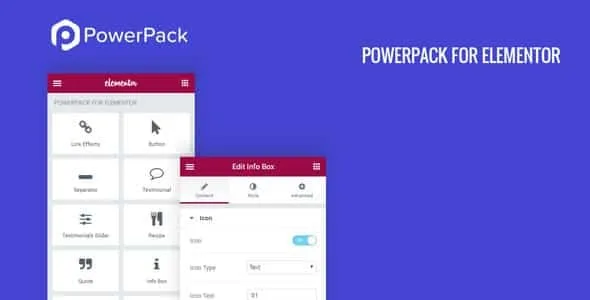
About PowerPack Pro for Elementor
When every client whim is one more plugin
You deliver a site built with Elementor and the client asks for something small: a countdown for the offer, a popup, an info table, a form that doesn't clash with the design. Each request gets solved with a different plugin, and six months later you have six scripts, six stylesheets and a conflict nobody can trace. The expensive part of a website isn't building it, it's maintaining everything that was piled on top.
PowerPack Pro for Elementor brings together more than 70 widgets and more than 150 section blocks in a single addon, designed so the pieces work as a system and not as a loose collection.
A store website, step by step with PowerPack Pro for Elementor
Imagine you're building the website of a shop with a catalog. Here is how each piece would fit, and where you would hit a limit.
1. You start with ready-made blocks
You import sections from the library, sorted into categories such as Hero, Testimonials or FAQs, and combine them to put together the homepage or a landing page. That library works with both free Elementor and Elementor Pro.
2. You add what the client asked for
Countdown, popup box, info table, image comparison, image hotspots, flip boxes, logo carousel, coupons, team member cards, accordions, breadcrumbs. These are exactly the extras that tend to end up as separate plugins. You don't need to use them all: pick the ones the project needs.
3. You style the form to match the brand
There are widgets to style forms from WPForms, Gravity Forms, Ninja Forms, Formidable Forms, Contact Form 7 and Fluent Forms, using drag and drop in Elementor. Careful: they only change the look. The form itself is still created by one of those plugins, which you will need installed.
4. You style the shop
WooCommerce has a complex structure and few design options; PowerPack adds specific widgets for stores built with Elementor. Since it's an addon, the shop itself is still provided by WooCommerce.
5. You show each thing to the right person
With display conditions you decide which section or widget appears based on user role, login status, browser or a date range. It's useful for a seasonal offer or for content reserved for registered customers.
6. You prepare the content for search engines
The FAQ and How-to widgets add structured data (Schema) to your content. They are content widgets, not a full SEO plugin, and they don't guarantee rankings.
7. You reuse your work on the next client
Cross-domain copy paste saves you from saving, exporting and importing a section to move it to another site. And if you work for others, white label lets the addon appear under your own name and brand. There are also login and signup widgets, with Facebook and Google sign-in, for custom account pages.
Questions before installing it
Does it work with free Elementor? The block library does, with both the free version and Pro. For a specific widget, check in the demo that it behaves as you expect with your version.
Does it create my forms? No. It styles those from WPForms, Gravity Forms, Ninja Forms, Formidable Forms, Contact Form 7 and Fluent Forms, but you need the form plugin.
Does it replace my SEO plugin? No. It provides widgets with structured data for FAQs and guides, nothing more.
Can I put my own brand on it? Yes, it has white label so the addon carries your name on your clients' sites.
Who gets the most out of it and who doesn't
It pays off if you build several Elementor sites and you're tired of adding a plugin for every detail. If your site uses just four basic widgets, or you don't work with Elementor, it's more tool than you need.
Version history
-
v
3.1.4 Current 31 Oct 2026
-
v
3.1.3 28 Oct 2026
-
v
3.1.2 23 Oct 2026
-
v
3.1.1 14 Oct 2026
-
v
3.1.0 18 Sep 2026
-
v
3.0.5 5 Sep 2026
-
v
3.0.4 26 Aug 2026
-
v
2.13.0 25 Apr 2026
Customer reviews
Sign in to leave a review. Only people who have the product can review it.
No reviews for this product yet.
Frequently asked questions
-
GPL (General Public License) is the license under which WordPress and most premium plugins/themes are distributed. It grants you the right to use, modify and redistribute the software in as many projects as you want, with no domain restrictions.
-
Yes. With membership you get automatic updates via our GPLClub Updater plugin (installed on your WP, detects new versions and applies them). With individual purchase, you get one year of manual updates from your account.
-
Depends on the plan. Monthly: 3 domains. Semi-annual: 7. Annual and Lifetime: 15. Individual purchase: 1 domain.
-
GPLClub offers its own support for installation, configuration and compatibility. For direct support from the original author (feature requests, product-specific bugs), a license purchased from the author is required.