Progress Map, Submit Locations
Antivirus scan
Powered by ClamAV
✅ Verified clean
This product file has passed our security filters.
Want to run a fresh ClamAV scan right now? Takes a few seconds and shows scanner version, signature DB and live result.
This can take 5 to 30 seconds.
Clean file Threat detected
No threats detected in this file.
- File
- Size
- Scanned
- ClamAV
- Signature database
⚡ Powered by ClamAV
Scan could not be completed
Report product
If you detected an issue (broken file, malware, inappropriate content, etc.) let us know and we'll review it ASAP.
Sign in to reportNewer version out, or a problem?
About Progress Map, Submit Locations
When the map's information comes from whoever knows the place
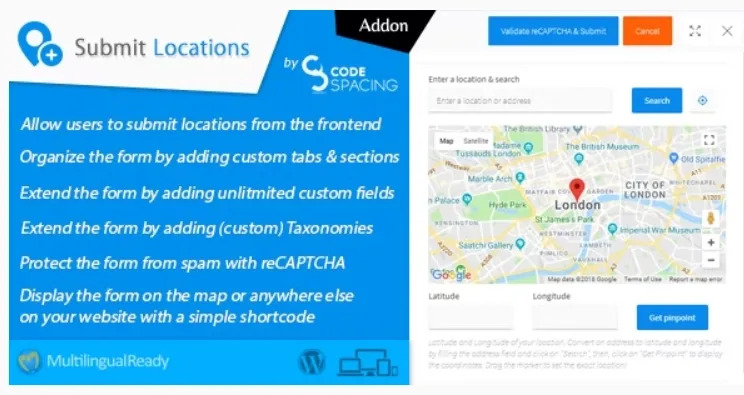
A location map usually falls short for a simple reason: the person who runs the website does not know every point. The information comes from people on the ground, but it almost always ends up passing through someone who copies it by hand into the dashboard. Progress Map, Submit Locations is built so that the user submits it from the public part of your site, without entering the admin area.
From the form to the point on the map, step by step
The journey starts with the form. You create a form for each of your maps and decide where to show it: inside the map itself or anywhere else on your website. Whoever wants to add a location fills it in from the frontend.
Next comes the content that describes the point. You can extend the form with new tabs, sections and custom fields. If your map needs to classify its points, custom taxonomies do that job, and you can use the same taxonomy several times in the same form.
Taxonomy fields can be controlled quite closely. You can exclude or include specific terms, hide empty terms and sort them.
Finally, the form supports colour fields with a picker, hierarchical taxonomy fields and the option to insert media into the location's content. For the person submitting, you can also open the form in fullscreen and place the actions bar at the bottom.
Frequently asked questions about Progress Map, Submit Locations
Do I need Progress Map to use it?
Yes. This extension extends Progress Map, so that plugin must be installed and active.
Can I place the form outside the map?
Yes. You can show the form on the map itself or anywhere else on your website.
Can I add my own fields to the form?
Yes. The form can be extended with new tabs, sections, custom fields and custom taxonomies.
Can I use the same taxonomy twice?
Yes, you can use one taxonomy several times within the same form.
How the form looks to the person submitting
Some presentation settings matter when the person submitting is not part of your web team. The form can open in fullscreen, and the actions bar can be moved to the bottom.
As a tip, check the demo to see how the form looks with the actions bar at the top or at the bottom, because the demo shows more features than fit on this page.
Only works on top of Progress Map
This extension needs Progress Map installed and active, because it extends its map and forms. If you do not have Progress Map yet, that is the piece to sort out before this one. If your map is already set up, this adds the missing part: letting visitors propose points.
Topics
Version history
-
v
1.9.6 Current 14 May 2024
Customer reviews
Sign in to leave a review. Only people who have the product can review it.
No reviews for this product yet.
Frequently asked questions
-
GPL (General Public License) is the license under which WordPress and most premium plugins/themes are distributed. It grants you the right to use, modify and redistribute the software in as many projects as you want, with no domain restrictions.
-
Yes. With membership you get automatic updates via our GPLClub Updater plugin (installed on your WP, detects new versions and applies them). With individual purchase, you get one year of manual updates from your account.
-
Depends on the plan. Monthly: 3 domains. Semi-annual: 7. Annual and Lifetime: 15. Individual purchase: 1 domain.
-
GPLClub offers its own support for installation, configuration and compatibility. For direct support from the original author (feature requests, product-specific bugs), a license purchased from the author is required.