Role based prices for Tickera
Antivirus scan
Powered by ClamAV
✅ Verified clean
This product file has passed our security filters.
Want to run a fresh ClamAV scan right now? Takes a few seconds and shows scanner version, signature DB and live result.
This can take 5 to 30 seconds.
Clean file Threat detected
No threats detected in this file.
- File
- Size
- Scanned
- ClamAV
- Signature database
⚡ Powered by ClamAV
Scan could not be completed
Report product
If you detected an issue (broken file, malware, inappropriate content, etc.) let us know and we'll review it ASAP.
Sign in to reportNewer version out, or a problem?
About Role based prices for Tickera
Duplicate tickets or shared codes: the problem a per-role price removes
An event with members, students and the general public often ends up with three almost identical tickets, or with a discount code that has to be shared. Duplicate tickets complicate inventory and sales reports, and a code can end up leaked on public forums.
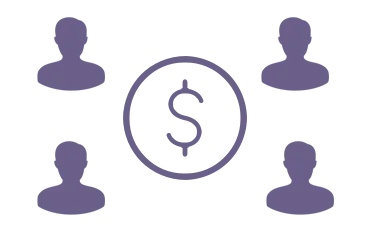
Role Based Prices for Tickera starts from a different idea: one ticket, several prices. You sell the same ticket at one price for the public, another for your members and another for your students, and the amount changes according to the WordPress role of the buyer. The roles already exist in the user table.
For the buyer the process is simple: log in, open the event page and see their price. There is no field to enter a member number and no manual approval step.
How Role Based Prices for Tickera chooses each buyer’s price
When you edit a ticket, a grid appears below the default price with every role on your site: members, students, staff, subscribers or custom roles. Each one has its own price field.
- Empty field: the default price is charged.
- Lower number: replaces the public price for that role.
- Higher number: charges more to a specific profile, for example people from a professional sector at an event that wants to charge them more.
Anyone who is not logged in always sees the public price. To access the rate for their role they have to register or sign in, so you can add a notice on the event page such as “Members? Log in” to encourage it.
If a buyer has several roles, the lowest matching price applies by default, and you can change that rule in the settings.
Use it if your buyers already have WordPress roles and you run Tickera
This add-on needs Tickera installed and active, because it extends Tickera’s ticket sales.
It works with the stock WordPress roles and with any custom role added by another plugin, including those from membership systems: if you can see the role in the WordPress users panel, you can set a price for it.
- Events with members who pay less than the general public.
Common questions about per-role prices in Tickera
Do I need a discount code for the member price to apply?
No. The price is applied automatically at checkout according to the role of the logged-in user.
What does a buyer without an account see?
The default price. To see the rate for their role, they must register or log in.
What happens if a user has several roles?
By default the lowest matching price applies. You can change that rule in the settings.
Does it work with membership plugins?
Yes. Any plugin that registers a WordPress role can be used to set a price, as long as the role appears in the users panel.
Can I charge a role more than the public?
Yes. A number above the default price applies to that role, useful when a specific profile should pay more.
Topics
Version history
-
v
1.4 Current 13 May 2024
Customer reviews
Sign in to leave a review. Only people who have the product can review it.
No reviews for this product yet.
Frequently asked questions
-
GPL (General Public License) is the license under which WordPress and most premium plugins/themes are distributed. It grants you the right to use, modify and redistribute the software in as many projects as you want, with no domain restrictions.
-
Yes. With membership you get automatic updates via our GPLClub Updater plugin (installed on your WP, detects new versions and applies them). With individual purchase, you get one year of manual updates from your account.
-
Depends on the plan. Monthly: 3 domains. Semi-annual: 7. Annual and Lifetime: 15. Individual purchase: 1 domain.
-
GPLClub offers its own support for installation, configuration and compatibility. For direct support from the original author (feature requests, product-specific bugs), a license purchased from the author is required.