Sharinger for Elementor
Antivirus scan
Powered by ClamAV
✅ Verified clean
This product file has passed our security filters.
Want to run a fresh ClamAV scan right now? Takes a few seconds and shows scanner version, signature DB and live result.
This can take 5 to 30 seconds.
Clean file Threat detected
No threats detected in this file.
- File
- Size
- Scanned
- ClamAV
- Signature database
⚡ Powered by ClamAV
Scan could not be completed
Report product
If you detected an issue (broken file, malware, inappropriate content, etc.) let us know and we'll review it ASAP.
Sign in to reportNewer version out, or a problem?
About Sharinger for Elementor
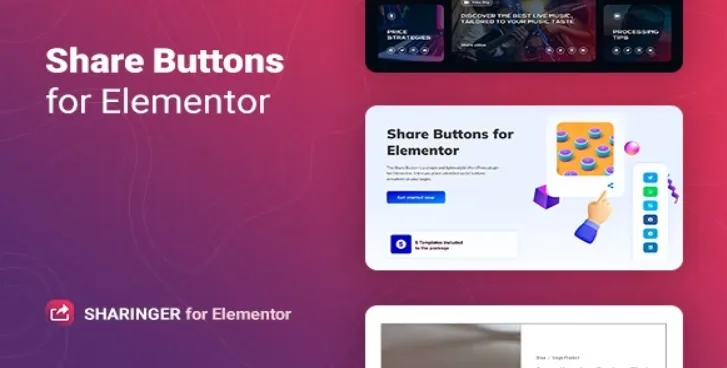
A share button left at the bottom of a long article or misplaced on mobile is hardly used. Anyone who manages a website with Elementor usually fixes it with loose icons or with code nobody reviews again. Sharinger for Elementor lets you design those buttons inside the visual editor itself.
Placing Sharinger buttons anywhere on an Elementor page
The first step is adding the Sharinger widget wherever you want it on the page. You can place unlimited social buttons anywhere on your pages, and the supported networks are Facebook, Twitter, LinkedIn, Reddit, Tumblr, Digg, Skype, StumbleUpon, Telegram, Pocket, XING, WhatsApp, Email and Print.
Because Sharinger is an add-on for Elementor, Elementor must be installed and active for the widget to appear.
Three button types, five skins and three shapes to change the look
This is where you decide how the buttons look. Each one can show icon and text, only the icon, or only the text. The skins and the preset shapes let you adjust the style without starting from scratch, and as a starting point the plugin includes 5 templates you can use for inspiration.
Questions about Sharinger for Elementor buttons
How many buttons can I add to a page?
As many as you need: the number of buttons is unlimited and they can go anywhere on your pages.
Do I need to know how to code?
No. Everything is configured from the Elementor interface, with no code knowledge required.
Can I translate it?
Yes. It includes a file for translating the plugin into any language.
Does it work with right-to-left languages?
Yes, it is ready for RTL direction.
Different column counts for each device
A row of buttons that fits on a desktop can look cramped on a phone. With Sharinger you set how many columns to use on each screen type, so the buttons look right on different devices.
Official color for each network or your own brand colors
You can use the official color of each social network or define custom colors so the buttons match your design. This way, a WhatsApp button can keep its official color. From the same panel you adjust the rest of the look:
- Button size, height and width
- Icon size and column gap
- Typography and other style options
Works with Elementor themes and modern browsers
Sharinger is compatible with all WordPress themes built on Elementor and looks right in Chrome, Firefox, Safari, Opera and Edge, on any device.
Topics
Version history
-
v
1.0.2 Current 12 May 2024
Customer reviews
Sign in to leave a review. Only people who have the product can review it.
No reviews for this product yet.
Frequently asked questions
-
GPL (General Public License) is the license under which WordPress and most premium plugins/themes are distributed. It grants you the right to use, modify and redistribute the software in as many projects as you want, with no domain restrictions.
-
Yes. With membership you get automatic updates via our GPLClub Updater plugin (installed on your WP, detects new versions and applies them). With individual purchase, you get one year of manual updates from your account.
-
Depends on the plan. Monthly: 3 domains. Semi-annual: 7. Annual and Lifetime: 15. Individual purchase: 1 domain.
-
GPLClub offers its own support for installation, configuration and compatibility. For direct support from the original author (feature requests, product-specific bugs), a license purchased from the author is required.