Smoother
Antivirus scan
Powered by ClamAV
✅ Verified clean
This product file has passed our security filters.
Want to run a fresh ClamAV scan right now? Takes a few seconds and shows scanner version, signature DB and live result.
This can take 5 to 30 seconds.
Clean file Threat detected
No threats detected in this file.
- File
- Size
- Scanned
- ClamAV
- Signature database
⚡ Powered by ClamAV
Scan could not be completed
Report product
If you detected an issue (broken file, malware, inappropriate content, etc.) let us know and we'll review it ASAP.
Sign in to reportNewer version out, or a problem?
About Smoother
When scrolling jerks on long pages
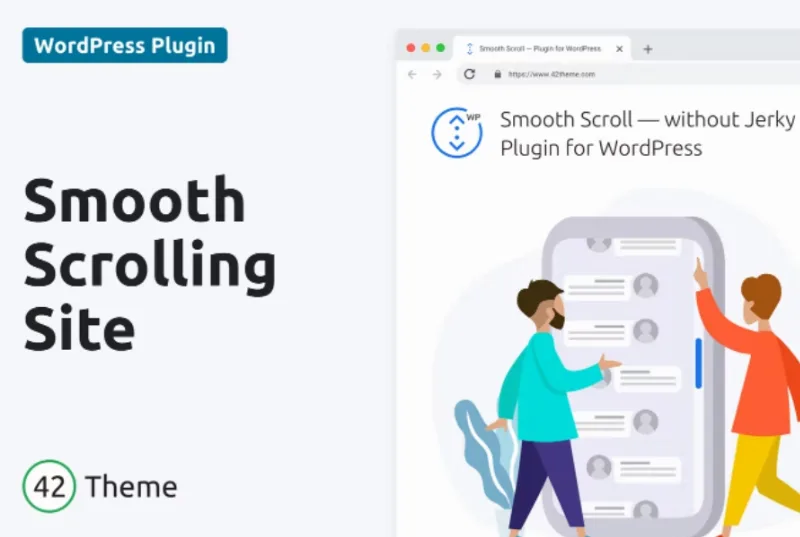
A website with long pages, such as a blog, a portfolio or a property listing, becomes hard to read when every turn of the mouse wheel causes a sudden jump. In Google Chrome and WebKit-based browsers that effect is especially noticeable, and visitors end up scrolling in fits and starts. Smooth Scroll fixes that behavior: the scroll no longer stops dead but carries on a little past the point where you stopped turning the wheel, with a much smoother movement.
How the page responds to the mouse, keyboard and touchpad
The plugin smooths the mouse wheel and also the middle mouse button. It also extends keyboard control: the arrow keys, PgUp and PgDown, the spacebar and the Home and End keys scroll with the same smooth movement. It also supports the touchpad and embedded content, such as PDF or Flash.
It is written in native JavaScript, without jQuery or other libraries, and weighs only 7 kb once minified, so it does not add a heavy load to your website.
On mobile phones and tablets scrolling works as usual again
The plugin automatically detects mobile devices and tablets, and on them it turns itself off to keep each device's usual scrolling. Touch devices follow the same rule.
Frequently asked questions about Smooth Scroll
Does it work in Firefox?
By default Smooth Scroll only works in WebKit-based browsers, such as Chrome. If you want it to smooth scrolling in Firefox too, enable the option for all browsers in the settings.
Can I leave some pages without the effect?
Yes. If you include the shortcode [t42_disable_smooth_scroll] in a page, smooth scrolling is turned off on that page.
Is it compatible with WooCommerce and other plugins?
It has been tested with Yoast SEO, Contact Form 7, W3 Total Cache, NextGen Gallery, Slider Revolution and WooCommerce, among others.
Does it change scrolling on every page of the site?
Pages with the exclusion shortcode are left out, and on mobile phones and tablets the plugin turns itself off automatically.
Settings to fine-tune scrolling without touching code
Smooth Scroll comes with presets (Default, iPhone, Opera, IE and custom) and lets you change the parameters from the panel, without going into the code. These are the ones you can adjust:
- Step size (px): how far each mouse wheel event scrolls.
- Animation time (ms): how fast or slow the movement completes.
- Acceleration scale: how much the scrolling can accelerate when you turn the wheel quickly.
- Acceleration delta: the time between scroll events; a lower value triggers acceleration more often.
- Pulse scale: the ratio between the tail and the acceleration, that is, the length of the deceleration.
- Arrow key step size (px): how far each arrow key press moves the page.
From the same settings you can enable keyboard support, the pulse algorithm that adds easing to the animations, and the option to enable it in all browsers.
Which themes, page builders and types of site Smooth Scroll fits
It is compatible with themes such as Avada, Jupiter, BeTheme, Flatsome, Enfold, Porto, Bridge, Salient, Houzez, MyListing or WoodMart, among many others. It also works with the Elementor, Visual Composer, Gutenberg, Divi and WP Bakery Page Builder page builders, and with frameworks such as Genesis or Themify.
It fits blogs, portfolios, corporate websites, online stores and property listings, especially when the pages are long.
Version history
-
v
2.0.3 Current 15 May 2024
Customer reviews
Sign in to leave a review. Only people who have the product can review it.
No reviews for this product yet.
Frequently asked questions
-
GPL (General Public License) is the license under which WordPress and most premium plugins/themes are distributed. It grants you the right to use, modify and redistribute the software in as many projects as you want, with no domain restrictions.
-
Yes. With membership you get automatic updates via our GPLClub Updater plugin (installed on your WP, detects new versions and applies them). With individual purchase, you get one year of manual updates from your account.
-
Depends on the plan. Monthly: 3 domains. Semi-annual: 7. Annual and Lifetime: 15. Individual purchase: 1 domain.
-
GPLClub offers its own support for installation, configuration and compatibility. For direct support from the original author (feature requests, product-specific bugs), a license purchased from the author is required.