Social Auto Poster - WordPress Scheduler & Marketing Plugin
Antivirus scan
Powered by ClamAV
✅ Verified clean
This product file has passed our security filters.
Want to run a fresh ClamAV scan right now? Takes a few seconds and shows scanner version, signature DB and live result.
This can take 5 to 30 seconds.
Clean file Threat detected
No threats detected in this file.
- File
- Size
- Scanned
- ClamAV
- Signature database
⚡ Powered by ClamAV
Scan could not be completed
Report product
If you detected an issue (broken file, malware, inappropriate content, etc.) let us know and we'll review it ASAP.
Sign in to report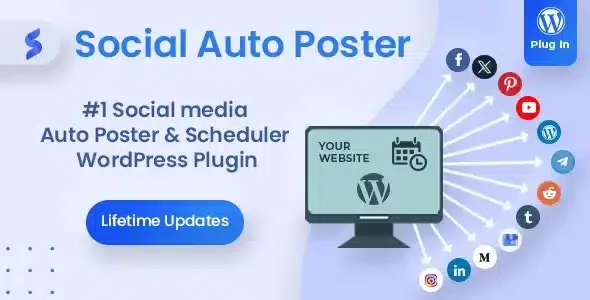
About Social Auto Poster - WordPress Scheduler & Marketing Plugin
Years of archive sit idle while you only share the latest post
You publish a post, copy the link, open Facebook, then LinkedIn, then Telegram, and by the third time you stop doing it. The result is good content that was shared once or never. The real asset of a blog with years behind it is not the latest post but the archive, and much of that archive has not been shown to anyone since the day it was published.
Social Auto Poster detects every new post and publishes it to the networks you have configured. It can also relaunch old content so it keeps circulating. It is aimed at bloggers, creators and marketing teams who handle several accounts, pages or groups and have no time to repeat the same task on each one.
Social Auto Poster in detail: what it publishes, when and where
- Automatic publishing: you choose one option and every new post goes out to Facebook, Twitter, LinkedIn, Tumblr, YouTube, Google My Business, Pinterest, Medium, Telegram, Instagram or WordPress, covering personal profiles, business pages and groups.
- Scheduling: you set specific days and hours, which helps if your audience lives in another time zone and you want to reach them when they are online.
- Reposter: republishes old posts so they do not stay buried.
- Quick Share: publishes or schedules images, links and messages without creating a WordPress post, for example for a quick announcement.
- Categories and tags: you can choose which account receives each category or tag, and include or exclude content from the scheduler and the reposter.
- URL shorteners: TinyURL, Bitly and ShorteSt, or the permalink as it is. It matters on Twitter, where the link counts within the 280 characters.
- Unlimited accounts for each network.
- Content types: posts, pages and custom post types, including those created with third-party plugins.
It has limits worth knowing. The plugin publishes and schedules, but the text, the images and the conversation with your audience remain your job. Google Analytics tracking requires you to add your own tag. And each account is configured at the start, one by one, before everything runs on its own.
Questions before connecting your accounts
Can I connect several pages of the same network?
Yes. There is no cap on accounts per network, so you can keep, for example, several Facebook pages at once.
Does it work with my custom post types?
Yes. It recognises those created by third-party plugins and applies the same features to them as to posts.
Can I publish without writing a post?
Yes, with Quick Share: images, links and messages, immediately or scheduled.
Can I stop a certain category from going out on social media?
Yes. You can exclude categories and tags from the scheduler and the reposter.
A dog page and a cat page: posting by category
If you sell dog food and cat food and have a Facebook page for each audience, you do not want everything to go out on both. On the add or edit category or tag screen you choose the account of each network that will receive that content. That way each audience sees only what interests it, and you do not have to decide post by post.
With the Google Analytics integration you can measure interactions and clicks per network.
Each network is connected separately: start with one
The laborious part is the initial setup, not the daily use. A sensible order:
- Connect just one network first and publish a test post to see how the text and link look.
- Choose the shortener and decide which content types and categories go to each account.
- Add your Analytics tag and, once everything goes out correctly, add the remaining networks and turn on the reposter with your best articles.
Topics
Version history
-
v
5.5.5 Current 12 Jun 2026
-
v
5.5.4 28 Jan 2026
Customer reviews
Sign in to leave a review. Only people who have the product can review it.
No reviews for this product yet.
Frequently asked questions
-
GPL (General Public License) is the license under which WordPress and most premium plugins/themes are distributed. It grants you the right to use, modify and redistribute the software in as many projects as you want, with no domain restrictions.
-
Yes. With membership you get automatic updates via our GPLClub Updater plugin (installed on your WP, detects new versions and applies them). With individual purchase, you get one year of manual updates from your account.
-
Depends on the plan. Monthly: 3 domains. Semi-annual: 7. Annual and Lifetime: 15. Individual purchase: 1 domain.
-
GPLClub offers its own support for installation, configuration and compatibility. For direct support from the original author (feature requests, product-specific bugs), a license purchased from the author is required.