SP Gravity Forms QR Code
Antivirus scan
Powered by ClamAV
✅ Verified clean
This product file has passed our security filters.
Want to run a fresh ClamAV scan right now? Takes a few seconds and shows scanner version, signature DB and live result.
This can take 5 to 30 seconds.
Clean file Threat detected
No threats detected in this file.
- File
- Size
- Scanned
- ClamAV
- Signature database
⚡ Powered by ClamAV
Scan could not be completed
Report product
If you detected an issue (broken file, malware, inappropriate content, etc.) let us know and we'll review it ASAP.
Sign in to reportNewer version out, or a problem?
About SP Gravity Forms QR Code
One data point from each submission that the person can scan
A form that collects registrations, orders or appointments often ends up in an email nobody looks at again on the day someone has to show up or pick something up. A QR code in the confirmation or notification turns that data into something scanned on the spot.
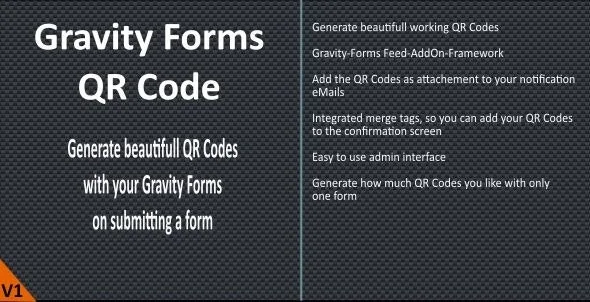
SP Gravity Forms QR Code generates the code from the fields you choose in each feed, and includes it in the confirmation or notification text through merge tags. The code can also go as an image attached to the email.
Works on top of Gravity Forms
What it does once configured:
- Sets which form fields go into the code, with the label and size it will have.
- Inserts the code into confirmations, notifications and other Gravity Forms functions.
- Attaches the code as an image to notification emails.
- Shows the codes from the backend and regenerates them when the record is updated from there.
What it needs: Gravity Forms installed and active, since it is an add-on that extends its forms.
Conditional logic and the fields it accepts
Each feed can use conditional logic, so it only fires when the condition you define is met. Among the available fields are the standard ones: single line text, paragraph text, drop downs, multi select, numbers, checkboxes and radio buttons. It also accepts name with its parts (prefix, first, middle, last and suffix), date, time, phone, address, website, email and country, plus WordPress post fields (title, content, excerpt, tags, category and custom fields). In order forms you can use product, quantity, shipping and total.
Gravity-PDF and GravityView integration
There is an integration with Gravity-PDF. With GravityView, the feed runs again when an entry is updated.
Who it fits
It is meant for anyone already using Gravity Forms who needs each submission to generate its own QR code. It also serves those who review records from the backend, where the codes are shown.
Frequently asked questions about SP Gravity Forms QR Code
Can I put more than one QR code in the same form?
Yes, the plugin supports more than one QR code field in the same form.
Can I choose the size and label of the code?
Yes. You define the label and size in each feed, together with the fields that go into the code.
Can I add my own text to the code?
Yes. You can write custom text and use the {tab}, {space} and {newline} placeholders to format the content.
Is the code updated when the entry changes?
Yes. When an entry is updated from the backend or through GravityView, the feed runs again and the code is regenerated.
Topics
Version history
-
v
2.5.0 Current 17 May 2024
Customer reviews
Sign in to leave a review. Only people who have the product can review it.
No reviews for this product yet.
Frequently asked questions
-
GPL (General Public License) is the license under which WordPress and most premium plugins/themes are distributed. It grants you the right to use, modify and redistribute the software in as many projects as you want, with no domain restrictions.
-
Yes. With membership you get automatic updates via our GPLClub Updater plugin (installed on your WP, detects new versions and applies them). With individual purchase, you get one year of manual updates from your account.
-
Depends on the plan. Monthly: 3 domains. Semi-annual: 7. Annual and Lifetime: 15. Individual purchase: 1 domain.
-
GPLClub offers its own support for installation, configuration and compatibility. For direct support from the original author (feature requests, product-specific bugs), a license purchased from the author is required.