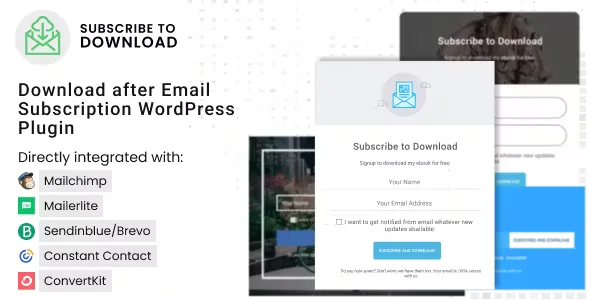
Subscribe to Download Plugin
Antivirus scan
Powered by ClamAV
✅ Verified clean
This product file has passed our security filters.
Want to run a fresh ClamAV scan right now? Takes a few seconds and shows scanner version, signature DB and live result.
This can take 5 to 30 seconds.
Clean file Threat detected
No threats detected in this file.
- File
- Size
- Scanned
- ClamAV
- Signature database
⚡ Powered by ClamAV
Scan could not be completed
Report product
If you detected an issue (broken file, malware, inappropriate content, etc.) let us know and we'll review it ASAP.
Sign in to reportNewer version out, or a problem?
About Subscribe to Download Plugin
A file in exchange turns the visitor into a subscriber
Subscribe to Download lets you offer a downloadable resource in exchange for the email: eBooks, guides, checklists, templates, discount vouchers or other digital freebies. You choose the file and the form takes care of asking for the email.
Unlimited forms with templates and custom fields
You can create as many forms as you need, one for each download, offer or campaign. There are 22 pre-designed templates to start without designing from scratch, and then you adjust texts, buttons, colors, backgrounds, images and width. If you need more data besides the email, you add text fields, text areas, dropdowns, checkboxes, radio buttons, date pickers, number fields, phone fields, URLs or hidden fields, and mark which ones are required.
Forms can be placed inside your content with a shortcode or opened as a popup with a text or image as trigger. The popup can appear immediately or after a delay, and it can be hidden for existing subscribers or after the visitor closes it.
How the visitor receives their file
The file can be uploaded from your computer, picked from the WordPress Media Library or linked from a URL. Then you decide how it reaches the person who subscribes:
- An email with the download link, customizable in subject and content.
- Double opt-in: the download email only goes out once the visitor confirms their address.
- A download button that appears right after subscribing.
Links can be encrypted and validate the subscriber's IP, which helps limit anyone sharing the direct link. You can also set an expiration time and customize the expired-link message. After subscribing, you can send the person to a thank-you page or another destination.
Two uses: a downloadable gift or just capturing subscribers
The product covers two situations worth clarifying before you set up the form.
- With a file: the visitor receives a download, by email or through a direct button, and you control the link, its expiration and the confirmation.
- Subscription only: there is no file to deliver. The form collects subscribers that you can later send to your email service.
Subscribers, downloads and sending to your email service
From the WordPress dashboard you see each subscriber's details, search by keyword, filter by form and check whether they have already downloaded the file. You can also export the list directly from the dashboard.
The connection with Mailchimp, Constant Contact, MailerLite, Sendinblue and ConvertKit is set up in each form: you choose the lists or groups each subscriber goes to, to organize them around each offer or campaign. You can also receive an email notification when someone subscribes or downloads the file, and choose which recipients get it.
Frequently asked questions about Subscribe to Download
Can I use it without offering any file?
Yes. You can use it only as a subscription form, with no file to download.
What options does the visitor have to receive the file?
They can get an email with the link, confirm their address first with double opt-in, or see a download button right after subscribing.
Which email services does it connect to?
Mailchimp, Constant Contact, MailerLite, Sendinblue and ConvertKit. You choose the lists or groups for each form.
Can I export the subscriber list?
Yes, from the WordPress dashboard.
What does someone who has already subscribed see?
You can show them the download button directly or keep the form visible, depending on how you set it up.
Topics
Version history
-
v
2.1.1 Current 30 Oct 2026
-
v
2.1.0 23 Jun 2025
Customer reviews
Sign in to leave a review. Only people who have the product can review it.
No reviews for this product yet.
Frequently asked questions
-
GPL (General Public License) is the license under which WordPress and most premium plugins/themes are distributed. It grants you the right to use, modify and redistribute the software in as many projects as you want, with no domain restrictions.
-
Yes. With membership you get automatic updates via our GPLClub Updater plugin (installed on your WP, detects new versions and applies them). With individual purchase, you get one year of manual updates from your account.
-
Depends on the plan. Monthly: 3 domains. Semi-annual: 7. Annual and Lifetime: 15. Individual purchase: 1 domain.
-
GPLClub offers its own support for installation, configuration and compatibility. For direct support from the original author (feature requests, product-specific bugs), a license purchased from the author is required.