WP Travel Engine - Currency Converter
Antivirus scan
Powered by ClamAV
✅ Verified clean
This product file has passed our security filters.
Want to run a fresh ClamAV scan right now? Takes a few seconds and shows scanner version, signature DB and live result.
This can take 5 to 30 seconds.
Clean file Threat detected
No threats detected in this file.
- File
- Size
- Scanned
- ClamAV
- Signature database
⚡ Powered by ClamAV
Scan could not be completed
Report product
If you detected an issue (broken file, malware, inappropriate content, etc.) let us know and we'll review it ASAP.
Sign in to reportNewer version out, or a problem?
About WP Travel Engine - Currency Converter
Agencies that sell to customers abroad but charge in a single currency
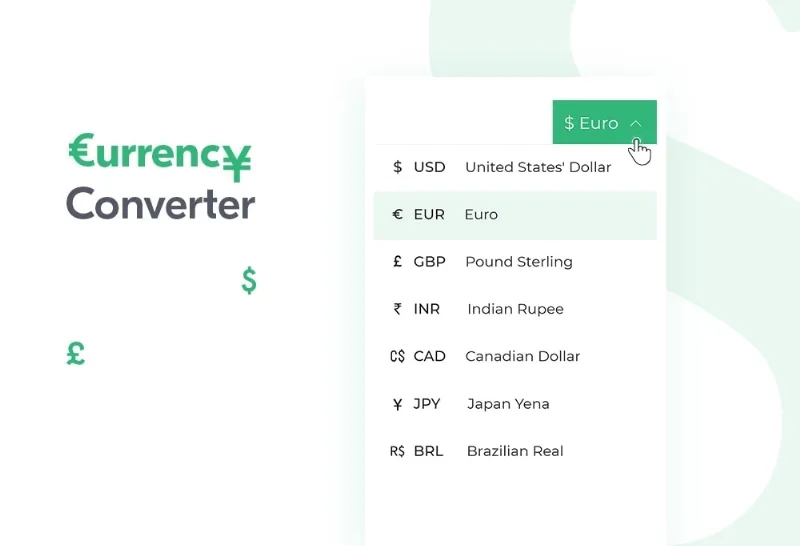
A traveler who sees a tour price in a currency they don't recognize has to do the math on their own, and often they don't and leave. This add-on shows the price of your trips in several currencies, so the customer sees what it will cost in theirs. You need WP Travel Engine active, because this add-on extends that plugin.
There is one limit to keep in mind from the start: the conversion is for displaying prices only. Bookings and payments are always processed in the currency you define in the admin, so the charge does not change currency even if the customer sees the price in another one.
Where the Currency Converter selector appears on the trip page
The selector can be placed in several spots.
- Above the booking calendar on the trip page, with a single checkbox.
- As a widget, from the WordPress widgets section.
- With the shortcode [wte_currency_converter], in the editor or in a PHP template.
- In a floating bar on the right, so the user can switch currency while browsing.
When the customer switches currency, the trip price is shown in the chosen currency.
Automatic rates and prices based on the visitor's location
With geolocation, the add-on detects where the visitor is coming from and shows the trip price in the currency that matches.
To have rates update automatically, you need to set up the currency conversion API.
If you use a page caching plugin such as NitroPack or WP Rocket, location detection also works on pages served from cache. And when the API reaches its request limit, the admin panel shows a dismissible error notice.
Decimals and rounding so converted figures read well
The decimal and rounding options let you adjust how each converted price is displayed. Geolocated prices respect the decimal setting, so the price format stays consistent.
The settings are split into tabs in the panel, and in the booking page selector the base currency appears first, marked as the default.
Currency Converter frequently asked questions
Can I charge each customer in their own currency?
Not with this add-on. Prices are shown converted, but bookings and payments are always processed in the currency you define in the admin.
Do I need anything else for it to work?
Yes, WP Travel Engine, because it is the plugin this add-on extends and it must be active. For automatic rate updates, you also need to set up the currency conversion API.
Does it work with page caching?
Yes. The cache-compatible location detection mode works on pages served by caching plugins such as NitroPack or WP Rocket.
What happens if the conversion API runs out of requests?
The admin panel shows a dismissible notice about the rate-limit error.
Where do I place the selector if I don't want to use the calendar?
You can add the widget from the widgets section, or insert the shortcode [wte_currency_converter] in the editor or in a PHP template.
Topics
Version history
-
v
1.1.6 Current 8 Jan 2025
Customer reviews
Sign in to leave a review. Only people who have the product can review it.
No reviews for this product yet.
Frequently asked questions
-
GPL (General Public License) is the license under which WordPress and most premium plugins/themes are distributed. It grants you the right to use, modify and redistribute the software in as many projects as you want, with no domain restrictions.
-
Yes. With membership you get automatic updates via our GPLClub Updater plugin (installed on your WP, detects new versions and applies them). With individual purchase, you get one year of manual updates from your account.
-
Depends on the plan. Monthly: 3 domains. Semi-annual: 7. Annual and Lifetime: 15. Individual purchase: 1 domain.
-
GPLClub offers its own support for installation, configuration and compatibility. For direct support from the original author (feature requests, product-specific bugs), a license purchased from the author is required.