WooCommerce Dynamic Pricing & Discounts
Antivirus scan
Powered by ClamAV
✅ Verified clean
This product file has passed our security filters.
Want to run a fresh ClamAV scan right now? Takes a few seconds and shows scanner version, signature DB and live result.
This can take 5 to 30 seconds.
Clean file Threat detected
No threats detected in this file.
- File
- Size
- Scanned
- ClamAV
- Signature database
⚡ Powered by ClamAV
Scan could not be completed
Report product
If you detected an issue (broken file, malware, inappropriate content, etc.) let us know and we'll review it ASAP.
Sign in to report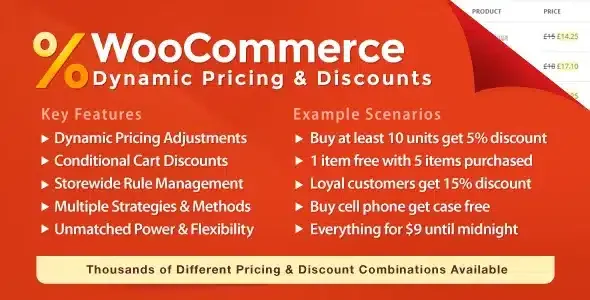
About WooCommerce Dynamic Pricing & Discounts
When coupons leak and discounts overlap
Anyone selling on WooCommerce ends up with a tangle: a coupon circulating on bargain sites, a wholesale rate set up by hand, a weekend offer that overlaps with another one, and nobody knows what final price the customer pays. Margin is rarely lost through one big markdown; it is lost through small rules that pile up unchecked.
WooCommerce Dynamic Pricing & Discounts brings product pricing, cart discounts and checkout fees together in one plugin, with conditions to decide who sees what and when each rule applies.
Product pricing, codeless discounts and fees in WooCommerce Dynamic Pricing & Discounts
The plugin works on three fronts:
- Product pricing: simple adjustment (lower, raise or replace the price), bulk pricing (all units get the highest discount reached), tiered pricing (each tier adds a bigger discount), groups of products bought together and buy X, get a discount on Y.
- Cart discounts: they work like a coupon, but the customer enters no code; if they meet the conditions, they see the discount instantly.
- Checkout fees: charges based on order details, for example to cover international orders or perishable products.
You can also exclude products from the rest of the rules and restrict the purchase of certain products when a condition is met.
What you should be clear about
It is a plugin for WooCommerce: without the store it does nothing. It is not a coupon code generator either: cart discounts apply on their own, so if you want campaigns with a personal code by email, you will keep using regular coupons. And the power demands method: if several rules match the same product, you have to decide which one prevails using rule exclusivity, or the final price will surprise you.
Common questions: wholesale, BOGO and shipping zones
Can I offer different prices depending on the type of customer?
Yes. The conditions include user role, capability, user metadata and whether the user is logged in, which works for wholesale or member rates.
Does it work for BOGO-style promotions?
The buy X, get a discount on Y rule is built for that: it applies a discount to the Y units when the X units are bought at the regular price. You set the quantities and the discount.
Can I limit a discount to a country or zone?
Yes: you can set conditions by country, state, postcode or shipping zone, as well as by shipping method and payment method.
What is the difference between bulk and tiered pricing?
With bulk pricing, once a tier is reached all units get that discount. With tiered pricing, each tier has its own discount and it only applies to the units that fall within it.
Conditions that turn a markdown into a profitable promotion
The difference between giving away margin and rewarding the right customer lies in the conditions. Rules can combine, among others, this data:
- Product: variation, category, attribute, tag, regular price, whether it is on sale, stock, shipping class and metadata.
- Customer: role, capability, metadata and whether they are logged in.
- Cart: subtotal, total quantity, item count, total weight, applied coupon and quantities by product, variation, category or shipping class.
- Payment and shipping: payment method, shipping method, country, state, postcode and zone.
- Customer value: total spent, average order value, last order and its date, order count and review count.
That last group is the most useful for loyalty: you can reserve the discount for those who have already spent a certain amount instead of lowering the price for everyone.
Test each rule with a user of each role before publishing it
With so many conditions, the sensible approach is to start with a few rules and check each one before adding the next. A simple routine:
- Create a single rule and test it with a regular customer account and with one of the role it targets.
- Check the price on the product page, in the cart and in the checkout totals, to confirm they match.
- If several rules affect the same product, check which one applies and adjust the exclusivity.
- If you use fees, verify that the customer sees them before paying and that they do not trigger on orders where they should not.
Also check in the demo how the quantity pricing table is displayed, to see whether it fits your store design.
Topics
Version history
-
v
9.7.0 Current 22 May 2026
-
v
9.4.1 24 Mar 2026
Customer reviews
Sign in to leave a review. Only people who have the product can review it.
No reviews for this product yet.
Frequently asked questions
-
GPL (General Public License) is the license under which WordPress and most premium plugins/themes are distributed. It grants you the right to use, modify and redistribute the software in as many projects as you want, with no domain restrictions.
-
Yes. With membership you get automatic updates via our GPLClub Updater plugin (installed on your WP, detects new versions and applies them). With individual purchase, you get one year of manual updates from your account.
-
Depends on the plan. Monthly: 3 domains. Semi-annual: 7. Annual and Lifetime: 15. Individual purchase: 1 domain.
-
GPLClub offers its own support for installation, configuration and compatibility. For direct support from the original author (feature requests, product-specific bugs), a license purchased from the author is required.