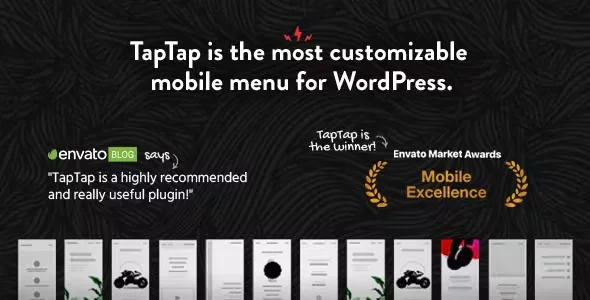
TapTap WordPress Mobile Menu
Antivirus scan
Powered by ClamAV
✅ Verified clean
This product file has passed our security filters.
Want to run a fresh ClamAV scan right now? Takes a few seconds and shows scanner version, signature DB and live result.
This can take 5 to 30 seconds.
Clean file Threat detected
No threats detected in this file.
- File
- Size
- Scanned
- ClamAV
- Signature database
⚡ Powered by ClamAV
Scan could not be completed
Report product
If you detected an issue (broken file, malware, inappropriate content, etc.) let us know and we'll review it ASAP.
Sign in to reportNewer version out, or a problem?
About TapTap WordPress Mobile Menu
For anyone who needs a custom mobile menu instead of the theme's
A desktop menu that stays the same on mobile often ends up with stacked links, a lost button and a search nobody finds. TapTap is built for people who want to control that mobile access from scratch, without relying on whatever the theme includes.
If the menu that comes with your theme is enough and you don't want to touch colors, positions or animations, TapTap probably isn't needed. And if your store uses WooCommerce and you want the cart button in the menu, you need WooCommerce active, because it is what generates it.
Menu button and logo: the access the visitor sees
The button can go on the left or right, with its distance adjusted to the pixel, and open the menu on click, tap or mouseover. There are 6 button styles, each in regular and thin versions, and each button can have one of two animations or none.
- A custom text label around the button, with size, letter spacing and one of 12 fonts or the theme's font.
- A hidden button if you prefer to open the menu with your own element, while the label stays visible to open it.
- A logo on the left, center or right, as text or as an image with its own size.
If you're unsure how the button will look, the live demo shows the styles before you decide.
Search and cart inside the mobile menu
If your visitor searches before browsing, the search button can go on the left or right, in regular and thin versions, with its own label. When opened, the search field has customizable placeholder text, adjustable height and a background with its own opacity. For languages read from right to left, the text can be aligned to the right. Hiding the button also hides the search function.
If you sell online, the WooCommerce cart button is positioned like the search button, with cart or shopping bag icon variations and its own colors. You need WooCommerce active for it to appear.
What happens when the menu opens: animation, background and closing
The menu can appear full screen or with its own width and height, and slide in or fade from any side. You can set the speed, align the content, limit its maximum width and adjust the inner padding.
- A background with an image, pattern or color, with its own opacity and corner roundness.
- Animated, pulsating or gradient backgrounds, with their own speed.
- Closing when a menu item is clicked, useful on one-page websites.
- Submenus that stay open on the current section, and closing with the ESC key on desktop.
Header and colors so the menu follows your brand
The header can be shown or hidden, with its own height, color, opacity, blur and shadow, and with a background image if you need one. Each element has its own color and a color for hover or when the menu is active, so the menu can follow your site's palette. You can also add headings and subheadings inside the menu, with their own font and size.
Common questions about TapTap WordPress Mobile Menu
Can I change the menu without touching the theme?
Yes. TapTap has its own settings for the button, logo, header, search and menu content, so the look of mobile access is controlled from the plugin.
Can I use it without WooCommerce?
The WooCommerce cart button only appears if you have WooCommerce active.
What if I want the menu button hidden?
You can hide it and use your own element to open the menu. If you add a label, it stays visible and can be used to open the menu.
Does it work for any type of website?
The plugin is designed for very different sites, from a creative portfolio to a corporate website, because it doesn't impose a fixed design. Check in the demo whether the style you want fits your project.
Version history
-
v
6.0 Current 27 Oct 2025
Customer reviews
Sign in to leave a review. Only people who have the product can review it.
No reviews for this product yet.
Frequently asked questions
-
GPL (General Public License) is the license under which WordPress and most premium plugins/themes are distributed. It grants you the right to use, modify and redistribute the software in as many projects as you want, with no domain restrictions.
-
Yes. With membership you get automatic updates via our GPLClub Updater plugin (installed on your WP, detects new versions and applies them). With individual purchase, you get one year of manual updates from your account.
-
Depends on the plan. Monthly: 3 domains. Semi-annual: 7. Annual and Lifetime: 15. Individual purchase: 1 domain.
-
GPLClub offers its own support for installation, configuration and compatibility. For direct support from the original author (feature requests, product-specific bugs), a license purchased from the author is required.