TI WooCommerce Wishlist Premium
Antivirus scan
Powered by ClamAV
✅ Verified clean
This product file has passed our security filters.
Want to run a fresh ClamAV scan right now? Takes a few seconds and shows scanner version, signature DB and live result.
This can take 5 to 30 seconds.
Clean file Threat detected
No threats detected in this file.
- File
- Size
- Scanned
- ClamAV
- Signature database
⚡ Powered by ClamAV
Scan could not be completed
Report product
If you detected an issue (broken file, malware, inappropriate content, etc.) let us know and we'll review it ASAP.
Sign in to reportNewer version out, or a problem?
About TI WooCommerce Wishlist Premium
Wishlists customers save for later
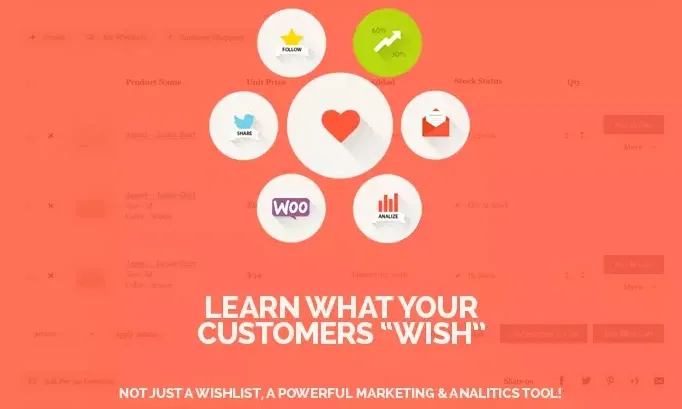
TI WooCommerce Wishlist Premium lets you learn what your customers wish for and use it to sell more.
The customer can create as many lists as they want, for example one for their birthday and another for Christmas, or to sort products by trend or category. Each list has its own privacy setting: private if only its creator can see it, public if anyone can view it and it appears in search results, or shared if it can only be accessed through a direct link.
Within each list they can change the quantity of a product, for example if they need more than one unit for a gift, and move an item to another list if they saved it in the wrong one, directly from the list page.
Follow lists and share them to help the store grow
Following someone else's list helps avoid buying the same gift twice: the follower gets informed if someone has already bought something from that list or if new products have been added. Lists can be shared on social networks or by email, and anyone can search public lists within your website.
You can place the list search and the recent lists widget or shortcode anywhere on the site, from the content to the sidebar. This way visitors discover products they may have overlooked. If someone wants to view a list without being logged in, you can show them a notice to log in directly on the list page or redirect them to the login page.
What you learn about your customers with analytics and promotional emails
From the admin panel you can review your customers' lists and see which products are wished for most. The statistics cross those lists with sales and show data such as click-through rate and abandonment rate. This way you spot products people want but cannot afford and launch promotions aimed at those cases.
To reach them, you send promotional emails to several customers at once from the same panel. There are three templates you can customize with colors, background, typography, social icons, logo and header image. You can also enable customers to contact the store to request an estimate for the products on their list.
Button and table of TI WooCommerce Wishlist Premium, tailored to your store
The add to wishlist button has separate settings for the catalog and for the product page. You can choose between button or link, change the text and position, remove or add the icon (there are two included and you can upload your own), and decide whether the customer is redirected to the list after adding.
On the list page you can enable or disable each column (add to cart button, price, date added, stock status, quantity, bulk actions or checkboxes) and change the button text. Colors, font size and border radius are adjusted from the styles section of the panel. If you sell variations, the list stores the size, color or pattern the customer chose on the product.
One use it covers: lists for gifting
As it is a WooCommerce add-on, the store must have WooCommerce installed and active. On that basis, the plugin covers this type of store:
- Gift and event stores: customers create lists for birthdays, Christmas or other occasions, share them with whoever has to buy, and you see what is saved for each one.
List processing, languages and other compatible plugins
You can set a product to be removed from the list automatically when it is bought, so nobody gives the same gift twice. If your store runs in several languages, the plugin is compatible with WPML and Polylang, and it includes translations you can modify. It is also listed as compatible with plugins such as AutomateWoo, myCRED or Advanced Product Fields, and with themes such as Divi, Flatsome or OceanWP.
Frequently asked questions about TI WooCommerce Wishlist Premium
How many lists can each customer create?
There is no set limit: the customer creates as many lists as they want and can delete them, rename them and change their privacy from the management page.
What happens to a product the customer has already bought?
You can set it to be removed from the list automatically when the purchase is completed, to prevent someone from giving the same gift twice.
Does it work with products that have variations?
Yes. The list stores the exact variation the customer chose on the product page, such as size, color or pattern.
Topics
Version history
-
v
2.2.0 Current 15 May 2024
Customer reviews
Sign in to leave a review. Only people who have the product can review it.
No reviews for this product yet.
Frequently asked questions
-
GPL (General Public License) is the license under which WordPress and most premium plugins/themes are distributed. It grants you the right to use, modify and redistribute the software in as many projects as you want, with no domain restrictions.
-
Yes. With membership you get automatic updates via our GPLClub Updater plugin (installed on your WP, detects new versions and applies them). With individual purchase, you get one year of manual updates from your account.
-
Depends on the plan. Monthly: 3 domains. Semi-annual: 7. Annual and Lifetime: 15. Individual purchase: 1 domain.
-
GPLClub offers its own support for installation, configuration and compatibility. For direct support from the original author (feature requests, product-specific bugs), a license purchased from the author is required.