Timelentor Timeline Layouts for Elementor
Antivirus scan
Powered by ClamAV
✅ Verified clean
This product file has passed our security filters.
Want to run a fresh ClamAV scan right now? Takes a few seconds and shows scanner version, signature DB and live result.
This can take 5 to 30 seconds.
Clean file Threat detected
No threats detected in this file.
- File
- Size
- Scanned
- ClamAV
- Signature database
⚡ Powered by ClamAV
Scan could not be completed
Report product
If you detected an issue (broken file, malware, inappropriate content, etc.) let us know and we'll review it ASAP.
Sign in to report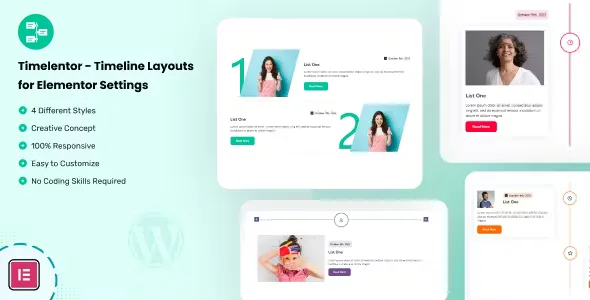
About Timelentor Timeline Layouts for Elementor
Years of history in a paragraph nobody finishes reading
The About Us page of an agency, a studio or a portfolio is usually the text that is hardest to write and least read in full: founding, first clients, change of direction, big projects, all in one grey block. Visitors want to see at a glance how far you have come and what you have done, not read your biography.
Timelentor Timeline Layouts for Elementor turns that chronology into reading points: each date, a milestone, along a vertical or horizontal line. It is a plugin for Elementor, so you work with widgets that you drag and fill in.
How you build your agency timeline with Timelentor, step by step
Imagine you have to tell your company's milestones on the about page. This would be the walkthrough.
1. You pick the layout
The plugin includes 4 timeline layouts, with a vertical or horizontal option. That is not many: if you are looking for a dozen variants, you will not find them, so check in the demo whether one fits your style before deciding.
2. You fill in the milestones
You drag the widget into Elementor and write each milestone with its content. You can create as many timelines as you want, useful if one tells the company history and another shows client project delivery dates. Check in the demo whether it can be fed from posts or custom fields, because it is best not to take that for granted.
3. You adapt it to your brand
You change the color of all the elements, set borders for icons, dividers and boxes, add a shadow to the boxes and enable the button hover effect. With that, the timeline stops looking like a generic template.
4. You check mobile
The design is responsive and adapts to different devices. Even so, look at how it turns out with long texts on mobile: the more you write in each milestone, the longer the column gets.
Common questions before installing Timelentor
Does it work without Elementor? No. It is designed as an Elementor add-on.
Do I need to know how to code? No. You do not need to know how to code.
Does it work with any theme? It works with WordPress themes in general, always relying on Elementor.
Can I have several timelines? Yes, there is no limit. And if your site is in another language, it includes a .pot file so you can translate it.
Stories that fit a timeline (and one that does not)
A chronology works when order and the passing of time are what matter. These are the uses the plugin suggests:
- Events and programs with their dates.
- The history of a company or agency with its growth.
- Client projects with their completion dates.
- Personal achievements and milestones in a portfolio.
If you need a calendar with bookings or event registration, this does not do that: it displays ordered content, nothing more. For that purpose, with 4 layouts and good control over color and borders, it does the job.
Version history
-
v
1.0.8 Current 5 Sep 2026
-
v
1.0.5 30 Apr 2025
Customer reviews
Sign in to leave a review. Only people who have the product can review it.
No reviews for this product yet.
Frequently asked questions
-
GPL (General Public License) is the license under which WordPress and most premium plugins/themes are distributed. It grants you the right to use, modify and redistribute the software in as many projects as you want, with no domain restrictions.
-
Yes. With membership you get automatic updates via our GPLClub Updater plugin (installed on your WP, detects new versions and applies them). With individual purchase, you get one year of manual updates from your account.
-
Depends on the plan. Monthly: 3 domains. Semi-annual: 7. Annual and Lifetime: 15. Individual purchase: 1 domain.
-
GPLClub offers its own support for installation, configuration and compatibility. For direct support from the original author (feature requests, product-specific bugs), a license purchased from the author is required.