Woobought Pro
Antivirus scan
Powered by ClamAV
✅ Verified clean
This product file has passed our security filters.
Want to run a fresh ClamAV scan right now? Takes a few seconds and shows scanner version, signature DB and live result.
This can take 5 to 30 seconds.
Clean file Threat detected
No threats detected in this file.
- File
- Size
- Scanned
- ClamAV
- Signature database
⚡ Powered by ClamAV
Scan could not be completed
Report product
If you detected an issue (broken file, malware, inappropriate content, etc.) let us know and we'll review it ASAP.
Sign in to report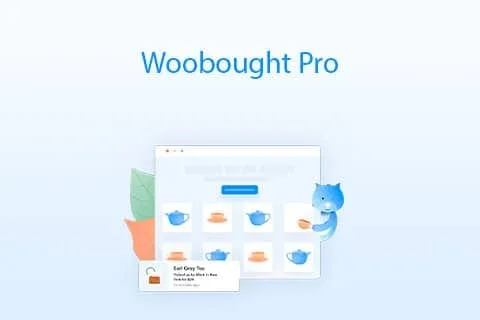
About Woobought Pro
A purchase notice shows a real customer to strangers
You want people who visit your store to see that others already bought. But every notice comes from a genuine order, with a person behind it, and what appears on screen is something you decide when you write the message.
The notice text is a privacy decision as well as a sales decision: the more buyer data you include, the more you show of a real person to someone who does not know them.
Woobought Pro is a WooCommerce plugin that shows notifications about recent orders to visitors. Those notifications come from real store orders, not generated data. The message can be edited freely to add product and buyer information, so you choose how much of each appears.
What you control in each notification
- Message: edited to include product and buyer details.
- Stock: the notice can show how many units are left in stock.
- Relative timestamp: it can show how long ago the purchase happened, in a format like "2 hours ago".
- Colors and placement: changed from the settings.
- Mobile: notifications adapt to the screen size and can be turned off on mobile devices.
- Excluded pages: you can hide them on the pages you choose.
The settings are split across several screens: notification, messaging, display and advanced. They cover the design, appearance and performance of the notices.
A message with two levels of detail
Picture a store with high-priced products and another with everyday items. In the first, a notice that names the buyer can feel more sensitive than in the second. One option is a message that names only the product and the timestamp, with no buyer details. This is one idea of use; adjust it to your store.
If the notice gets in the way on a specific page, such as checkout, you can exclude it.
Without recent orders there is little to show
The notices depend on real orders. Among its features there are no notices with generated data, so a store without recent orders has little to show.
It works with any theme as long as the theme is well coded. With a poorly coded theme there can be conflicts.
The settings interface is available in English, Dutch and French. The notices visitors see can be shown in English, Dutch, French, Romanian, German and Spanish.
Setting up the notifications
It requires WooCommerce, since it reads the store's orders. To get started:
- Install the plugin with the WordPress installer and activate it.
- Open its settings from the dashboard, under Settings and then WooBought Pro.
- Write the message and decide which product and buyer details it includes.
- In the display options, choose the pages where it should not appear.
Similar plugins in the catalog
To show store activity with a different approach, look at WooCommerce Notification and NotificationX Pro.
Answers about Woobought Pro
Are the notices real orders?
Yes. They show notifications about WooCommerce orders, not generated data.
Can I hide the notices on the checkout page?
Yes. In the display options you choose the pages where they should not appear.
Can they be turned off on mobile?
Yes, there is an option to hide them on mobile devices.
Can it say how many units are left?
Yes. The notice can include the remaining stock of the product.
Topics
Version history
-
v
2.0 Current 29 Nov 2025
Customer reviews
Sign in to leave a review. Only people who have the product can review it.
No reviews for this product yet.
Frequently asked questions
-
GPL (General Public License) is the license under which WordPress and most premium plugins/themes are distributed. It grants you the right to use, modify and redistribute the software in as many projects as you want, with no domain restrictions.
-
Yes. With membership you get automatic updates via our GPLClub Updater plugin (installed on your WP, detects new versions and applies them). With individual purchase, you get one year of manual updates from your account.
-
Depends on the plan. Monthly: 3 domains. Semi-annual: 7. Annual and Lifetime: 15. Individual purchase: 1 domain.
-
GPLClub offers its own support for installation, configuration and compatibility. For direct support from the original author (feature requests, product-specific bugs), a license purchased from the author is required.