WooCommerce Notification | Boost Your Sales - Live Feed Sales - Recent Sales Popup - Upsells
Antivirus scan
Powered by ClamAV
✅ Verified clean
This product file has passed our security filters.
Want to run a fresh ClamAV scan right now? Takes a few seconds and shows scanner version, signature DB and live result.
This can take 5 to 30 seconds.
Clean file Threat detected
No threats detected in this file.
- File
- Size
- Scanned
- ClamAV
- Signature database
⚡ Powered by ClamAV
Scan could not be completed
Report product
If you detected an issue (broken file, malware, inappropriate content, etc.) let us know and we'll review it ASAP.
Sign in to report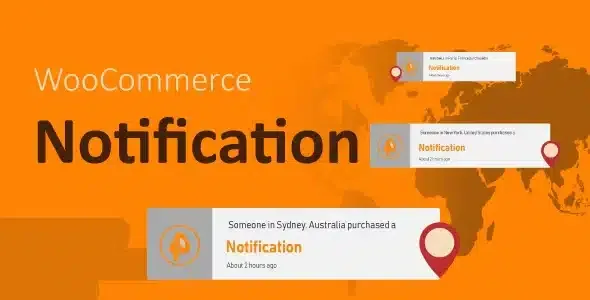
About WooCommerce Notification | Boost Your Sales - Live Feed Sales - Recent Sales Popup - Upsells
A new store, or one with little traffic, has a problem that more discounts won't fix: visitors arrive, look around and don't see anyone else buying. Without that signal, hesitating is the easy choice. WooCommerce Notification shows recent orders as popups inside the store, so people browsing can see that others have already bought those products.
From the WooCommerce order to the popup, step by step
This is the typical path for a store with orders spread across the week:
- You choose which orders count. The plugin reads WooCommerce orders and filters them by status: completed, processing, on hold, cancelled, refunded, pending payment or failed. Showing a failed or refunded order as a sale helps no one, so keep only the statuses that truly indicate a purchase.
- You set how far back to look. You choose from when orders are shown until today. You can also display a time adjusted to your site's timezone instead of the real time of the order.
- You remove what shouldn't appear. You can exclude products, respect the visibility they have in the catalog and decide whether out-of-stock items appear or not. A popup that encourages people to buy something with no stock causes frustration.
- You decide where each thing is shown. On a category page, the notifications only mention products from that category. On a product page you can show only the product being viewed or also others from its category, and choose whether variations appear instead of the variable product.
- You write the message. You can create several messages, each in its own popup, with shortcodes such as {first_name}, {city}, {state}, {country}, {product} and {product_with_link} (the title with a link to the product page). You also choose the size of the product image.
If you sell external or affiliate products, clicking the popup can take the visitor to the external product page.
Questions buyers ask before installing WooCommerce Notification
Does it work if I still have few orders?
With few real orders, the popup will repeat a lot. That is what the simulated orders feature is for, with the precautions in the next section.
Can I limit the notifications to specific pages?
Yes, using WordPress conditional tags. Be careful with that field: the plugin processes them with eval(), which executes PHP code. Fill it in only with tags you know or that a trusted developer has given you.
Does it work in a store without WooCommerce?
No. It takes its data from WooCommerce orders, so it depends on it.
Simulated orders: useful to get started, risky for your reputation
The plugin can invent orders for products you pick, for whole categories or for your latest arrivals. It detects the visitor's city by IP to simulate nearby purchases, picks a random purchase time within the range you set and combines the names and cities you type.
It is a powerful technical feature, but showing purchases that haven't happened is deceiving the customer. If someone finds out, you will lose more trust than you gained, and in many countries misleading advertising has legal consequences. If you use it, do so with judgment and don't present as real what is not.
Urgency and new arrivals without touching the catalog
The popups also help give visibility to new items: with orders for your latest products, visitors discover items they might not have searched for. It is not a coupon or cart recovery system: its job is to show purchase activity, nothing more. Try in the demo how the notifications look with your type of product and adjust the frequency so they don't feel heavy.
Topics
Version history
-
v
1.7.2 Current 5 Sep 2026
-
v
1.7.1 9 Jul 2026
-
v
1.7.0 31 Mar 2026
Customer reviews
Sign in to leave a review. Only people who have the product can review it.
No reviews for this product yet.
Frequently asked questions
-
GPL (General Public License) is the license under which WordPress and most premium plugins/themes are distributed. It grants you the right to use, modify and redistribute the software in as many projects as you want, with no domain restrictions.
-
Yes. With membership you get automatic updates via our GPLClub Updater plugin (installed on your WP, detects new versions and applies them). With individual purchase, you get one year of manual updates from your account.
-
Depends on the plan. Monthly: 3 domains. Semi-annual: 7. Annual and Lifetime: 15. Individual purchase: 1 domain.
-
GPLClub offers its own support for installation, configuration and compatibility. For direct support from the original author (feature requests, product-specific bugs), a license purchased from the author is required.