Toolset Forms
Antivirus scan
Powered by ClamAV
✅ Verified clean
This product file has passed our security filters.
Want to run a fresh ClamAV scan right now? Takes a few seconds and shows scanner version, signature DB and live result.
This can take 5 to 30 seconds.
Clean file Threat detected
No threats detected in this file.
- File
- Size
- Scanned
- ClamAV
- Signature database
⚡ Powered by ClamAV
Scan could not be completed
Report product
If you detected an issue (broken file, malware, inappropriate content, etc.) let us know and we'll review it ASAP.
Sign in to report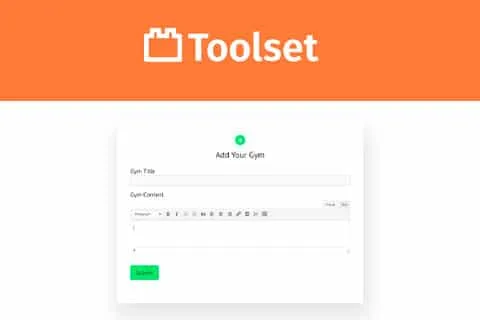
About Toolset Forms
A form that creates content decides what your public sees
You open a form to your visitors so they can submit their listing to your directory, and you expect to receive messages in your inbox. What arrives is something else: a new entry on your site, with its fields, its taxonomies and a publication status you chose when you set up the form.
With Toolset Forms, whoever submits the form creates content on your site, and the status that entry is born with decides whether the public sees it before you review it.
Toolset Forms builds forms that create WordPress content, edit it and can also delete content that already exists. It automatically includes the fields that belong to that content, among them custom fields, taxonomies and relationships, and you do not need to write HTML, CSS, JavaScript or PHP. It is aimed at directories, classifieds, listings and membership sites.
What you can build with it
- Content forms: create or edit posts, pages and your own content types from the public side of the site.
- User forms: create or edit users from the front end.
- Automatic fields: the form picks up the fields of the content type; you can delete and reorder them, except the mandatory ones, which cannot be removed.
- Drag-and-drop design: in the editor you see the form area and the list of available fields and elements, and you place them where you want.
- Conditional display: form sections that show or hide depending on custom fields and taxonomies.
The form comes out with clean, simple HTML, and you have full control over that HTML. It adapts to wide and narrow areas and to any theme.
A submission form for a directory
One possible setup, which you should test before opening it to the public: a form that creates an entry of your “business” content type, with the field template you already have, and that is saved with a status you choose in the wizard.
The creation status is the piece that matters most. If the entry is born published, it appears in your directory as soon as it is submitted. If it is born in another status, it waits for your review.
The alert that a new submission has arrived is set up in the same form, which supports several notifications. For each one you set a name, whether it is active, who receives it and who sends it. You can list several recipients and add them as blind copy so the others do not see them.
Subject and body accept data from the post or the user through shortcodes you insert with the fields and views button, and also placeholders that are replaced when the email is sent. Some notifications can be scheduled to go out later, and not only when the form is submitted.
Limitations to keep in mind
- To place two fields on the same row, Bootstrap must be enabled on your site.
- The mandatory shortcodes cannot be removed: if you delete them, the form stops working.
First steps with the wizard
- Open the Toolset content forms page and create a new form.
- Give it a name and choose the content type and the status the entry will be created with.
- Design the form: review the fields that already appear, reorder them and add any missing elements.
- Set up the email notifications.
- Insert the form with the Toolset Form block in the page you want.
The custom fields, taxonomies and relationships of your content must exist beforehand, because the form takes them from the content type.
Alternatives for content forms
Other form plugins that create content from the front end are ACF Frontend Form Element Pro, Ninja Forms Front-end Posting and Gravity Forms Advanced Post Creation.
If you want to define fields and content types with the same family of tools, look at Toolset Types. To control who gets access to what there is Toolset Access.
Answers about Toolset Forms
Does it only create new content?
No. It also edits existing content and can delete it.
Can I send the notification to more than one person?
Yes. A notification supports several recipients, also in blind copy, and a form can have several notifications.
Can I change the form HTML?
Yes. You have full control over it, and the form is generated with clean HTML.
Topics
Version history
-
v
2.6.27 Current 29 Oct 2026
-
v
2.6.26 22 Sep 2026
-
v
2.6.25 24 Jun 2026
-
v
2.6.23 4 Apr 2025
Customer reviews
Sign in to leave a review. Only people who have the product can review it.
No reviews for this product yet.
Frequently asked questions
-
GPL (General Public License) is the license under which WordPress and most premium plugins/themes are distributed. It grants you the right to use, modify and redistribute the software in as many projects as you want, with no domain restrictions.
-
Yes. With membership you get automatic updates via our GPLClub Updater plugin (installed on your WP, detects new versions and applies them). With individual purchase, you get one year of manual updates from your account.
-
Depends on the plan. Monthly: 3 domains. Semi-annual: 7. Annual and Lifetime: 15. Individual purchase: 1 domain.
-
GPLClub offers its own support for installation, configuration and compatibility. For direct support from the original author (feature requests, product-specific bugs), a license purchased from the author is required.