Top Sliding Bar, Widgets Builder
Antivirus scan
Powered by ClamAV
✅ Verified clean
This product file has passed our security filters.
Want to run a fresh ClamAV scan right now? Takes a few seconds and shows scanner version, signature DB and live result.
This can take 5 to 30 seconds.
Clean file Threat detected
No threats detected in this file.
- File
- Size
- Scanned
- ClamAV
- Signature database
⚡ Powered by ClamAV
Scan could not be completed
Report product
If you detected an issue (broken file, malware, inappropriate content, etc.) let us know and we'll review it ASAP.
Sign in to reportNewer version out, or a problem?
About Top Sliding Bar, Widgets Builder
An important notice should not wait until the visitor scrolls to the footer
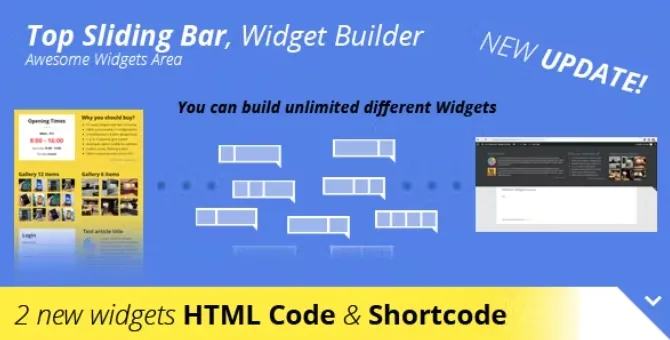
Top Sliding Bar, Widgets Builder builds the bar with the WordPress widget area and is 100% customizable, with unlimited configurations.
Setting up a notice bar step by step with Top Sliding Bar
Picture a store that wants to announce free shipping over the weekend. With this plugin, the process would look roughly like this:
- Prepare the content. Each notice is created as a widget inside the bar area. The plugin includes more than five ready-made widgets to start from.
- Give it an identity. You can use unlimited colors and choose from more than 650 Google fonts.
- Organize the information. Content is arranged in 1, 2, 3 or 4 columns thanks to its grid system.
- Draw attention. The arrow that opens the bar is customizable, and there is a button with a flashing effect.
- Decide how it behaves. You can keep it in a fixed position, give it a transparent background and show or hide widgets.
In the end you get a bar that opens with an arrow in the corner, as in the official demo, and the design is 100% responsive. It also supports custom CSS. The official gallery also includes a huge area example.
Inserting the bar with a shortcode or HTML code
The official page shows examples of insertion with a shortcode and with HTML code, plus an example with a link.
Developer options that visitors never see
There is a developer option that only appears for administrators.
Frequently asked questions about Top Sliding Bar, Widgets Builder
Can I change the look of the bar?
You can change the colors, choose from more than 650 Google fonts and adjust the layout to 1, 2, 3 or 4 columns.
Does the bar look right on mobile?
The design is 100% responsive, so it adapts to the size of the screen.
Can I keep the bar visible while the visitor scrolls?
Yes, there is a fixed position option. You can also give it a transparent background.
What kind of arrows and buttons can I use?
The arrow is customizable and there is a button with a flashing effect. The official demo gallery includes an example of this flashing button.
Version history
-
v
1.2.7 Current 15 May 2024
Customer reviews
Sign in to leave a review. Only people who have the product can review it.
No reviews for this product yet.
Frequently asked questions
-
GPL (General Public License) is the license under which WordPress and most premium plugins/themes are distributed. It grants you the right to use, modify and redistribute the software in as many projects as you want, with no domain restrictions.
-
Yes. With membership you get automatic updates via our GPLClub Updater plugin (installed on your WP, detects new versions and applies them). With individual purchase, you get one year of manual updates from your account.
-
Depends on the plan. Monthly: 3 domains. Semi-annual: 7. Annual and Lifetime: 15. Individual purchase: 1 domain.
-
GPLClub offers its own support for installation, configuration and compatibility. For direct support from the original author (feature requests, product-specific bugs), a license purchased from the author is required.