Uncanny Learndash Groups
Antivirus scan
Powered by ClamAV
✅ Verified clean
This product file has passed our security filters.
Want to run a fresh ClamAV scan right now? Takes a few seconds and shows scanner version, signature DB and live result.
This can take 5 to 30 seconds.
Clean file Threat detected
No threats detected in this file.
- File
- Size
- Scanned
- ClamAV
- Signature database
⚡ Powered by ClamAV
Scan could not be completed
Report product
If you detected an issue (broken file, malware, inappropriate content, etc.) let us know and we'll review it ASAP.
Sign in to report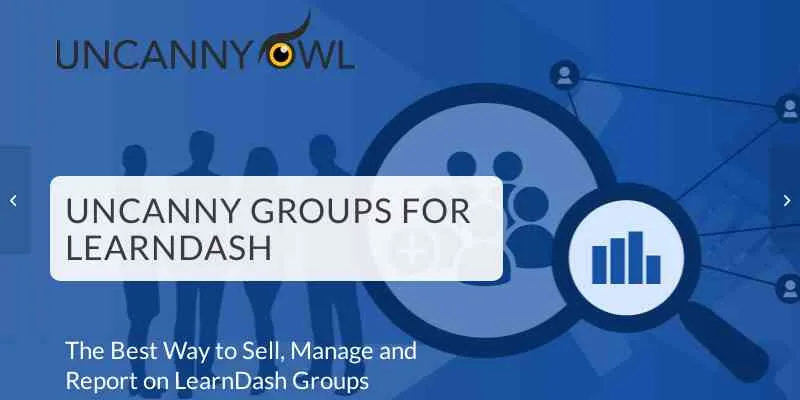
About Uncanny Learndash Groups
The type of sale decides what you can offer afterwards
You sell course access to a company. Months later it asks for more seats and an extra course. What you can answer then was already decided the day you chose how to sell to it.
In Uncanny Groups, a custom license lets you add seats and courses after purchase, while a subscription license lets you add seats but not courses, so the type of sale limits what you can expand.
Uncanny Groups for LearnDash extends LearnDash groups with front-end management and reporting for Group Leaders, and with group sales through WooCommerce, one-time or by subscription.
What leaders can do and how it sells
- Management without wp-admin: Group Leaders add, invite, edit and remove users in their groups from the front end.
- Several ways to enroll: one by one, in bulk, with a .csv file or with enrollment keys so each person registers on their own.
- Group reports: member reports on the front end, with support for group hierarchies.
- Grading: the leader reviews, grades and approves quiz essay questions and assignments.
- Progress: marks courses, lessons, topics and quizzes complete or incomplete.
- Messages: sends password reset emails and mass emails to those who have or have not completed their courses. The leader downloads learner certificates for group members.
- Parent and child groups: with seats shared between them.
Selling works with WooCommerce. The buyer chooses courses and seats, and the per-seat cost is calculated automatically. You can offer preconfigured bundles or let each customer build a custom license, for which the plugin generates a page where courses and number of seats are chosen, and the price is calculated at checkout. Afterwards, the buyer can use the front-end Add Seats and Add Courses screens.
A custom license and a subscription license
With a custom license of three courses and five seats, the leader can later add seats and also a course. With a subscription license, the leader can add seats but not courses. That is the answer you will have for a customer who asks for an expansion. Use it as a guide and change it where your case calls for it.
Rules of selling by seat
- On subscription licenses, seats can be added but courses cannot.
- Selling groups needs WooCommerce, and selling by subscription also needs WooCommerce Subscriptions.
- The plugin extends LearnDash and does not work without it.
- The price of a custom license is calculated at checkout from the courses and seats chosen.
Preparing the first group
You need LearnDash active, and WooCommerce if you are going to sell groups. To get started:
- Install the plugin with the WordPress installer and activate it.
- Create a LearnDash group and assign it a leader.
- Set up the WooCommerce product with the courses and seats, or with a custom license.
- Log in as the leader to add users and check the report.
Groups and courses from other plugins
The catalog has other pieces that come near this ground: Groups Plus for LearnDash, LearnDash WooCommerce Integration and LearnDash ProPanel.
Questions when selling seats to a team
Do leaders need to enter wp-admin?
No. They manage their groups from the front end.
Can each customer choose their courses and seats?
Yes. The plugin generates a page where the buyer chooses courses and seats, and the total is calculated automatically.
Can licenses be changed after purchase?
Custom licenses can add seats and courses. Subscription licenses can add seats.
Can many people be enrolled at once?
Yes, in bulk or with a .csv file, or with enrollment keys so they register themselves.
Topics
Version history
-
v
6.1.5 Current 28 Oct 2025
Customer reviews
Sign in to leave a review. Only people who have the product can review it.
No reviews for this product yet.
Frequently asked questions
-
GPL (General Public License) is the license under which WordPress and most premium plugins/themes are distributed. It grants you the right to use, modify and redistribute the software in as many projects as you want, with no domain restrictions.
-
Yes. With membership you get automatic updates via our GPLClub Updater plugin (installed on your WP, detects new versions and applies them). With individual purchase, you get one year of manual updates from your account.
-
Depends on the plan. Monthly: 3 domains. Semi-annual: 7. Annual and Lifetime: 15. Individual purchase: 1 domain.
-
GPLClub offers its own support for installation, configuration and compatibility. For direct support from the original author (feature requests, product-specific bugs), a license purchased from the author is required.