URL Shortener Pro
Antivirus scan
Powered by ClamAV
✅ Verified clean
This product file has passed our security filters.
Want to run a fresh ClamAV scan right now? Takes a few seconds and shows scanner version, signature DB and live result.
This can take 5 to 30 seconds.
Clean file Threat detected
No threats detected in this file.
- File
- Size
- Scanned
- ClamAV
- Signature database
⚡ Powered by ClamAV
Scan could not be completed
Report product
If you detected an issue (broken file, malware, inappropriate content, etc.) let us know and we'll review it ASAP.
Sign in to report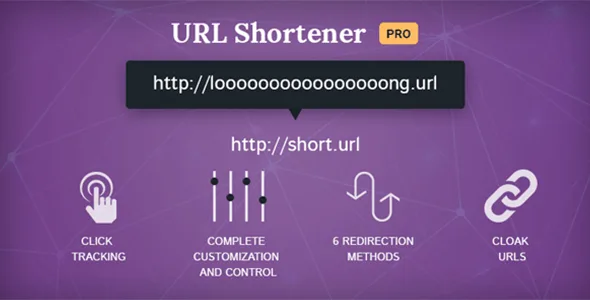
About URL Shortener Pro
A shared link keeps circulating after the offer is over
You publish an affiliate link in a video, a newsletter and a blog post. Months later, the program changes its address or the offer disappears. The video is still there, the newsletter has gone out, and all those links point to a page that no longer works.
What you share cannot be corrected afterward, so what you share should be a link of your own, and not the final destination. URL Shortener Pro, by MyThemeShop, creates short links from your WordPress, with a customizable slug and a target address you define, to hide affiliate links, share long addresses on social media or make them easy to remember.
The part people look at least when starting out is the redirection method. How the link behaves when you want to change it depends on that.
Choosing the redirect for each short link
URL Shortener Pro offers these options for each link:
- 301, 302 and 307: header redirects.
- JavaScript and meta refresh: the redirect happens on the page.
- Invisible iFrame and cloaked redirect: to keep the short link in view.
A 301 means a permanent move and browsers may cache it, so someone who already clicked might keep going to the old destination. A 302 or a 307 indicate a temporary change. If you know the destination will change, as with a seasonal offer, keep this in mind when choosing, and test it from another browser.
Control over how the link appears
- Cloaking: shows a different address on hover.
- Categories: organize the links and avoid an endless list.
- Attributes: nofollow and noreferrer, opening in a new window, title and anchor text.
- Parameters: forwarding parameters to the destination.
- Delay: a wait before redirecting, with an optional message in the meantime.
- robots.txt: an option to disallow the links folder.
- Shortcodes: to insert links into your content.
Taking links into the archive and measuring them
An archive with hundreds of posts holds many links written by hand. The plugin can bulk-replace links in old content and turn keywords into short links, with a replacement limit.
That limit matters. If a word appears many times, an uncapped replacement can fill an article with links. Start with few replacements and review a couple of posts before widening it.
The stats show in graphs how many hits each link gets and where they come from. Short links can also be exported, a useful way out if you change tools.
The scope ends there: it is a link shortener and manager. Its features do not include commission payouts or running an affiliate program of your own.
Importing from Pretty Links and getting started
Anyone already using Pretty Links can import their links, and go back to that plugin if they decide to. If you are coming from the free version of URL Shortener, you keep your short links and stats. For developers there are hooks.
- Install the plugin and run the import if you have links in Pretty Links.
- Create a link, define the slug and destination, and pick the redirect.
- Test the link and see whether it appears in the stats.
- Organize your links into categories.
- Try the bulk replacement with a low limit.
Pretty Links and BetterLinks next to this plugin
Pretty Links Pro turns long addresses, including affiliate ones, into branded links on your domain, with click tracking. BetterLinks Pro adds analytics and dynamic redirects by country, device or time to short links, as well as A/B testing.
Your short links in six questions
Can I hide affiliate links?
Yes, that is one of its main uses, along with link cloaking.
Which redirect should I choose?
It depends on whether the destination will change. A 301 indicates a permanent move; a 302 or 307, a temporary one.
Do I lose my data if I come from the free version?
No. Short links and stats are kept.
Can I bring links over from Pretty Links?
Yes, it has an importer, and you can go back to that plugin.
Can I stop search engines from crawling the links?
There is an option to disallow the folder in robots.txt, as well as nofollow.
Can I show a message before redirecting?
Yes, with a delay and an optional message during the wait.
Topics
Version history
-
v
1.0.16 Current 8 May 2024
Customer reviews
Sign in to leave a review. Only people who have the product can review it.
No reviews for this product yet.
Frequently asked questions
-
GPL (General Public License) is the license under which WordPress and most premium plugins/themes are distributed. It grants you the right to use, modify and redistribute the software in as many projects as you want, with no domain restrictions.
-
Yes. With membership you get automatic updates via our GPLClub Updater plugin (installed on your WP, detects new versions and applies them). With individual purchase, you get one year of manual updates from your account.
-
Depends on the plan. Monthly: 3 domains. Semi-annual: 7. Annual and Lifetime: 15. Individual purchase: 1 domain.
-
GPLClub offers its own support for installation, configuration and compatibility. For direct support from the original author (feature requests, product-specific bugs), a license purchased from the author is required.